EasyManua.ls Logo

Paxar Monarch series - User Manual

Paxar Monarch series
44 pages
Print Icon
To Next Page IconTo Next Page
Loading...
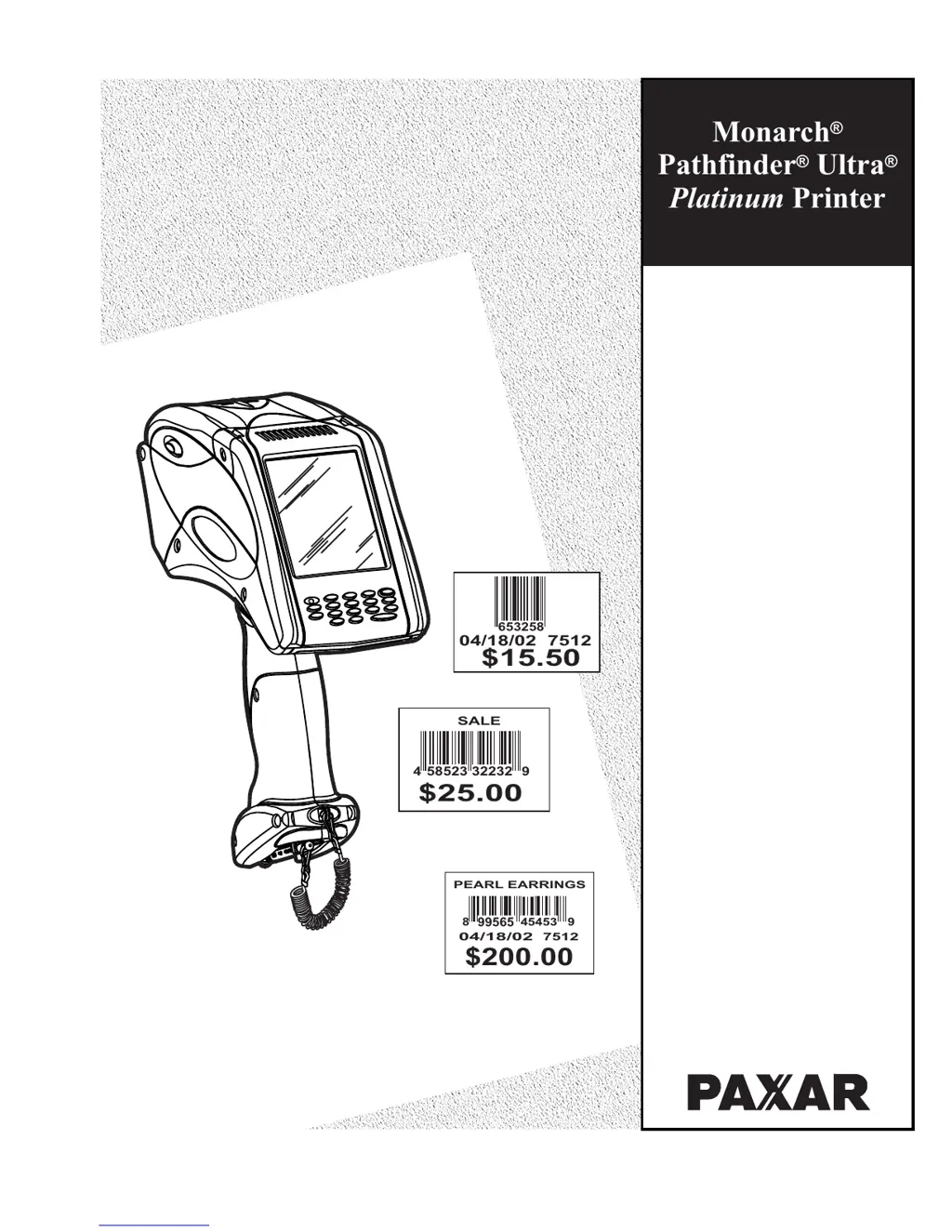
Monarch
Pathfinder Ultra
Printer
®
®®
Platinum
04/18/02 7512
653258
$15.50
32232
SALE
$25.00
58523
49
PEARL EARRINGS
99565
$200.00
04/18/02
8
7512
45453
9
Operators
Handbook
Operators
Handbook
TC6039OH Rev. AB 9/05 ©2005 Paxar Americas, Inc. All rights reserved.

Questions and Answers

Summary

Using Printer Batteries

Using the Main Battery

Information on the printer's primary 7.4V lithium-ion battery and its proper use.

Charging the Main Battery

Instructions for charging the main lithium-ion battery using approved chargers.

Changing the Main Battery

Step-by-step guide for replacing the main battery in the printer.

Main Battery Safety Information

Crucial safety precautions, handling, storage, and disposal guidelines for the main battery.

Using Printer Supplies

Loading Printer Supplies

Instructions for loading various types of supplies into the printer.

Loading Supplies for Peel Mode

Procedure for loading supplies when the printer is set to peel mode for label application.

Loading Supplies for Non-Peel Mode

Procedure for loading supplies when the printer is set to non-peel mode for continuous strips or tags.

Entering and Printing Data

Using the Printer Keypad

Explanation of the printer's keypad layout and function keys for data input.

Entering Data

Methods for entering data using the keypad, including numeric and alphabetic modes.

Scanning Bar Codes

Instructions on how to use the printer's built-in scanner to read bar codes.

Printing Operations

How the printer initiates printing based on application settings and user input.

Care and Maintenance

Cleaning the Printhead

Detailed steps for cleaning the printer's printhead to ensure print quality.

Clearing Supply Jams

Instructions on how to resolve and clear jammed supplies from the printer.

Troubleshooting Printer Issues

Understanding Error Codes

List and explanations of common error codes and their potential solutions.

Paxar Monarch series Specifications

General IconGeneral
Scanning TechnologyLaser
InterfaceRS-232, USB
Operating Temperature0°C to 40°C (32°F to 104°F)
Humidity5% to 95% non-condensing
Power SourceBattery or External Power Supply (depending on the model)
DimensionsVaries depending on the model
WeightVaries depending on the model

Related product manuals