8
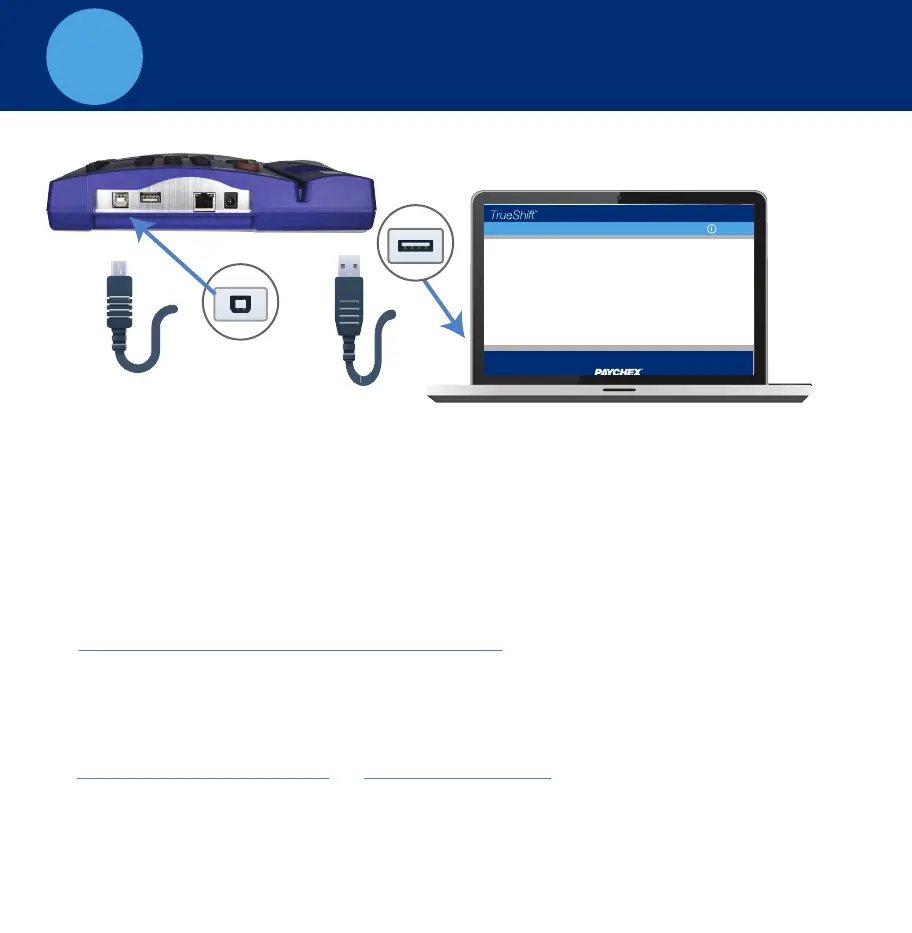
Connect your clock to the PC using USB
A. Plug the USB cable into the USB port located on the bottom of your
clock.
B. Plug the other end of the USB cable into the USB port on your PC.
C. Download the USB Communications Drivers from our website at:
D. Follow instructions listed to complete the driver installation.
E. Once complete, open your Web browser and navigate to:
Important: USB connection is compatible with Windows Vista and above.
If you are using a Mac, give us a call for alternative options.
www.trueshifttimeclock.com/connectusb
http://trueshift.timeclock or http://172.20.20.1
Home Lists Reports Print Files Settings
Customer Name | Sign-out
Timecards by Dept.
CONNECT DIRECT TO PC - USB


 To Next Page
 Loading...