9
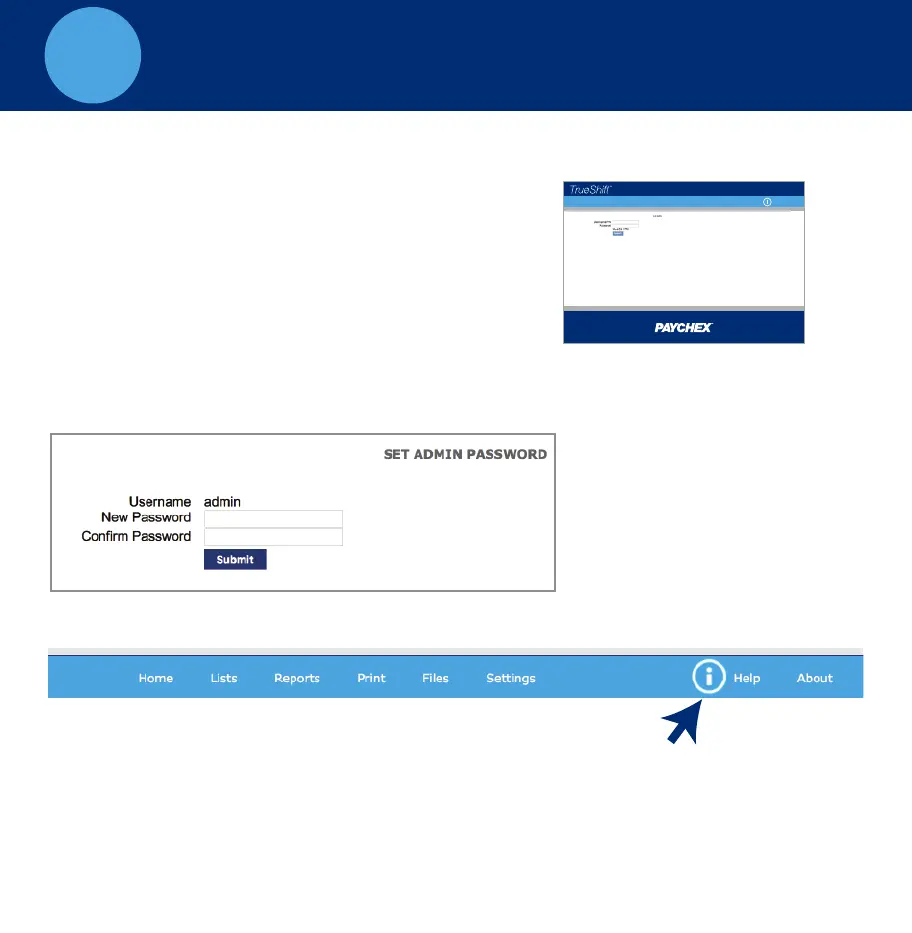
B. Set Your Password
• Enter your New Password
• Confirm your New Password
C. For instructions on adding your employees and completing setup click
the Help menu on the navigation bar to download the User Guide
LOG INTO YOUR TIME CLOCK
A. Open your computer’s Web browser and enter the clock’s IP address
in the address bar, press Enter.
A. Open Web
browser, enter the
clocks IP address
Home Lists Reports Print Files Settings
Customer Name | Sign-out
Timecards by Dept.



 To Next Page