Perform Time Job Aid:
Course Overview and Installation
Updated: 5/26/15 Copyright © Paycor Inc. All Rights Reserved Page 3
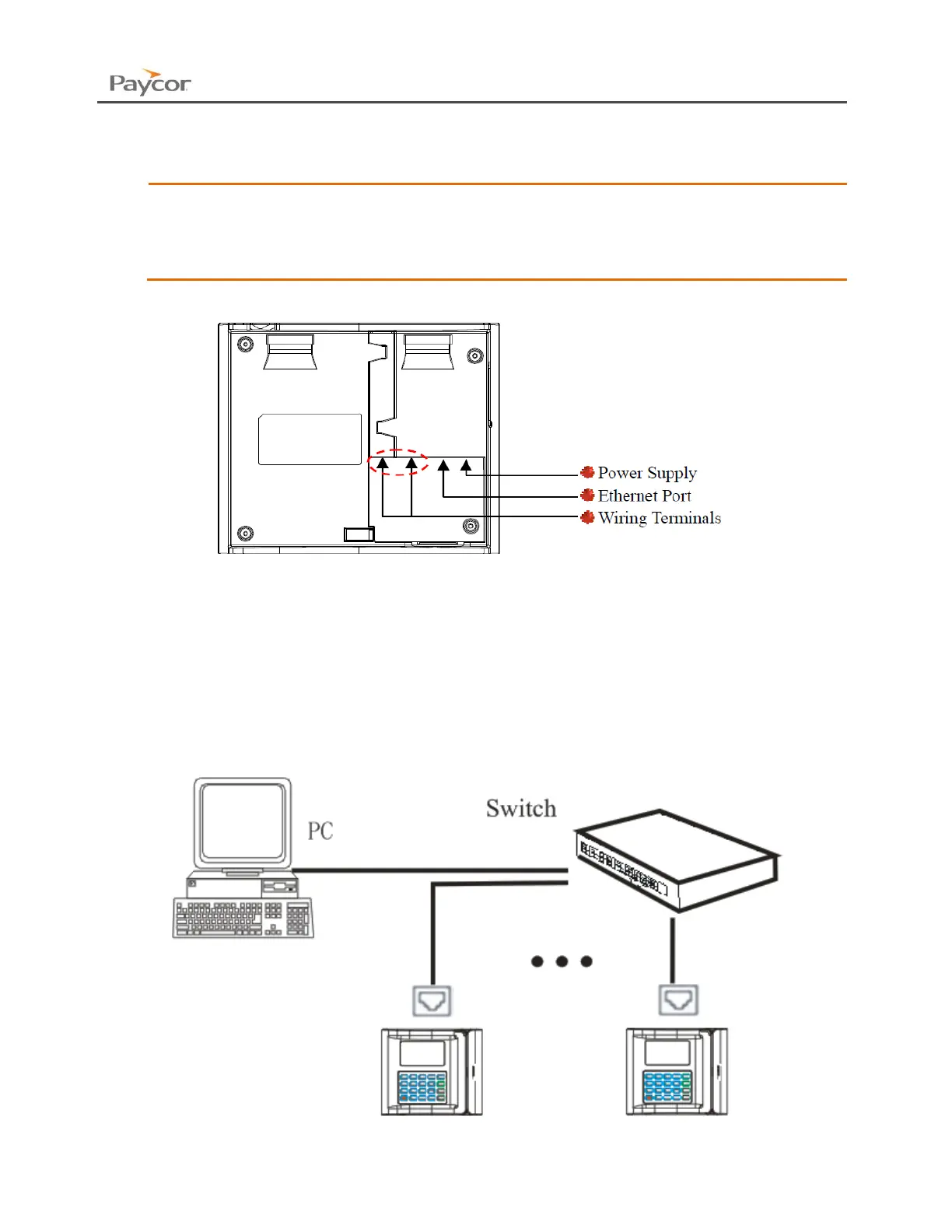
Connect the clock to power
Power the clock up using the provided 12V power adapter.
Paycor recommends using the equipped DC12V power supply for the
device.
If the parameters of the power surpass this scope, or the power supply has the
bad quality, it is possible to cause damage to the clock and void the warranty.
Connect to the internet
Connect the clock to the internet using the Ethernet Port.
The Device can be connected directly to an Ethernet Port, Switch or PC.
This example below demonstrates two time clocks and a PC plugged into a router.


 To Next Page