Perform Time Job Aid:
Course Overview and Installation
Updated: 5/26/15 Copyright © Paycor Inc. All Rights Reserved Page 5
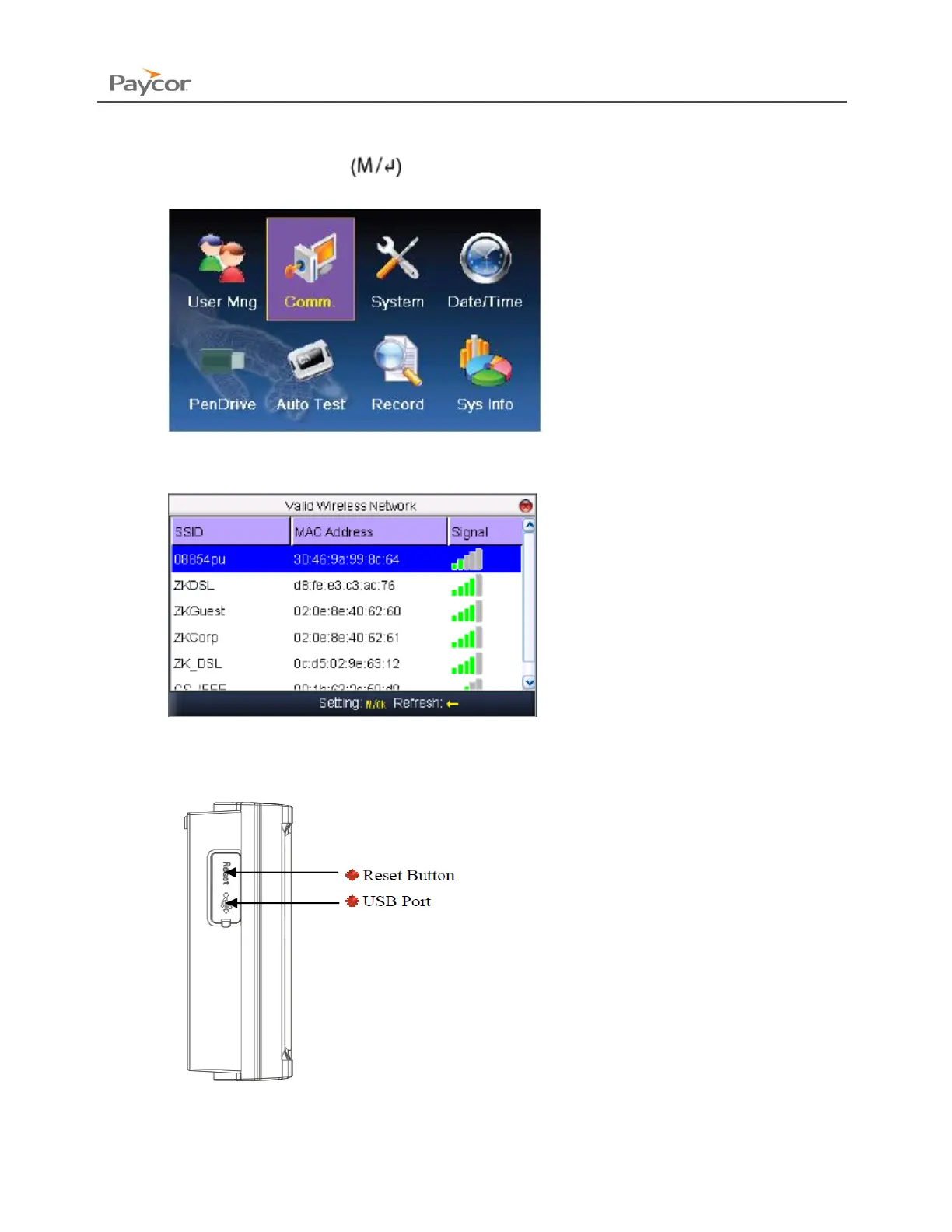
Setting the WI-FI Network
1. Press the Menu button
2. Select Comm. Then Press the Menu button.
3. Select Wireless. Then Press the Menu button.
4. Select your Wireless Network. Then press the Menu button
5. The Password Setup screen will appear.
If you have your USB Drive with the password, insert it into your device, allow the clock
a few seconds to recognize and mount the USB.


 To Next Page