Need help?
Do you have a question about the Payter P6 Series and is the answer not in the manual?
Provides document version, ID, and intellectual property notice.
Welcomes users and outlines terminal purpose and capabilities.
Defines the manual's intended audience and scope for P6X terminals.
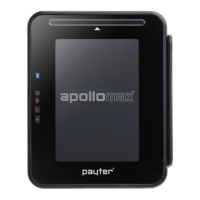
Identifies and describes the front components of the P68 3-in-1 terminal.
Identifies and describes the front components of the P66 contactless terminal.
Explains the P66 Split terminal for space-constrained applications.
Details the rear view components and connection ports of P68 and P66 terminals.
Overview of various interfaces for connecting the terminal to a host machine.
Details available methods for establishing internet connectivity for transactions.
Covers essential terminal configuration files, settings, SAM, and SIM.
Describes the user process for making a payment and terminal feedback.
Lists supported payment card types: contactless, chip, and magnetic stripe.
Explains transaction messages, LED indicators, buzzer sounds, and error handling.
Details the MDB protocol and its application in vending machines.
Explains the Executive protocol and the use of the Payter VendBox converter.
Describes using pulse contact for payment signaling and inhibit input features.
Covers RTP, CCI, and PVP protocols for terminal interfacing and communication.
Guide to setting up internet connection using the terminal's Ethernet port.
Instructions for installing and configuring the optional mobile modem.
Steps for downloading and installing the necessary configuration software.
Guide to connecting the terminal to a computer via USB for setup.
Specifies the required opening size for terminal mounting based on EVA standard.
Details various methods and options for physically mounting the terminal.
Provides detailed physical measurements for the P68 The Arc model.
Provides detailed physical measurements for the P66 The Plane model.
Instructions for installing the P66 Split terminal configuration.
Provides detailed physical measurements for the P66S Split Unit.
Comprehensive summary of the terminal's technical features and capabilities.
Lists error result codes, their classifications, and meanings.
Steps to diagnose and resolve issues with LAN network connections.
Solutions for problems related to mobile internet signal and connectivity.
Precautions and warnings for safe use and handling of the AC adapter.
Guidelines and warnings for proper terminal operation and maintenance.
Provides essential contact details for Payter B.V. support and inquiries.
Essential checks to perform before starting the terminal installation process.
Instructions for inserting SIM and SAM modules into the terminal.
Guidance on optimal positioning of the antenna for best signal reception.
Steps to conduct a test transaction to confirm successful installation.
Copyright and redistribution terms for the LWIP software component.
MIT License terms for the SPIFFS software component.
 General
| Brand | Payter |
|---|---|
| Model | P6 Series |
| Category | Payment Terminal |
| Language | English |


 To Next Page