DMM-2410D Quad Channels Receiver and Processor
24
Pro Broadband Inc.
9. Installation
z Fix the DMM-1100MF or DMM-210MF chassis into the standard EIA 19” rack.
z Insert the device into the fixed DMM-1100MF or DMM-210MF chassis.
Caution: the DMM-2200P can be accommodated in the DMM-1000MF or DMM-200MF chassis
only. Inserting the device into other chassis or equipment may break the device and cause
serious accident.
z Fix the front and rear covers onto the DMM-1100MF or DMM-210MF.
z Connect all input output cables and Ethernet cables.
z Plug the power cable into DMM-1100MF or DMM-210MF. The POWER Indicator LED (A4) should
be green and always light on during working. The DMM-2410D needs 1.5-2 minutes to boot up
completely.
z Connect DMM-1000CU to configure locally or open a web browser on a connected PC and
configure remotely.
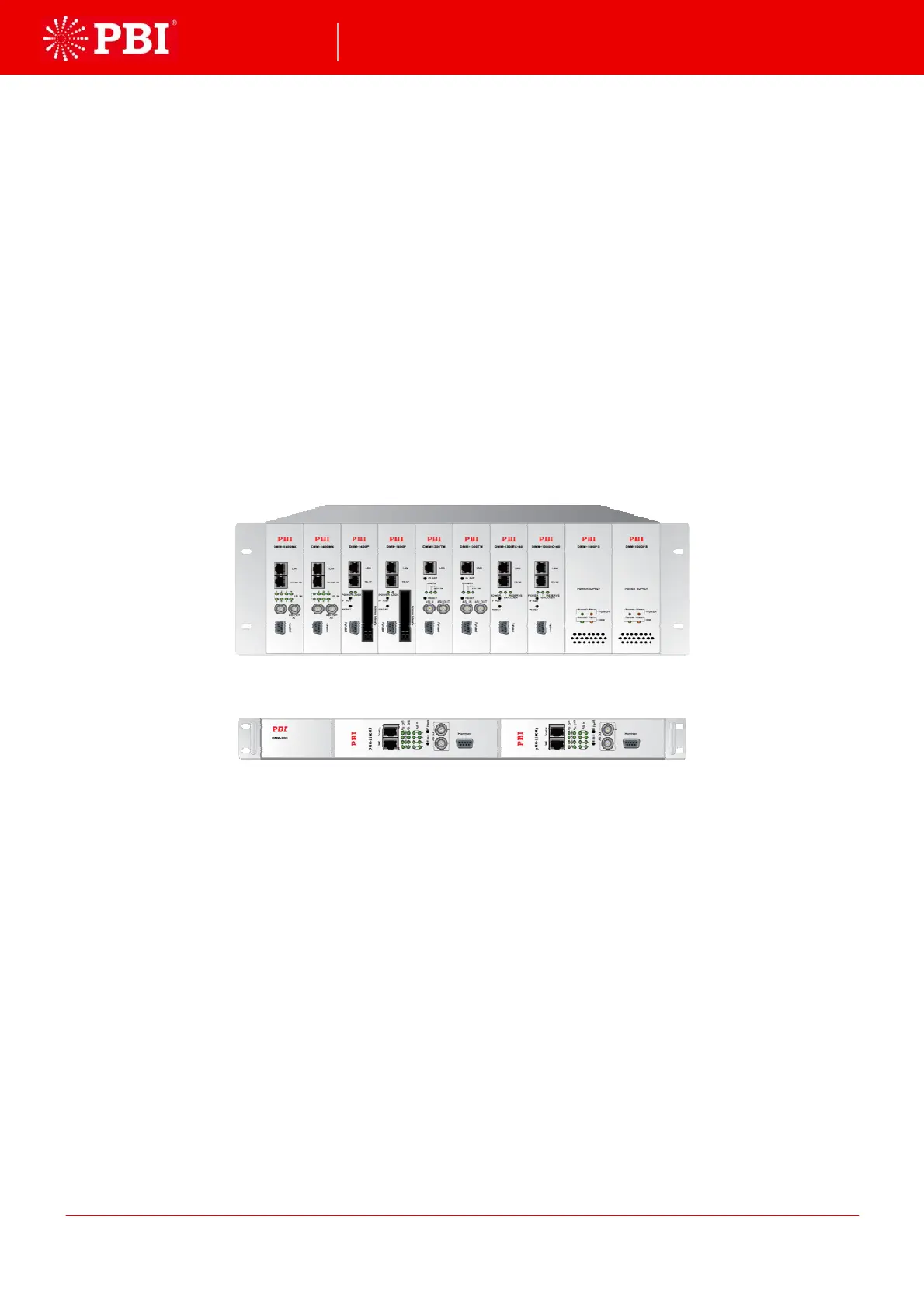
DMM-1100MF, 8 slots, 2 power supplies
DMM-210MF, 2 slots, single power supply
10. Accessories
Front panel 1PC
Rear panel 1PC
CD-ROM 1PC
Certificate of quality /Guarantee card 1PC


 To Next Page