9. Toggling SOCD Modes
The Pro BFG has a default SOCD mode adhering to the current Capcom® ruleset where UP + DOWN =
NEUTRAL.
A. You can toggle to the legacy SOCD Mode where UP + DOWN = UP by pressing and holding the
Function and Share buttons for 3 seconds.
10. Adjusting the Trigger Stops:
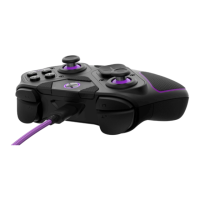
The Pro BFG controller features our patented Clutch Trigger™ mechanism with 5 trigger stop settings,
and “Hair Trigger” mode.
A. To adjust the trigger stop, press and hold the Clutch Sliders on the back of the controller, then
depress the trigger to the desired stopping position. Release the Clutch Slider to set the trigger
stop to your selected position.
B. To set the triggers to “Hair Trigger” mode for the fastest response and minimal travel distance,
press and release the Clutch Sliders without touching the triggers. The triggers will now operate
as a digital button.
Note: The Function LED will illuminate Yellow when the left clutch trigger is being adjusted, Turquoise
for the right clutch trigger, and Green if both left and right are being adjusted simultaneously.
11. Recalibrating the Controller:
It is recommended to recalibrate your controller after swapping the Left Module layout, or if you are
experiencing issues with the Analog Sticks.
A. To recalibrate your controller, power on and connect your controller to the Xbox Series X|S,
Xbox One, or Windows 10/11 PC (either in Wired or Wireless modes).


 To Next Page