Need help?
Do you have a question about the Peachtree nova 150 and is the answer not in the manual?
Covers instructions for safe operation, environmental considerations, and maintenance.
Details electrical safety, battery handling, and responsible product disposal.
Instructions for product unpacking, warranty registration, and insurance purposes.
Details on accessories designed for Apple products and Apple's role.
Information regarding legal notices and trademarks of Apple Inc.
Details the nova's design goals and its integrated audio component architecture.
Explains the reference 32-bit/384kHz DAC design and its capabilities.
Describes the analog preamplifier, input flexibility, and volume control bypass.
Instructions for product registration, warranty extension, and customer support.
Details the power switch, AC input connection, and fuse holder.
Describes IR input, 12V trigger output, and service-only port.
Explains USB-A and USB-B inputs for digital audio connectivity.
Details the USB 2.0/1.0 toggle for computer audio playback.
Explains COAX, OPT, AUX-1/HTB, and AUX-2/PHONO input connections.
Describes PREAMP OUTPUT, LOOP I/O, and the GROUND terminal.
Details the speaker binding post outputs and connection methods.
Instructions for enabling rear IR input and disabling front IR receiver.
Details the On/Standby button and various input selection buttons (USB, COAX, OPT).
Explains input LEDs and the IR receiver window.
Describes AUX-1/HTB and AUX-2/PHONO input buttons.
How to activate and deactivate PHONO input mode via the AUX-2/PHONO button.
Explains the LOOP button engagement and the VOLUME knob functions.
Details the headphone output jack and its muting behavior.
Operation of On/Standby, Mute, and Volume +/- buttons.
Functions for DIM button and transport controls for streaming devices.
Details buttons for selecting USB, COAX, OPT, AUX, and LOOP inputs.
Covers input selection buttons and notes on volume/bypass modes.
Details AUX-2/PHONO button and LOOP button functions.
Explains PRESET buttons for the optional Bluesound NODE 2i.
Guides on setting up and using the HTB input mode for surround sound integration.
Explains volume control handling and cautions for HTB mode usage.
Details how to set up VCB mode and the meaning of input LED colors.
Provides caution for VCB mode and notes on AUX-2/PHONO input.
Instructions for connecting and engaging the loop output/input feature.
Step-by-step instructions for connecting and using USB audio from Windows and Mac.
Tips for best sound quality, ventilation, and product care.
Information on RoHS standards and power saving features.
Solutions for the nova not powering on or having no sound.
Troubleshooting steps for remote control and intermittent USB signals.
Addresses hum/noise with computers and clicks/pops from controls.
Addresses audio bursts from sample rate changes on streaming devices.
Solutions for random audio loss and managing the power failure mute feature.
Explains LED behavior for non-audio USB-A devices.
Covers product warranty period, registration, and exclusions.
Instructions for returning products for repair, including RA number.
Technical specifications for speaker output and preamplifier performance.
Details headphone output, USB-B, COAX, OPT, AUX, and PHONO specifications.
Covers loop output/input specifications and AC power details.
Details AC input voltage, power consumption, and fuse ratings.
Provides physical dimensions, depth, and shipping weight.
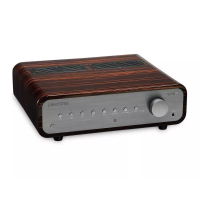
The Peachtree Audio Nova is an integrated amplifier designed to connect to various Hi-Fi sources, play different file formats, drive a wide range of speakers, and fill any room with high-quality sound. It combines several audio components into one attractive and user-friendly package, including a Digital-to-Analog Converter (DAC), preamplifier, phono preamplifier, headphone amplifier, and power amplifier. Each function is optimized for an enhanced listening experience, aiming to surpass dedicated components in its price range.
The Nova's DAC is a reference 32-bit/384kHz design, capable of processing major file formats, from compressed and uncompressed audio to high-resolution and ultra-high-resolution audio, including 32-bit/384kHz PCM and 5.6MHz DSD. An extensive, multi-point, regulated power supply ensures optimal DAC operation and faithful signal reproduction, resulting in a natural and musical sound. The Nova500 model further enhances this by using four DACs per channel (eight total) for a lower noise floor and improved musicality.
The preamplifier is a full analog design offering flexible input and configuration options. It supports connections from computers, digital audio devices, analog audio devices, mobile devices, and includes a built-in phono preamplifier for turntables. The two analog inputs are user-switchable, allowing for four different configurations: two standard analog inputs, one Home Theater Bypass (HTB) input plus one analog input, one analog input plus one phono input, or one HTB input plus one phono input. This flexibility allows users to customize their system to their preferences.
A user-selectable volume control bypass feature is available for digital inputs. This allows users to control the overall system volume directly from their connected source device, effectively making the Nova function as a stand-alone power amplifier. This is particularly useful for those who prefer to manage music selection and volume through a computer or mobile device application.
The Nova also features a "loop" function, similar to a processor or tape monitor loop, which allows an external audio processing device to be inserted into the signal path. This feature can be engaged or disengaged via a front panel button or remote control. When active, the audio signal from the Nova is routed through the external device and back into the Nova. When disengaged, the circuit is bypassed to shorten the signal path and minimize interference. The Nova500 preamplifier further elevates sound quality with fully-differential (balanced) circuitry, preserving the performance of the DAC and preamplifier sections through to the power amplifier and speakers.
The headphone amplifier is a fully-discrete design, integrated into the Nova. It provides a high-quality listening experience, easily driving most headphones with an extremely low noise floor, allowing users to hear more detail in their music. The headphone amplifiers in the Nova300 and Nova500 models offer increased output for less efficient, ultra-high impedance headphones.
The power amplifier sections in the Nova are designed for cleanliness, neutrality, and power. The Nova150 delivers 150 Watts-Per-Channel (WPC) into 8 ohms, suitable for most speakers, rooms, and listeners. For those seeking more power, the Nova300 offers 300 WPC, and the Nova500 provides 500 WPC for dynamic and natural music reproduction. All Nova power amplifier sections are fully-differential designs, ensuring fidelity to the source, musicality, and flexibility. The Novas are compatible with speaker impedances ranging from 2.5Ω to 16Ω, covering most available speakers.
The Nova features a front panel with several controls and indicators. The On/Standby Button toggles the unit between On mode (which recalls the last used input) and Standby mode (indicated by a red LED). A brief ~2-second transition time is required for the unit to fully power on.
Input selection is handled by dedicated buttons:
The VOLUME Knob controls the output level. Rotating it clockwise increases volume, counter-clockwise decreases it. Pressing the knob toggles mute on and off. Volume level is indicated by the eight blue input LEDs on the front panel, each representing ~12.5% of the range. When muted, the selected input LED flashes slowly. Input LEDs also blink when the Nova automatically adjusts output level (e.g., when mute is disengaged, or bypass modes are active) to prevent sudden volume changes.
A HEADPHONE Output (1/4” jack) automatically mutes the RIGHT & LEFT Speaker and PREAMP OUTPUTS when headphones are connected. Removing headphones automatically unmutes these outputs. Users are advised to lower the output level before connecting or removing headphones due to varying headphone sensitivities.
The LOOP Button on the front panel engages (lit blue) and disengages (off) the LOOP OUTPUT/INPUT on the rear panel.
The remote control mirrors many front panel functions, including On/Standby, Mute, Volume +/-, and input selection buttons. It also includes a DIM Button to cycle through front panel LED brightness settings (maximum, high, medium, low) and an Asterisk Button to adjust the LED brightness of an optional Bluesound NODE 2i. Transport Control Buttons (previous track, play/pause, next track) control compatible devices connected to USB inputs (USB-A for iOS, USB-B for computers). PRESET Buttons 1-8 select presets on the optional Bluesound NODE 2i.
Home Theater Bypass (HTB) Input Mode: This mode integrates the Nova with a surround-sound system, allowing the Nova's amplifier to power the front left and right speakers for all sources. When AUX-1 is in HTB mode, the signal from an SSP or AVR passes directly to the Nova's power amplifier, bypassing the Nova's volume control. The input LED turns green in HTB mode, indicating that the SSP or AVR controls the overall system volume. To set up: turn off SSP/AVR and Nova; connect front L/R preamp output from SSP/AVR to Nova's AUX-1/HTB input; turn on Nova and select AUX-1/HTB; press and hold AUX-1/HTB button for ~5 seconds until LED turns green; turn on SSP/AVR and calibrate output levels.
Volume Control Bypass (VCB) Input Mode: This mode removes the Nova's built-in output level control from the signal path, useful when digital sources have their own preferred volume control. When an input is selected, the LED is blue if VCB is disengaged (Nova controls volume) or green if VCB is engaged (source device controls volume). To engage: ensure the connected device is at a low volume; press and hold the desired input button for ~5 seconds until the input LED turns green. Repeat to disengage (LED turns blue). VCB is not available on the AUX-2/PHONO input.
Loop Feature Mode Setup: Turn off Nova and connected device; connect Nova's LOOP OUTPUT to the external processing device's input; connect the external device's output to Nova's LOOP INPUT; turn on Nova and connected device; press the LOOP button on the front panel or remote to engage (LED lit blue) or disengage (LED off).
Fuse Holder: The fuse can be replaced after turning the POWER switch OFF and removing the power cord from the AC INPUT. Specific fuse values for each Nova model are detailed in the specifications. Using an improper fuse value can damage the unit.
IR Input: A 3.5mm input on the rear panel accepts signals from an Infra-Red (IR) repeater/distribution system, allowing remote control when the front panel IR window is not in line-of-sight. To enable the rear panel IR input and disable the front panel IR receiver, press the current input button 10 times until the standby LED blinks 3 times. To revert, repeat the procedure until the standby LED blinks 2 times.
 General
| Remote Control | Yes |
|---|---|
| Power Output | 150W per channel (8 ohms) |
| Frequency Response | 20Hz - 20kHz |
| Inputs | 1 x USB, 2 x Optical, 1 x Phono |
| Outputs | 1 x Headphone |
| DAC | ESS Sabre32 9018 |
| Coax/Optical Inputs | Up to 24/192kHz |
| Bluetooth | Yes |
| USB Input | Up to 32/384kHz |

 To Next Page