5
POWER CONNECTION
The 12-volt DC adapter allows the use of a 12-volt cigarette lighter/accessory socket to power the
Heater/Defroster.
• The 12-volt DC adapter power cord contains an in-line 15-amp blade-type fuse to prevent damage
from excessive current while operating.
• A green power indicator LED is provided on the 12-volt DC adapter power plug.
- The Heater/Defroster power supply is connected when the green power indicator LED is
illuminated.
- If the green power indicator LED does not illuminate, make sure the power source is live, check
the in-line 15-amp fuse and make sure all connections are secure.
Only use the 12-volt DC adapter that is provided with this Heater/Defroster. Use of
other adapters may void any warranty, cause Heater/Defroster damage, increase risk of re
and/or result in personal injury.
Do not submerge the 12-volt DC adapter in water or any liquid. Keep it dry and free
of dirt/dust at all times.
Never connect the 12-volt DC adapter to an unprotected DC power supply.
Be sure the 12-volt DC cigarette lighter/accessory socket and 12-volt DC adapter
power plug are clean before connecting. Corrosion and poor electrical contact may damage
the 12-volt DC adapter or Heater/Defroster and result in poor performance or even re.
When disconnecting from power, always pull the 12-volt DC adapter power plug;
never pull using the 12-volt DC adapter power cord.
OPERATION
1. Position the Heater/Defroster HEAT/OFF/FAN switch in the OFF (center) position.
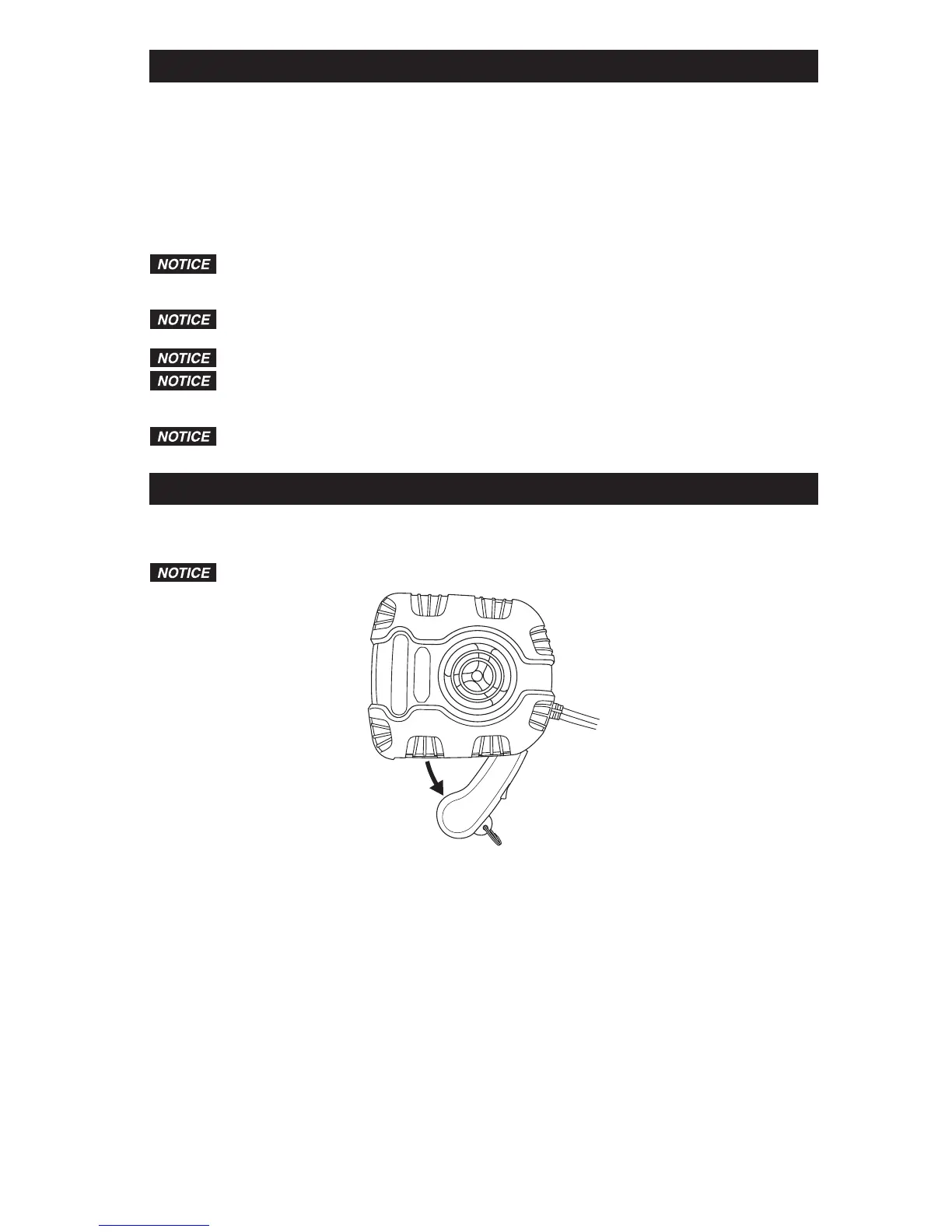
2. If using the portable heater function, pull the handle ring to extend the handle fully from the Heater/
Defroster housing.
Hold the Heater/Defroster rmly while operating.
3. Connect the 12-volt DC adapter power plug to a 12-volt DC cigarette lighter/accessory socket,
twisting it to make a good connection. The green power indicator LED will illuminate, indicating the
Heater/Defroster is connected to a power supply.
4. Position the Heater/Defroster HEAT/OFF/FAN switch to the desired HEAT or FAN position.
a. FAN(airowonly)–Operatesthefanonly.
b. HEAT(hotairow)–Operatestheheaterandfan.TheredheatONindicatorlightwillbelit.


 To Next Page