EasyManua.ls Logo

Peak PKC0AO - User Manual

Peak PKC0AO
8 pages
Print Icon
To Next Page IconTo Next Page
Loading...
TM
Arranque con Cables de
Puente a la Batería 300
TM
No. de Modelo: PKC0AO
Manual del Propietario
e Información de Garantía
Lea completamente estas instrucciones antes de usar este producto.
Conserve este Manual del Propietario para referencia futura.
P/N XXXXX, 3/09
1
TM
Battery Jump-Starter
300
TM
Model No.: PKC0AO
Owners Manual
and Warranty Information
Read these instructions completely before using this product.
Retain this Owners Manual for future reference.
P/N XXXXX, 3/09

Questions and Answers

  • R
    rasmussenjamesJul 31, 2025
    Why won't my Peak Remote Starter start my vehicle?
    • B
      baldwinjuliaJul 31, 2025
      If your vehicle doesn't start when using the Peak Remote Starter, there might be a few reasons. First, check the cable clamp connections and rotate them back and forth to ensure a solid connection. If the vehicle battery charge is very low, wait 3 to 4 minutes before trying again. Also, ensure the Battery Jump-Starter is fully charged. If none of these steps work, the vehicle battery itself might be defective and need replacement.
  • D
    Dennis LeeAug 11, 2025
    What to do if accessory device doesn't operate with Peak Remote Starter?
    • R
      Ryan ThompsonAug 11, 2025
      If an accessory device isn't working when connected to the 12-volt DC power socket of your Peak Remote Starter, try these steps: First, make sure the accessory plug is properly inserted into the 12-volt DC power socket. If that doesn't work, the Battery Jump-Starter may have a low charge, so fully recharge it.
  • H
    Holly PearsonAug 19, 2025
    How to troubleshoot a Peak Remote Starter that fails to start a vehicle?
    • N
      Nancy BoothAug 20, 2025
      If the Peak Remote Starter fails to start your vehicle, it could be due to several reasons: * Improper cable clamp connections: Rotate the cable clamps back and forth to ensure a good connection. * Very low vehicle battery charge: Allow 3 to 4 minutes before attempting to start the vehicle again. * Low battery charge on the jump-starter: Fully recharge the Battery Jump-Starter. * Defective vehicle battery: Consider replacing it with a new one.

Summary

Battery Jump-Starter 300

Safety Precautions

Battery Jump-Starter Safety

General safety guidelines for operating the jump-starter.

Battery Jump-Starting

Instructions and warnings specific to jump-starting a vehicle.

Battery Jump-Starting (Negative Ground Systems Only)

Specific procedure for jump-starting with negative ground systems.

Introduction

Features

Lists the main features and capabilities of the jump-starter.

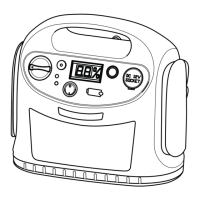
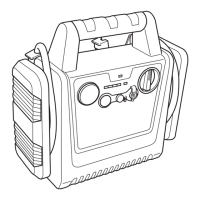
Legend

Identifies and labels the components of the jump-starter.

Operation

Checking Battery Jump-Starter Status

How to check the charge level and status indicators.

Low Charge Alert (LCA)

Explanation of the Low Charge Alert system.

Charging Jump-Starter Battery

Instructions for recharging the jump-starter battery.

Jump-Starting (Negative Ground Systems Only)

Detailed procedure for jump-starting with negative ground systems.

DC Power Socket Operation

How to use the 12V DC power socket.

Operating a DC Device

Guidelines for powering external 12V DC appliances.

Troubleshooting

Battery Replacement; Disposal

Procedures for replacing and disposing of the battery.

Care and Maintenance

Battery Replacement; Disposal

Procedures for replacing and disposing of the battery.

Limited Warranty

Peak PKC0AO Specifications

General IconGeneral
Remote StartYes
Keyless EntryYes
Number of Remotes2
Battery TypeCR2032
InstallationProfessional installation recommended
CompatibilityMost vehicles

Related product manuals