support@pecron.com
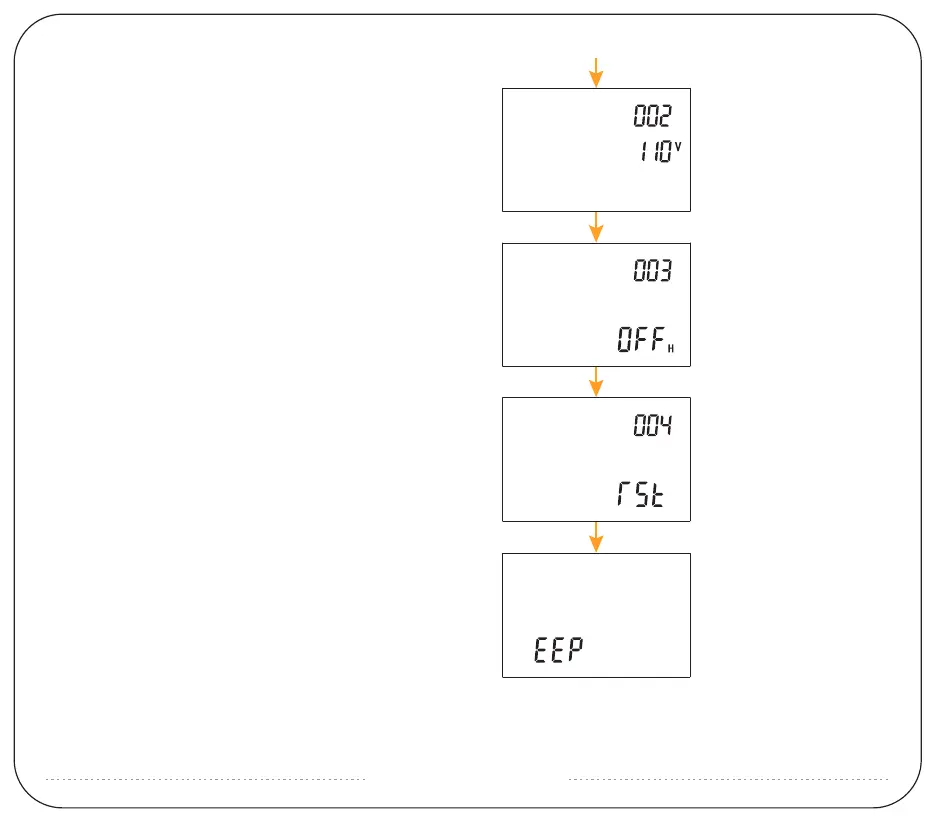
3:Enter item 002 setting, which is AC output voltage,
short press AC, switch voltage; short press AC, enter
the next item;
4:Enter 003 item settings, the default value is OFF, this
is the automatic shutdown setting of the machine
without output, short press DC, cycle switching
settings; short press AC, enter the next item;
5:Enter 004 item settings, this is the WIFI reset command,
the default is not reset, short press DC, the screen
display reads rst, indicating reset;
6:Press and hold AC to exit the setting, EEP is displayed
when exiting, which means the setting is successful.


 To Next Page