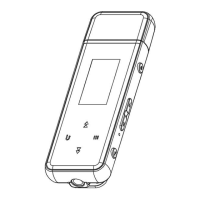
5. Insert the micro sd card into the card slot on the MP3 player. You'll see a
notification indicating your SD card was detected.
◎ You can download them by using “Zapya go” - WiFi Wireless transmission:
1. Open your Windows OS web browser and enter the following URL to download
the application version compatible with your computer.
https://www.izapya.com/v3/download
2. Connect both the MP3 player and your computer to the same Wi-Fi network.
3. Run the "Zapya go" application on the computer and "File transfer" on the MP3
player.
4. On the MP3 player, tap on the Transfer button at the bottom, then select "Join
Group". Zapya will then automatically detect other devices connected to the same
Wi-Fi network. Simply tap on the other phone name to connect.
■
Mac OS
Please download the MTP device file transfer software before proceeding with the
above operations. The recommended software is as follows:
◎
OpenMTP: https://openmtp.ganeshrvel.com/
◎
MacDroid: https://www.macdroid.app



 To Next Page