5 of 8
ISSUED: 11-15-11 SHEET #: 021-9014-2 10-15-12
G
F
B
I
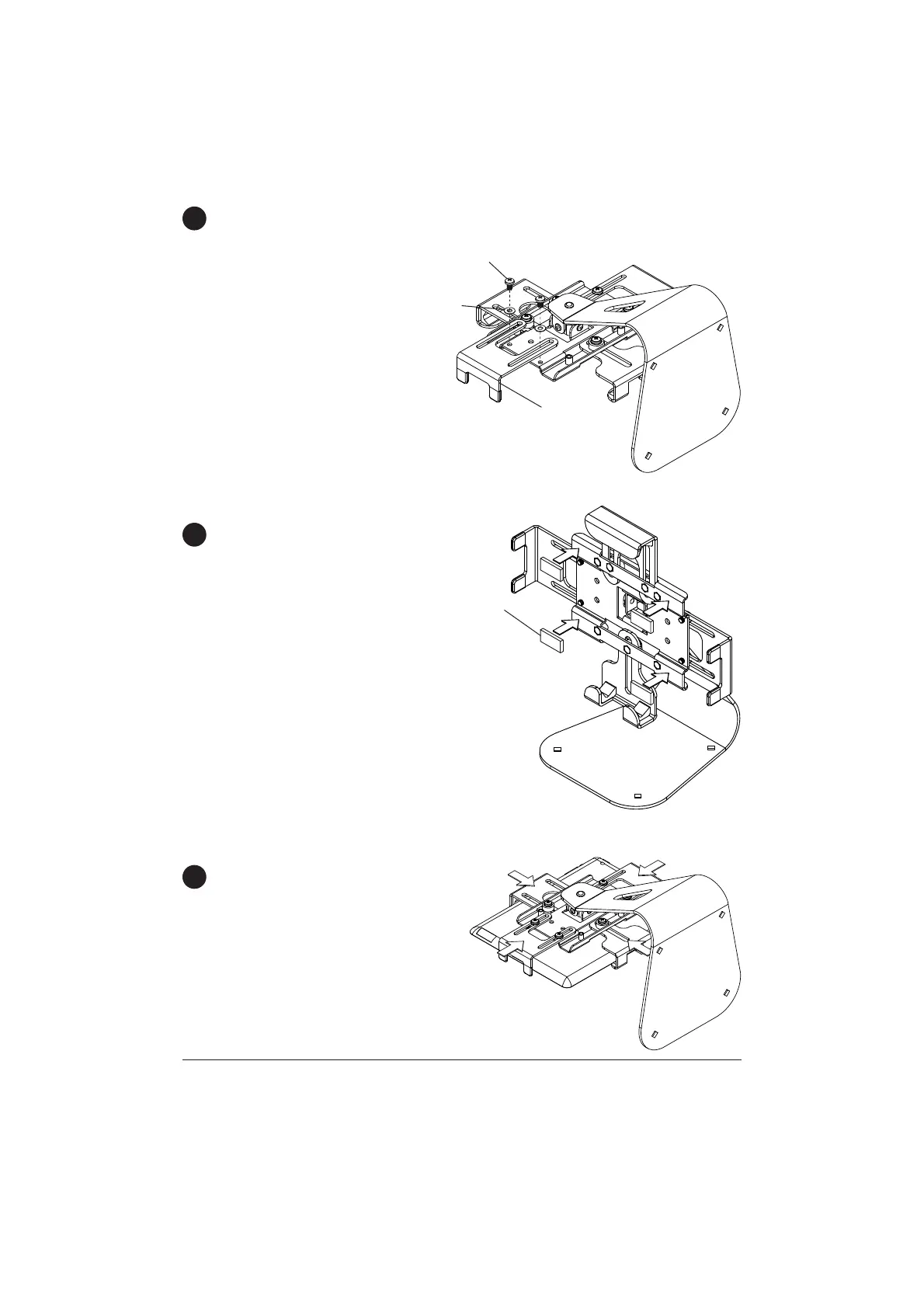
To prevent scratching the tablet, set a cloth
on a fl at, level surface. Place tablet face
side down, adjust clamps around tablet,
then tighten all seven screws.
Apply four adhesive foam pads (I) to front of
stand as shown.
Secure two side clamps (B) to back of stand
with four washers (F) and four M5 x 8 mm
self tapping phillips screws (G). Do not
tighten screws.
5
4
3



 To Next Page