12 of 13
ISSUED: 01-10-07 SHEET #: 009-9039-14 01-11-11
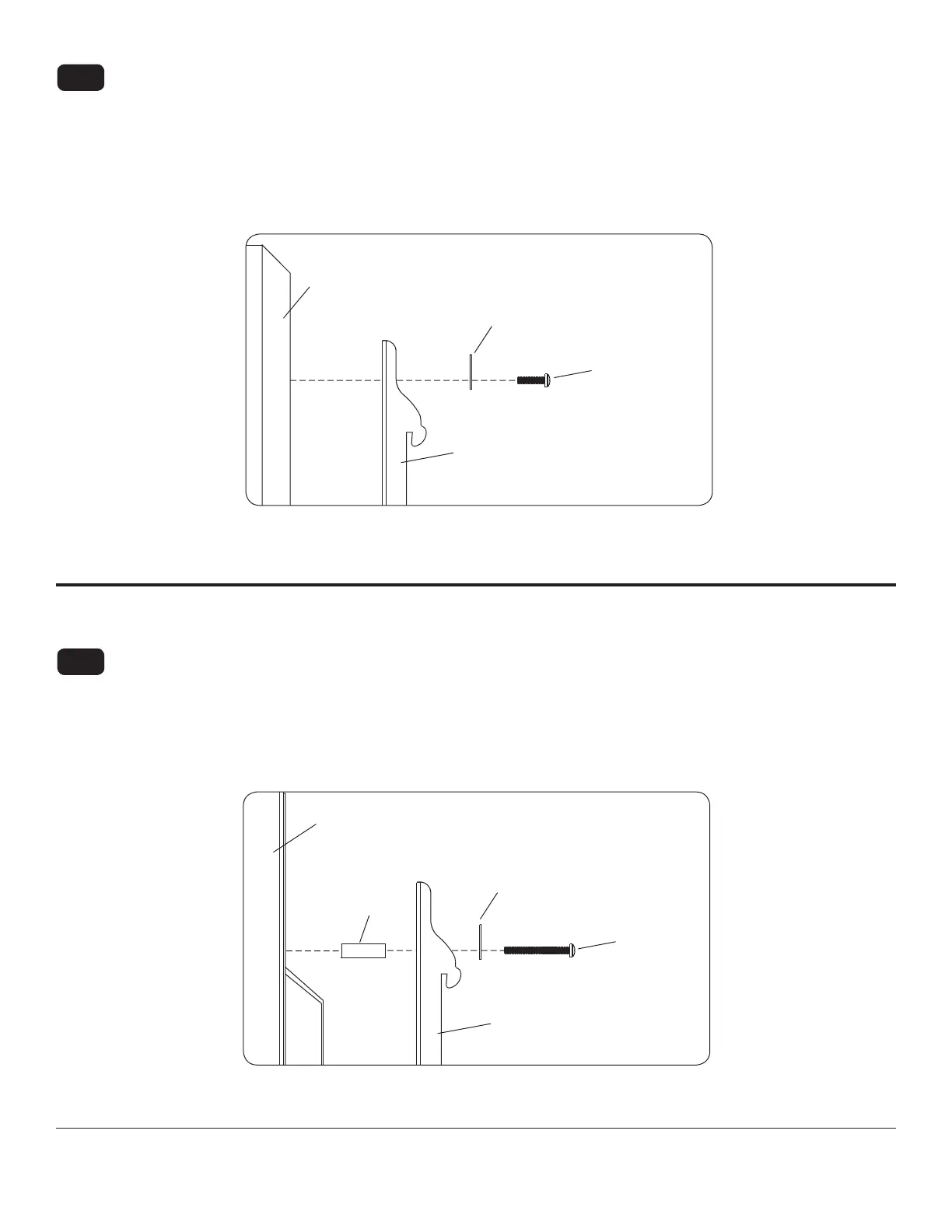
Begin with the shortest length screw, hand thread through multi-washer and adapter bracket into screen as
shown below. Screw must make at least three full turns into the mounting hole and t snug into place. Do not
over tighten. If screw cannot make three full turns into the screen, select a longer length screw from the baf ed
fastener pack. Repeat for remaining mounting holes, level brackets and tighten screws.
NOTE: Spacers may not be used, depending upon the type of screen.
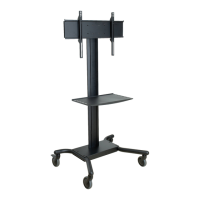
Begin with longer length screw, hand thread through multi-washer, adapter bracket and spacer in that order into
screen as shown below. Screw must make at least three full turns into the mounting hole and t snug into place.
Do not over tighten. If screw cannot make three full turns into the screen, select a longer length screw from the
baf ed fastener pack. Repeat for remaining mounting holes, level brackets and tighten screws.
For Flat Back Screen
For Bump-out or Recessed Back Screen
14-3
14-4
If you have any questions, please call Peerless customer care at 1-800-865-2112.
If you have any questions, please call Peerless customer care at 1-800-865-2112.
SCREEN
MULTI-WASHER
SCREW
ADAPTER
BRACKET (F)
fi g. 14.4
SPACER
ADAPTER
BRACKET (F)
SCREEN
fi g. 14.3
MULTI-WASHER
SCREW



 To Next Page