15
Owner’s manual
EN
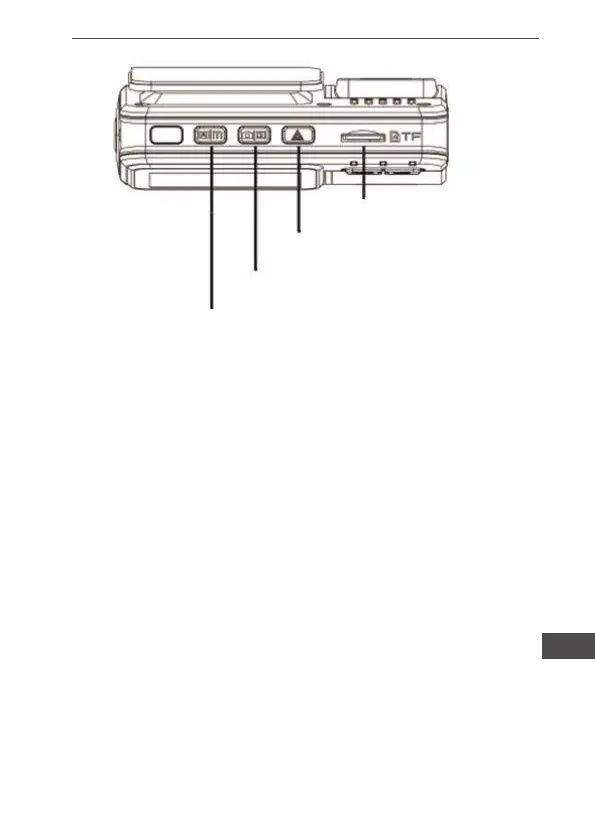
TF card slot
OK button
Camera button / Playback mode
Menu button
1. Power Button
Function: Power On/Off
a. To power on device, press the Power Button for 3 seconds. Vi-
deo recording automatically activated after device switched on.
b. To power off device, press the Power Button for 3 seconds. Last
video have been saved before device switched off.
2. Menu Button/Display Control Button
Function 1: Display On/Off
Display can be switched off and on by pressing the Menu button
for 3 seconds.
*Switch on or off the display does not affect video recording
Function 2: Enter Menu
To enter menu and setting, shortly press the menu button under
standby mode. Press the page up/down buttons for selecting;
Press the OK button to conrm. Shortly press the menu button
to exit.
Caution: It is the same to enter Menu Setting under Video Mode,
Photo Taking Mode and Play back mode.


 To Next Page