EN 16
OPERATION
Oven functions
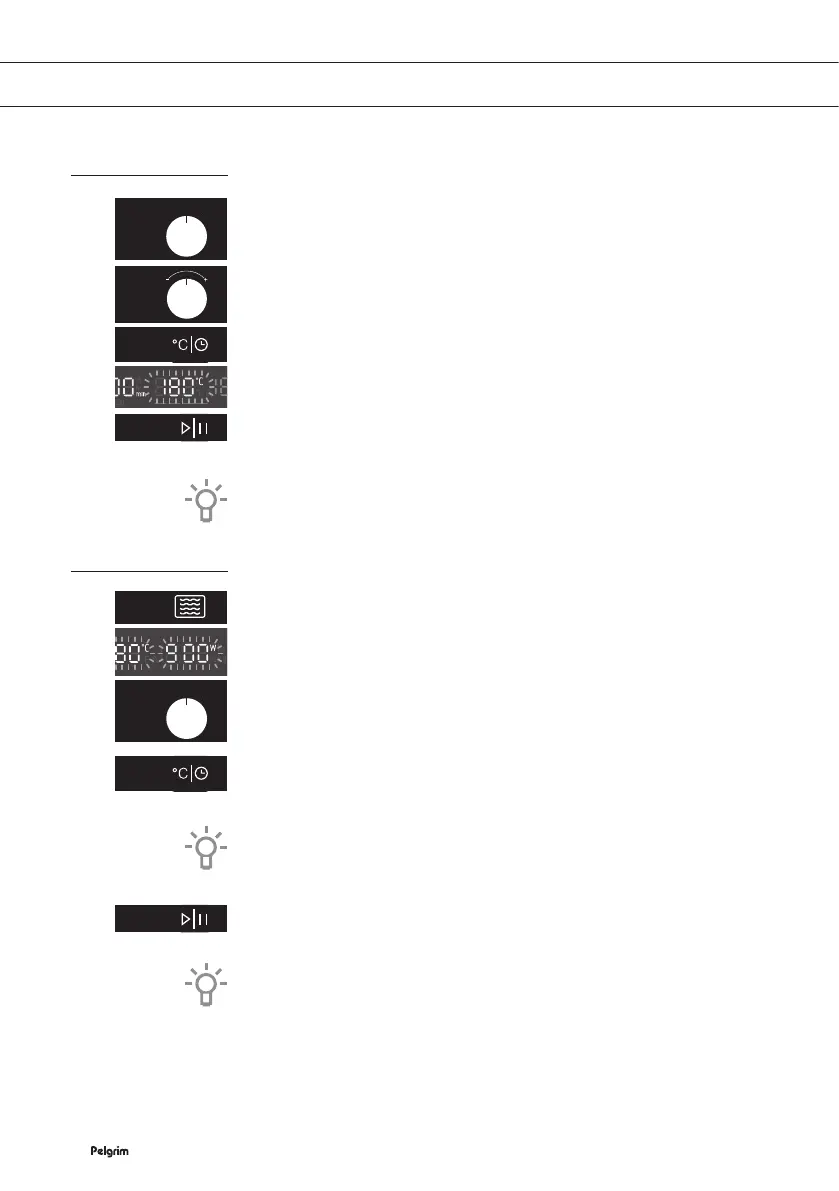
1. Use the oven function knob to select an oven mode.
▷ You can change the time and / or temperature of each mode (if
desired) For this, touch the clock / temperature setting key.
▷ The time or temperature (setting) will flash.
2. Use the selection dial knob to set the desired time and / or
temperature.
▷ The time and temperature that can be set depends on the oven
function that you have chosen.
3. Touch the start / pause key to start the cooking process.
▷ When the cooking process is ready, a signal sounds.
▷ The fan continues to operate for some time and then stops
automatically.
If you do not touch the start / pause key, the combi microwave oven
switches itself Off automatically after 15 minutes.
Combi microwave functions
1. First touch the microwave key.
2. Use the oven function knob to select a mode (see chapter ‘Oven
functions table’).
▷ The default microwave power will flash in the display.
▷ You can change the power, time and / or temperature of each
mode (if desired).
3. For this, touch the clock / temperature setting key or microwave
key.
▷ The power, time or temperature (setting) will flash.
4. Use the settings knob to set the desired power, time and / or
temperature setting.
▷ The power, time and temperature that can be set depends on
the mode that you have chosen.
5. Touch the start / pause key to start the cooking process.
▷ When the cooking process is ready, a signal sounds. The fan
continues to operate for some time and then stops automatically.
If you do not touch the start / pause key, the combi microwave oven
switches itself Off automatically after 15 minutes.


 To Next Page