14
712325
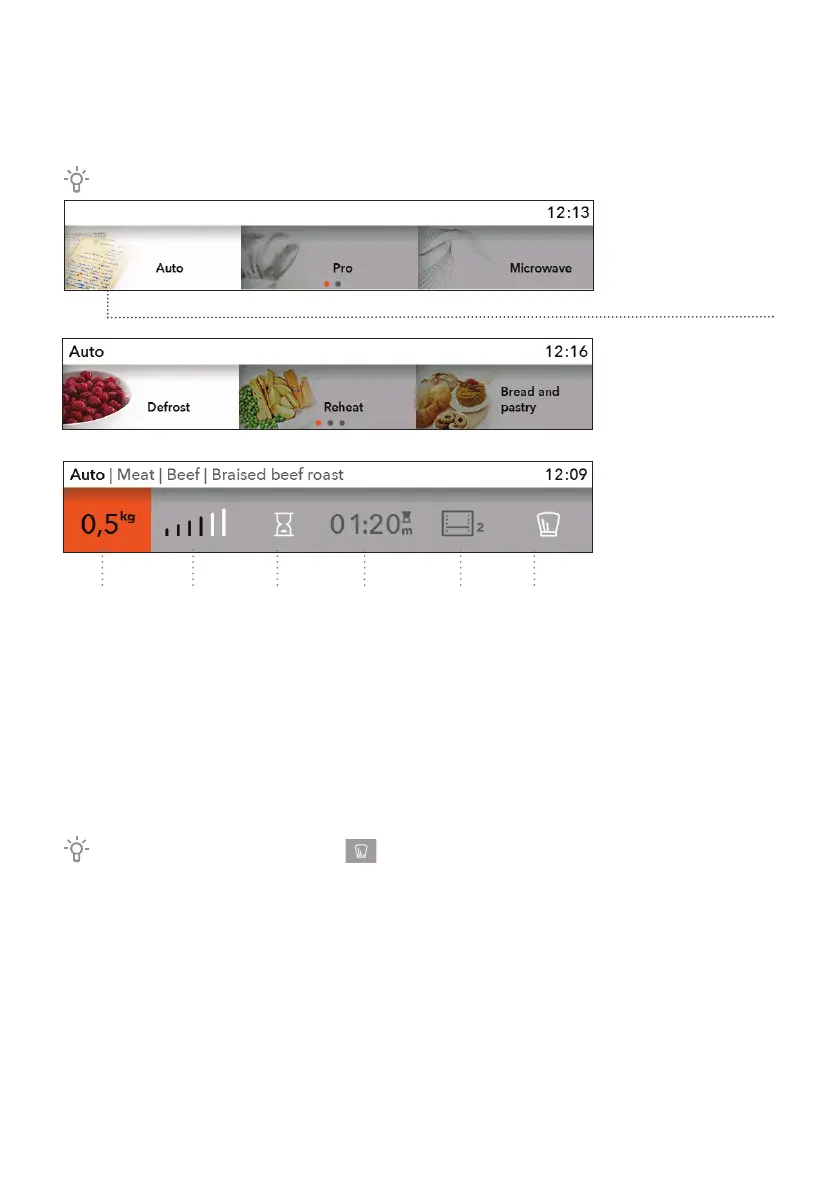
A) BAKING BY SELECTING THE TYPE OF
FOOD (Auto; automatic mode)
Confirm each setting by pressing the KNOB.
Turn the KNOB
and select the
Auto. Confirm your
selection by pressing
the KNOB.
Select the type
of dish and the
selected food.
Confirm your
selection.
The pre-set values
are shown.
You can change
the quantity, level
of doneness and
delayed start (end of
baking).
1234 56
1 Quantity
2 Level of doneness
3 Delayed start
4 Duration of baking
5 Baking system and recommended level
6 Professional (Pro) mode
If in the Auto mode the symbol is selected, the program switches to Pro mode
(see chapter BAKING BY SELECTING THE MODE).
Touch the START/STOP key to start the baking process.
The display shows all the selected settings.


 To Next Page