USE
23
Ceramic hob
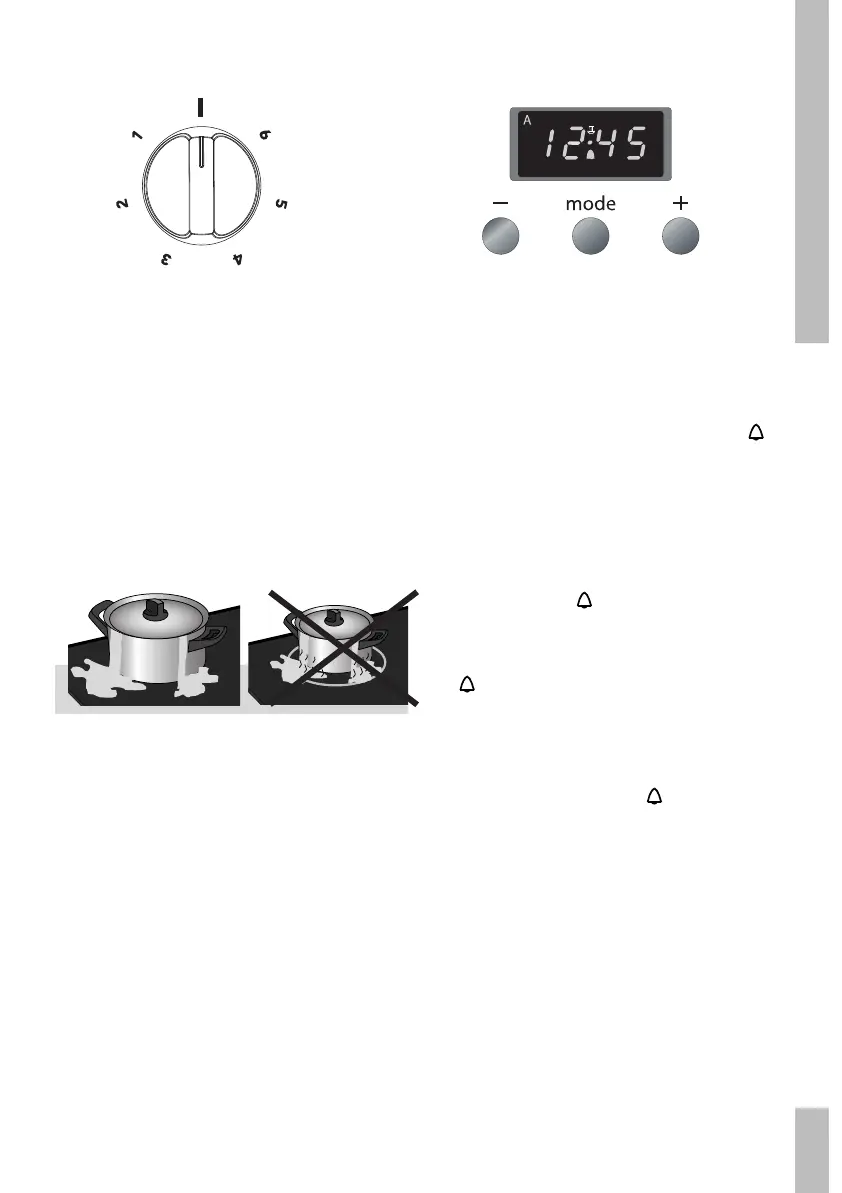
You may turn the switch either to the left or
the right. The switch has 6 settings. The dual
cooking zone can heat in two different positions.
Turn the switch to the double circle symbol to
turn on the big cooking zone of the dual cooking
zone. Both big and small cooking zones will then
be activated. If necessary, you can now turn the
switch back to a lower position. Both cooking
zones will still be activated.
Operating control light
The control light is situated on the control
panel indicates that one or more cooking
zones are in use.
Saucepans
Never leave an empty pan on a cooking zone
that is switched on. Do not allow the pan to
boil dry, either. Although the hob is protected
against overheating, the pan will get very hot,
which may damage it.
Do not use pans that are smaller than the
cooking zone. This will prevent food spills
on the very hot cooking zone. Burnt-on food
spills are difficult to remove.
Kitchen timer
The kitchen timer goes off after a pre-set time
has elapsed. The kitchen timer does not turn
the oven off.
Press the ‘mode’ key until the symbol
flickers in the display.
Set the cooking time using the –/+ keys.
Now wait 5 seconds. The cooking time is
set automatically. The time of day
reappears and
stops flickering.
Press the ‘mode’ key until the symbol
flickers in the display, to view the
remaining time.
The alarm goes off after the pre-set time
has elapsed. The symbol
in the display
flickers. Turn the alarm off by pressing one
of the 3 keys.


 To Next Page