3
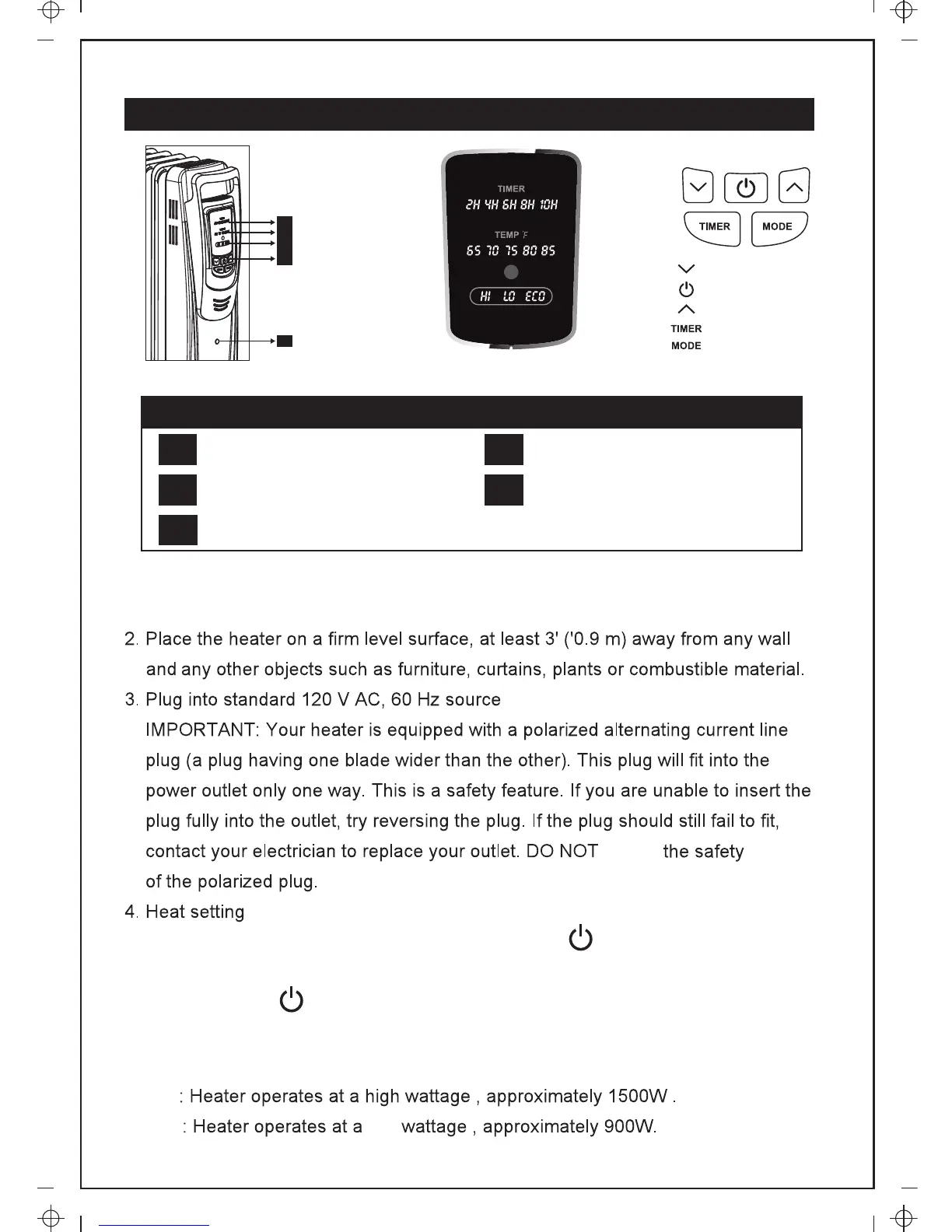
A
B
C
D
E
: Temperature decrease
: ON/OFF button
: Temperature increase
: Timer button
: Mode button
OPERATION
Control Panel Functions
Timer Display Temperature Display
Mode Display Function Button
A B
C
Caution Indicator Light
E
D
Turn on the power switch and press the ON/OFF button to turn on the
heater. Press MODE button to select the heat setting.
Press ON/OFF button again , the LED will be turned off and the heater
will stop working . When the heater is turned on , press MODE button
to select appropriate setting . which is shown in the LED as follow :
1. Check that neither the appliance nor the power cable has been damaged in
any way during transportation when first using the heater.
HI
LO


 To Next Page