EasyManua.ls Logo

Pelonis PAP10R1BWT - User Manual

Pelonis PAP10R1BWT
32 pages
Print Icon
To Next Page IconTo Next Page
Loading...
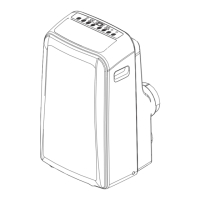
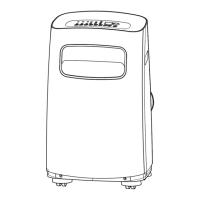
Portable Air Con tioner
PAP10R1BWT
PAP12R1BWT
PAP14R1BWT
Customer service: 1(866)-646-4332
www.pelonis.com
USER MANUAL
en
Warning notices: Before using
this product, please read this
manual carefully and keep it
for future reference.
The design and specifications
are subject to change without
prior notice for product
improvement. Consult with
your dealer or the manufacturer
for details.
Rated voltage: 115V
Frequency: 60Hz
di

Questions and Answers

  • K
    Katherine LyonsAug 20, 2025
    Why does my Pelonis PAP10R1BWT Air Conditioner make a gurgling sound?
    • D
      Dawn MooreAug 20, 2025
      If your Pelonis Air Conditioner makes a gurgling sound, don't worry. This sound is normal and is caused by the flow of refrigerant inside the unit.
  • S
    srichardNov 4, 2025
    Why is my Pelonis Air Conditioner not cooling well?
    • D
      Dana MorenoNov 5, 2025
      If your Pelonis Air Conditioner isn't cooling well, several factors could be the cause. First, ensure that the air filter isn't blocked with dust or animal hair; if it is, turn off the unit and clean the filter. Next, check the exhaust hose to make sure it's connected and not blocked; disconnect, check for blockages, and reconnect if necessary. Also, verify that the temperature setting isn't too high by decreasing the set temperature. Ensure all windows and doors in the room are closed to prevent warm air from entering. If the room area is too large for the unit's cooling capacity, double-check the cooling area specifications. Eliminate any heat sources inside the room if possible. Finally, if the unit is low on refrigerant, call a service technician to inspect the unit and add more refrig...

Summary

Safety Precautions

Unit Specifications and Features

Choosing the Right Location

Guidelines for selecting optimal unit placement, considering space and obstacles.

Recommended Installation Setup

Illustrates the proper setup of the exhaust hose for efficient operation.

Operating Instructions

Control Panel Overview

Details the functions and layout of the unit's control panel.

Operating Modes Explained

Explains how to use HEAT, COOL, DRY, AUTO, and FAN modes.

Timer Operation Guide

Instructions for setting the automatic timer to turn the unit on or off.

Sleep Mode Function

Explains the SLEEP function for energy saving during rest.

Installation Instructions

Required Tools and Accessories

Lists necessary tools and details included accessories for the installation process.

Window Installation Kit Assembly

Step-by-step guide for assembling the exhaust hose and window slider components.

Hung Window Installation

Detailed steps for installing the unit in a hung window.

Sliding Window Installation

Detailed steps for installing the unit in a sliding window.

Other Features

Follow Me;Temp Sensing Feature

Enables remote control to measure and set temperature at its location.

Water Drainage Procedures

Details how to drain collected water from the unit during specific modes.

Care and Cleaning Procedures

Safety Precautions for Cleaning

Important safety guidelines to follow before cleaning or servicing the unit.

Air Filter Maintenance

Instructions on how to remove and clean the air filters for optimal performance.

Storing the Unit

Steps for properly storing the unit during off-season to prevent damage.

Troubleshooting Common Issues

Malfunction Diagnosis Guide

Provides solutions for common problems and error codes encountered with the unit.

Remote Control Operations

Remote Control Specifications

Details the model, voltage, range, and operating environment for the remote control.

Function Buttons Overview

Explains the purpose and operation of each button on the remote control.

Battery Handling and Tips

Guide on battery replacement, disposal, and best practices for remote usage.

Remote LED Screen Indicators

Explains the meaning of various icons and displays on the remote control's LED screen.

Timer Functions Explained

Timer ON Function

How to set the unit to automatically turn on after a specified time.

Timer OFF Function

How to set the unit to automatically turn off after a specified time.

Setting Combined Timers

How to set both ON and OFF timers simultaneously for automated operation.

Warranty Information and Service

Limited Warranty Details

Outlines the terms and duration of the product's warranty coverage.

Consumer Responsibilities & Exclusions

Lists consumer responsibilities and conditions not covered by the product warranty.

Obtaining Service

Provides guidance on how to obtain warranty service and contact customer support.

Pelonis PAP10R1BWT Specifications

General IconGeneral
BrandPelonis
ModelPAP10R1BWT
CategoryAir Conditioner
LanguageEnglish

Related product manuals