EasyManua.ls Logo

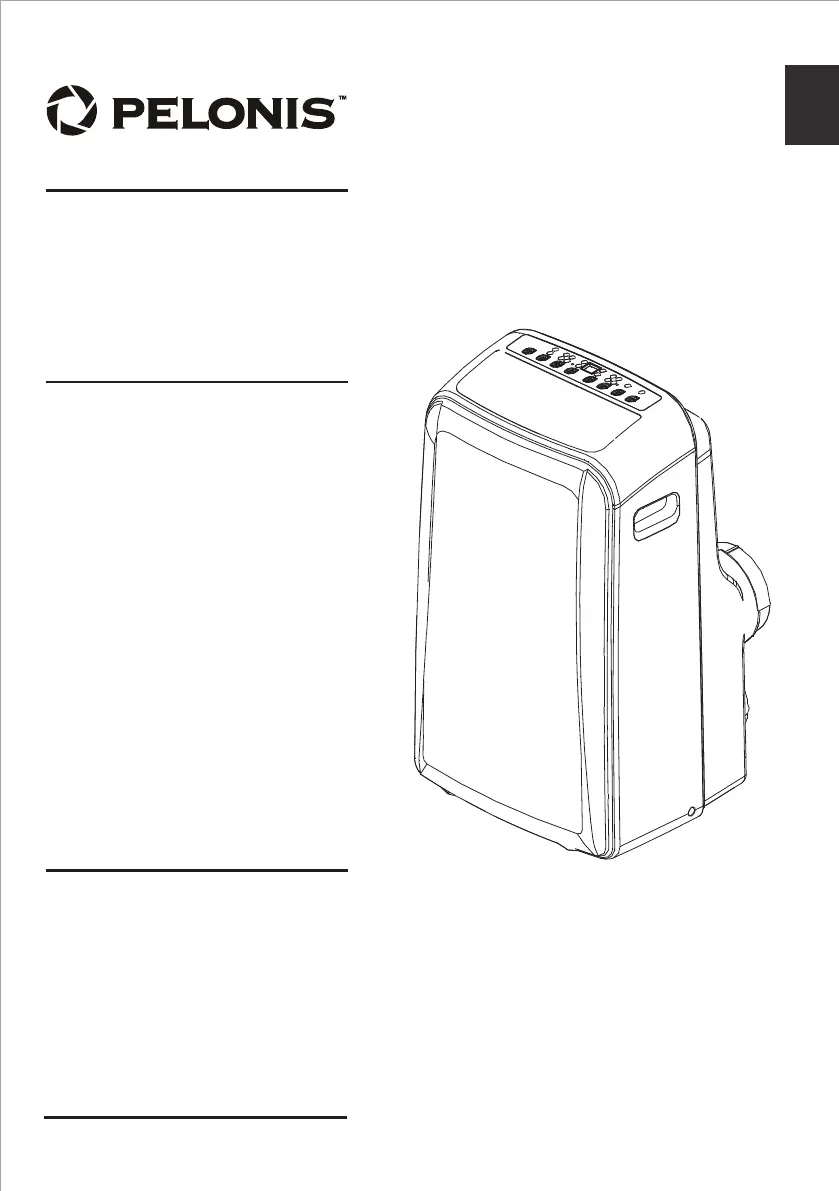
Pelonis PAP14H1BWT - User Manual

Pelonis PAP14H1BWT
32 pages
Print Icon
To Next Page IconTo Next Page
Loading...
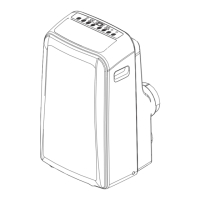
Portable Air Conditioner
PAP14H1BWT
Customer service: 1(866)-646-4332
www.pelonis.com
USER MANUAL
en
Warning notices: Before using
this product, please read this
manual carefully and keep it
for future reference.
The design and specifications
are subject to change without
prior notice for product
improvement. Consult with
your dealer or the manufacturer
for details.
Rated voltage: 115V
Frequency: 60Hz

Questions and Answers

  • K
    Kayla MannAug 15, 2025
    What to do if my Pelonis PAP14H1BWT does not turn on?
    • L
      lucasbonnieAug 15, 2025
      If your Pelonis Air Conditioner doesn't turn on when you press the ON/OFF button, it could be due to a couple of reasons. One possibility is that the water collection tray is full, which triggers a P1 Error Code. To resolve this, turn off the unit, drain the water from the tray, and then restart the unit. Another reason could be that, if in COOL mode, the room temperature is lower than the set temperature. In this case, try resetting the temperature.
  • D
    David MasseyAug 22, 2025
    How to fix a noisy and vibrating Pelonis Air Conditioner?
    • K
      kenneth41Aug 22, 2025
      If your Pelonis Air Conditioner is excessively noisy and vibrates too much, it might be due to the following reasons: * The floor isn't level. Place the unit on a flat, level surface. * The air filter is blocked. Turn off the unit and clean the filter.
  • E
    Emma BrownAug 29, 2025
    Why does my Pelonis PAP14H1BWT Air Conditioner make a gurgling sound?
    • H
      hgriffinAug 29, 2025
      If your Pelonis Air Conditioner makes a gurgling sound, don't worry. This sound is normal and is caused by the flow of refrigerant inside the unit.
  • J
    John DavisNov 6, 2025
    Why is my Pelonis Air Conditioner not cooling well?
    • L
      Lawrence RobertsNov 6, 2025
      If your Pelonis Air Conditioner isn't cooling well, several factors could be the cause. First, ensure that the air filter isn't blocked with dust or animal hair; if it is, turn off the unit and clean the filter. Next, check the exhaust hose to make sure it's connected and not blocked; disconnect, check for blockages, and reconnect if necessary. Also, verify that the temperature setting isn't too high by decreasing the set temperature. Ensure all windows and doors in the room are closed to prevent warm air from entering. If the room area is too large for the unit's cooling capacity, double-check the cooling area specifications. Eliminate any heat sources inside the room if possible. Finally, if the unit is low on refrigerant, call a service technician to inspect the unit and add more refrig...

Summary

Safety Precautions

Installation Safety Guidelines

Essential safety guidelines for installing the air conditioner unit.

Operational Safety

Covers operational safety, electrical hazards, and general precautions.

Refrigerant Handling Safety

Specific warnings and guidelines for handling R32 refrigerant.

Unit Specifications and Features

Temperature Range and Exhaust Installation

Details operating temperature ranges and exhaust hose installation.

Operating Instructions

Control Panel Functions

Explains the functions of the control panel buttons.

Control Panel Display and Error Codes

Describes the LED display, error codes, and troubleshooting notes.

Mode and Timer Operations

Details how to operate the unit in different modes and set timers.

Advanced Features and Drainage

Covers advanced functions like Follow Me and water drainage procedures.

Water Drainage Procedures

Detailed steps for draining water in different operating modes.

Installation Instructions

Location Selection

Guidelines for selecting an appropriate installation location for the unit.

Tools and Accessories

Lists necessary tools and included accessories for installation.

Exhaust Hose and Window Slider Assembly

Instructions for assembling the exhaust hose and window slider.

Hung Window Installation

Step-by-step guide for installing the unit in a hung window.

Sliding Window Installation

Step-by-step guide for installing the unit in a sliding window.

Care and Cleaning

Cleaning Procedures and Maintenance

Instructions for cleaning the air filter, unit, and maintenance tips.

Troubleshooting Tips

Malfunction Diagnosis

A guide to diagnosing and resolving common unit malfunctions.

Remote Control Instructions

Remote Control Functions

Overview and explanation of the remote control buttons and their functions.

Remote Handling and Batteries

Guidance on handling the remote, inserting/replacing batteries, and disposal.

Remote LED Screen Indicators

Explains the various indicators displayed on the remote control's LED screen.

Basic Remote Operations

Covers setting temperature and operating in AUTO, COOL, and DRY modes.

Advanced Remote Operations

Details FAN and HEAT operation modes using the remote control.

Timer Functions

Instructions for setting the automatic ON and OFF timer functions.

Combined Timer Settings

Explains how to set both ON and OFF timers simultaneously.

Advanced Remote Functions

Details SLEEP, SWING, FOLLOW ME, and SHORTCUT functions.

Regulatory and Compliance Notes

Information on FCC compliance, interference, and operating guidelines.

Warranty Information

Air Conditioner Limited Warranty

Details the terms and conditions of the product's limited warranty.

Purchasing and Usage Advice

Portable AC Buying Guide

Advice on purchasing and selecting the right portable air conditioner.

Pelonis PAP14H1BWT Specifications

General IconGeneral
TypePortable Air Conditioner
Cooling Capacity14, 000 BTU
Cooling Area500 sq. ft.
Coverage Area500 sq. ft.
Power Supply115V/60Hz
RefrigerantR410A
Operating ModesCool, Fan, Dehumidify
Fan Speeds3
Remote ControlYes
Window Kit IncludedYes
Dehumidification Capacity71 Pints/Day
Power Consumption1300 W
Timer24-Hour
Warranty1 year

Related product manuals