Need help?
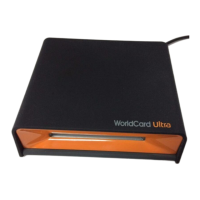
Do you have a question about the Penpower WorldocScan 400 and is the answer not in the manual?
Lists key features like resolution support, OCR, password protection, and e-mail integration.
Details hardware and software requirements for installing and running the software.
Guides through the step-by-step process of installing the Scan2PDF application.
Provides instructions for installing the WorldocScan scanner driver.
Details placing documents, setting scan options, and editing scanned files.
Provides step-by-step instructions for uninstalling the software.
 General
| Scanning Technology | CIS (Contact Image Sensor) |
|---|---|
| Optical Resolution | 600 dpi |
| Interface | USB 2.0 |
| Compatibility | TWAIN, WIA |
| Color Depth | 24-bit |
| Type | Portable Scanner |
| Supported OS | Windows |


 To Next Page