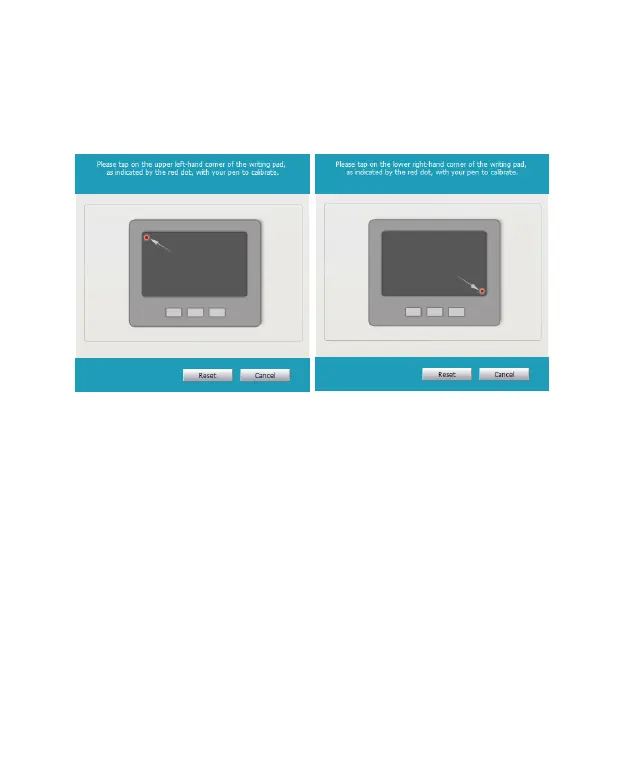
Tip: When connecting the memo pad, the software will run automatically .
2. Please follow the instructions on the screen to calibrate to
avoid any shift inking when rst time using.
3. After calibration, you will see the Writing Guide on the screen.
4. Please make sure to apply enough pressure when writing on
the memo pad to ensure high recognition accuracy. Therefore,
the Writing Guide will help you to test your writing strength
after calibration. Please write on the memo pad, the Writing
Guide will show your writing on the screen.
5. If you nd the inking is intermittent, you need to increase your
writing strength. Please go to the [Clear and Re-write] on the
bottom of the Writing Guide and try to increase the strength
slowly. If the rst writing is very clear, you may reduce the
strength and nd suitable writing strength.
Reminder: It will display inking after uplift the pen.


 To Next Page