i
1
[ ]
Recoreee Pixels 2592×1944
White Balance AWB
Focusing Area Wide
stttvtty Aut
i_!i!i_!_i_iiiiiiiiiiiiiiiiiiiiiiiiiiiii_os_.Zv_v.-_,c_,.._
TiFF TIFF • Captures the image as uncompressed TiFF data. This is best
for prints and images that will be manipulated on a PC.
_-ir-ir BEST • The quality is better and there is a high volume of image data.
• * BETTER • Standard level
GOOD • The quality is good and there is a low volume of image data.
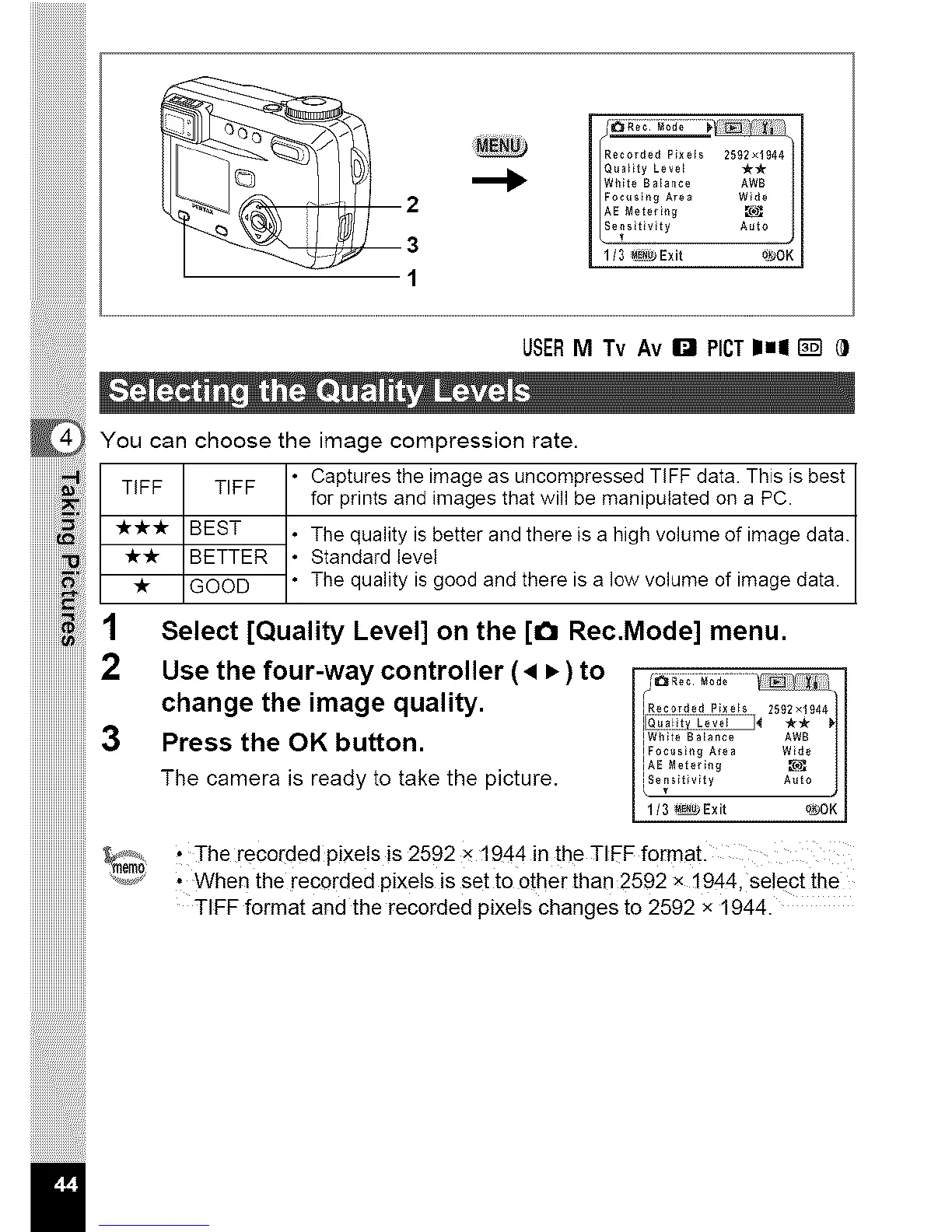
1 Select [Quality Level] on the [_ Rec.Mode] menu.
2 Use the four-way controller ( • • )to /_,_;;:_; ....
I
change the image quality. _Rec0r_e_P_*e,,_s_,_,
Press the OK button. Aw_
IFoc_ ngAe Wde
IAE Metering _
The camera is ready to take the picture. _t_t_
1/3 _Exit 0_JOKI
iiiiiiiiiiiiiiiiiiiiiiiii3
iiiiiiiiiiiiiiiiiiiiiiiii
iiiiiiiiiiiiiiiiiiiiiiiii
iiiiiiiiiiiiiiiiiiiiiiiii_°3
iiiiiiiiiiiiiiiiiiiiiiiii
iiiiiiiiiiiiiiiiiiiiiiiii
iiiiiiiiiiiiiiiiiiiiiiiii
il
t The recorded pixels is 2592 x 1944 in the TIEF format.
• When the recorded pixels is set to other than 2592 x 1944, se!ect the
TIFF format and the recorded pixels changes to 2592 x 1944.



 To Next Page