26
Getting Started
1
3 Press the OK button.
4 Press the four-way controller (3).
The frame moves to [W].
5 Use the four-way controller (45) to choose the desired
city (Hometown).
6 Press the four-way controller (3).
The frame moves to [DST] (Daylight Saving Time).
7 Use the four-way controller (45) to select O (On) or
P (Off).
8 Press the OK button.
The Date Adjust screen appears.
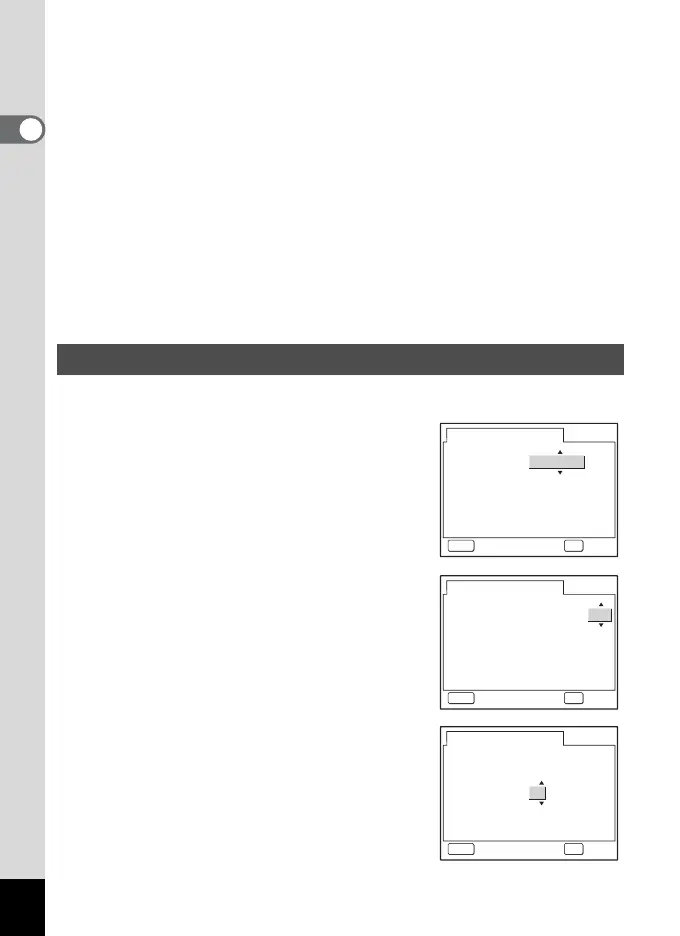
Set the current date and time and the display style.
1 Use the four-way controller (23)
to choose the date and time
display style.
2 Press the four-way controller (5).
The frame moves to [24h].
3 Use the four-way controller (23)
to select [24h] (24-hour display) or
[12h] (12-hour display).
4 Press the four-way controller (5).
The frame moves to month.
Setting the Date and Time
Date Adjust
OKMENU
OKCancel
mm/dd/yy
Time
Date
Date Style
1/ 1/2005
24h
0:00
Date Adjust
OKMENU
OKCancel
mm/dd/yy
Time
Date
Date Style
1/ 1/2005
24h
0:00
Date Adjust
OKMENU
OKCancel
mm/dd/yy
Time
Date
Date Style
1/ 1/2005
24h
0:00











 To Next Page