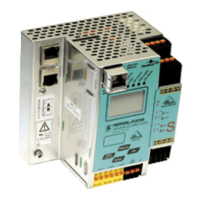
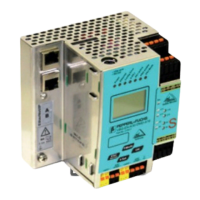
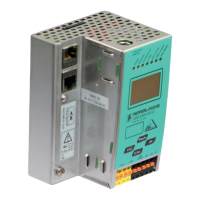
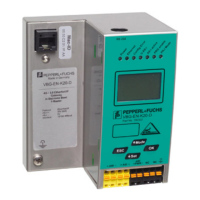
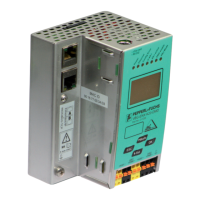
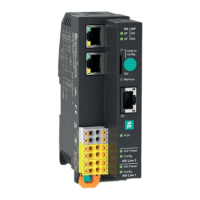
The Pepperl+Fuchs PROFINET gateway facilitates the changeover from ASi gateways type K20 to the new VBG-EP1-KE5-D* series, offering enhanced features and improved functionality for industrial automation applications. This device serves as a crucial interface for integrating AS-Interface (ASi) networks into PROFINET environments, enabling seamless communication and control within complex industrial setups.
Function Description
The primary function of the PROFINET gateway is to bridge communication between ASi networks and PROFINET controllers. It allows for the integration of ASi devices, such as sensors and actuators, into a PROFINET system, making their data accessible to the PROFINET controller. This gateway supports the new VBG-EP1-KE5-D* series, which offers significant advantages over previous K20 models.
Key functional enhancements include:
- Extended Web Server: The integrated web server provides comprehensive tools for easy configuration and diagnostics. Users can access the web interface to monitor network status, configure parameters, and troubleshoot issues, simplifying setup and maintenance.
- Easy Commissioning via Mobile Devices: The gateway is designed for user-friendly commissioning, even via mobile devices. This flexibility allows technicians to configure and manage the device on-site using smartphones or tablets, reducing setup time and increasing operational efficiency.
- REST API Interface: The inclusion of a REST API interface enables the implementation of Industrial Internet of Things (IIoT) solutions. This allows for advanced data integration and connectivity with cloud-based platforms or other IT systems, supporting data analytics, predictive maintenance, and remote monitoring.
- Multiprotocol Functionality: The gateway supports multiprotocol functionality, including PROFINET and EtherNet/IP. This versatility ensures compatibility with a wide range of industrial control systems, offering flexibility in network design and integration.
- Quick Setup via Push Button: A quick setup feature, accessible via a push button, simplifies the initial configuration process, allowing for rapid deployment in various industrial environments.
The gateway manages data exchange between the ASi network and the PROFINET controller, translating ASi messages into PROFINET data and vice versa. It handles the cyclical and acyclical data traffic, ensuring reliable and timely communication for critical control tasks. The device supports multiple ASi networks, depending on the specific model (e.g., VBG-EP1-KE5-D for single ASi network, VBG-EP1-KE5-DMD for two ASi networks), providing scalability for different application requirements.
Important Technical Specifications
While specific detailed technical specifications like voltage ranges, current consumption, or environmental ratings are not explicitly provided in the excerpt, the manual highlights several key aspects:
- PROFINET Interface: The gateway features PROFINET interfaces (typically X1 and X2 Ethernet sockets) for connection to the PROFINET controller. These interfaces support standard Ethernet cabling.
- ASi Power Supply: The device provides connections for ASi power supply (ASi PWR+/-), which powers the ASi network and connected devices. The manual illustrates connections for ASi PWR- to socket 01 and ASi PWR+ to socket 03 for a single ASi network. For dual ASi networks (VBG-EP1-KE5-DMD), separate power connections are provided for ASi1 PWR+/- and ASi2 PWR+/-.
- ASi Network Connections: Dedicated sockets are available for connecting the ASi network cables (ASi+/-). For a single ASi network, ASi- connects to socket 02 and ASi+ connects to socket 04. For dual ASi networks, ASi1+/- and ASi2+/- have their respective connections.
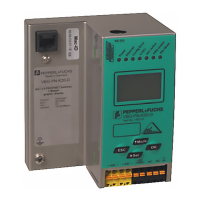
- LED Indicators: The device includes various LED indicators (PN, EIP, SF, MS, SD, Memory, ASi Power, ASi Link 1, ASi Link 2, etc.) to display the operational status, network activity, and diagnostic information. These LEDs are crucial for quick visual assessment of the device's health and communication status.
- Configuration Ports: The device features buttons (Mode, ESC, Set, OK) for local configuration and navigation through menus, complementing the web-based configuration options.
- Memory: An SD card slot (SD Memory) is indicated, suggesting support for data logging, configuration backup, or firmware updates.
Usage Features
The PROFINET gateway is designed for straightforward installation and operation:
- Ethernet Connection: Connecting the gateway to the PROFINET network involves simple Ethernet cable connections to the X1 and X2 sockets.
- ASi Power and Network Connection: The manual provides clear diagrams for connecting the ASi power supply and ASi network cables to the designated sockets, ensuring correct wiring for both single and dual ASi network configurations.
- Configuration via Web Server: The extended web server allows users to configure the gateway's parameters, including network settings, ASi master configuration, and device mapping. This graphical interface simplifies complex configurations.
- Push Button Configuration: For basic operations or quick setup, the push buttons on the device can be used to navigate menus and confirm settings. This is particularly useful for storing ASi configurations or performing device reboots.
- Integration with PROFINET Controller: The gateway integrates seamlessly with PROFINET controllers. This involves adding the gateway to the PROFINET controller's network configuration (e.g., in TIA Portal), assigning a PROFINET station name, and configuring data image and device parameters.
- GSD File Import: To integrate the gateway into the PROFINET controller's engineering environment, users need to download and import the appropriate GSD (General Station Description) file. This file contains all the necessary information about the device's capabilities and data structure.
- Data Image and Device Parameters: The configuration process involves defining the data image (input/output data) and device parameters for the ASi gateway within the PROFINET controller's software. This allows the controller to access and control the ASi devices.
- Go Online Functionality: After configuration, the "Go Online" function in the TIA Portal or similar engineering software allows the controller to establish communication with the gateway and take advantage of its features.
Maintenance Features
The PROFINET gateway incorporates several features that facilitate maintenance and troubleshooting:
- Diagnostic LEDs: The comprehensive set of LED indicators provides immediate visual feedback on the device's operational status, network connectivity (PROFINET and ASi), and potential errors (SF for system fault, MS for module status). This allows for quick identification of issues without requiring external diagnostic tools.
- Web Server for Diagnostics: The extended web server offers advanced diagnostic capabilities. Users can access detailed status information, error logs, and network statistics through the web interface, aiding in the diagnosis of complex problems.
- Configuration Backup and Restore: While not explicitly detailed, the presence of an SD card slot suggests the possibility of backing up and restoring configurations, which is a crucial maintenance feature for rapid device replacement or system recovery.
- Firmware Updates: The SD card slot or network interface likely supports firmware updates, allowing the device to be kept up-to-date with the latest features, bug fixes, and security enhancements.
- Easy Replacement: The modular design and simplified wiring procedures, combined with configuration backup capabilities, aim to minimize downtime in case of device replacement.
- Analog Device Adjustment Note: A specific note advises that when adding analog devices after the data image, users may need to adjust the device parameters of the respective address to the previously used settings. This highlights a specific consideration for maintaining consistent analog device behavior.
In summary, the Pepperl+Fuchs PROFINET gateway (VBG-EP1-KE5-D* series) is a robust and feature-rich device designed to modernize industrial automation systems by providing a seamless and intelligent interface between ASi networks and PROFINET controllers. Its advanced web server, multiprotocol support, and IIoT readiness make it a versatile solution for contemporary industrial applications, while its user-friendly design simplifies both initial setup and ongoing maintenance.

 Need help?
 General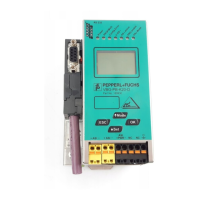

 To Next Page