INSTALLATION PRECAUTIONS
To prevent overheating the device, arrange it in a position allowing the flow of air through the
slots in the casing. Ensure at least 5 cm of free space when installing inside a rack. For the same
reason, do not install sources of heat, such as radiators or hot air ducts. Keep away
from direct
sunlight. Do not install in areas subject to excessive dust, mechanical vibrations or shocks.
Do not arrange this dev
ice on an unstable surface, such as a tottering or slanted table. The
device could fall causing injury or mechanical failure
s.
Do
not install the device in a place where it could be exposed to humidity or water. Do not direct
a jet of water onto the device: risk of fire, electrocution or mechan
ical failure.
Stop using the device if water or other material should penetrate inside: risk of fire and
electrocution. Contact th
e retailer or authorized installer.
Slots and openings in the cabinet are provided for ventilation. These openings must not be
blocked or covered.
Do not place heavy or heat generating objects on top of the device: this could damage the casing
and/or increase internal temperature causing faul
ts.
Do not cover the device with a cloth while it is running to prevent deforming the external casing
and overheating
th
e internal parts: risk of fire, electrocution and mechanical failur .
Keep magnets and magnetized objects away from the device to prevent faults.
Do not use the device in presence of smoke, vapor, humidity, dust or intense vibrations.
Wait for a while before operating a device immediately after tr
ansporting it from a cold place to
a warm place and vice versa. Wait on average for three hours: this will allow the device to
adapt
to the new ambient (temperature, humidity, etc.).
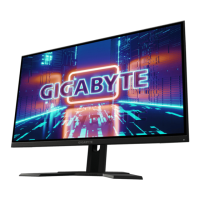
The monitor is provided with a plastic base and rubber feet. It can be positioned on a horizontal
surface, such as a desk or a table. Make sure that the device is fastened firmly and that it is not
resting on unstable supports or surfaces. Dropping
could cause severe injury and damage the
device.
Remember to adjust the brightness and contrast to obtain a perfect im
age.
The monitor can also be installed on the wall by means of a bracket (not provided).
CLEANING THE DEVICE
Rub delicately with a dry cloth to remove dust and dirt.
Dip the cloth in neutral detergent if dirt cannot be eliminated with a dry cloth alone.
Do
not use volatile liquids (such a petrol, alcohol, solvents, etc.) or chemically treated clothes to
clean the device to prevent deformation, deterioration or scratches
to the paint finish.
PRIVACY AND COPYRIGHT
The LED monitor is a device for Gaming
. Recording of images is subject to the laws in
force in your country. Recording of images protected by copyright is forbidden.
Product u
sers shall be responsible for checking and respecting all local rules and regulations
concerning monitoring and recording video signals. The manufacturing SHALL NOT BE LIABLE for use
of this product not i
n compliance with the laws in force.


 To Next Page
 Loading...