This document describes the Perfect Prime Temperature & Humidity Smart Sensor TH301, an instruction manual for a device designed to monitor environmental conditions.
The sensor's primary function is to display temperature and humidity in real-time. It offers push notifications when temperature or humidity levels exceed user-defined limits, allowing for proactive environmental management. The device also supports calibration of both temperature and humidity readings for accuracy. A key feature is its ability to display historical data in chart graphs, providing a visual overview of environmental trends. Users can save and export this data for further analysis. The TH301 is designed for easy installation, offering a variety of accessories to suit different placement needs.
Technical Specifications:
- Battery: CR2032x2, 3V, 440mAH
- Standby Current: ≤40uA
- Protocol: Bluetooth 5.0
- Wireless Range: 50m (under ideal conditions)
- Operating Temperature: -5°C to 50°C (23°F to 122°F)
- Operating Humidity: 0% to 95%
- Temperature Accuracy:
- (0°C - 50°C / 32°F - 122°F): ±0.3°C / ±0.5°F (typical), ±0.5°C / ±0.9°F (max)
- Humidity Accuracy: ±2% (typical), ±5% (max)
- Working Time: Approximately 12 months
- Wireless Type: 2.4GHz
- LCD Size: 2.75 inches
- Device Size: 68mm x 70mm x 11mm
Usage Features:
The device features an LCD display that shows temperature, humidity, temperature unit, and various icons indicating battery status, Bluetooth connectivity, and environmental comfort levels (DRY, WET, COMFORT).
- Battery Low Indicator: An icon appears when the battery is low, prompting replacement.
- Humidity Indicators:
- "DRY" appears when relative humidity is less than 30%.
- "WET" appears when relative humidity is more than 60%.
- "COMFORT" appears when the environment is within a comfortable humidity range.
- Temperature Unit Switching: A physical switch button on the device allows users to toggle between Celsius (°C) and Fahrenheit (°F).
- Power On: For first-time use, users need to press and hold the switch button to power on the device.
- App Integration: The TH301 connects to a smartphone application called "SensorPro," available on both the App Store and Google Play.
- Device Pairing: To add the device to the app, users must remove the battery insulation sheet, run the "SensorPro" app, bring the device close to the phone, and click the "+" button in the app. The app provides guidance if the device cannot be found, emphasizing proximity, power status, and enabling location services (required for BLE scanning on Android, though the app states it does not track location).
- Device Settings: Within the app, users can access device settings by clicking on the dark grey area of the device item. This allows for customizing the scene picture (using the camera icon), setting desired temperature and humidity conditions, calibrating readings, and viewing the working mode. The "DELETE" button allows for removing the device from the app.
- Chart Display: Clicking on the data area of a device item in the app displays a history data chart. The app automatically connects to the device to update data initially. Subsequent historical data updates require manual refresh via a button.
- Data Export: The app allows users to export historical data as a CSV file. This feature is accessed via the "EXPORT DATA AS CSV" button at the bottom of the chart screen. Users can select a sample frequency and a specific time span for the export.
- Unit Switching on App: The temperature unit can also be set within the app's settings screen (accessed by clicking the menu icon). It's important to note that unit settings on the device and the app are independent.
Maintenance Features:
- Battery Replacement: To replace the battery, users need to take off the battery cover, remove the old batteries, and insert new CR2032 batteries, paying close attention to polarity.
Installation Options:
The manual illustrates two common installation methods:
- Surface Mounting: Using 3M tape on the back of the sensor to stick it to a surface.
- Countertop Placement: The device can be placed directly on a counter or flat surface using its integrated stand.
Declaration and FCC Warning:
- Bluetooth and Location Permissions (Android): The app requires location permission for Bluetooth functionality on Android systems, but the developer states that the app does not record or use location information.
- Camera and Album Permissions: These permissions are needed for customizing scene pictures within the app. Users can disable them if this feature is not used.
- Storage Permission: Required for recording historical data; without it, the app may not function normally.
- FCC Warning: The device complies with FCC Rules Part 15, meaning it should not cause harmful interference and must accept any received interference. Users are advised that unauthorized modifications could void their authority to operate the equipment. The manual provides standard troubleshooting steps for interference issues (reorienting antenna, increasing separation, connecting to different outlets, consulting technicians). The device also complies with FCC radiation exposure limits for uncontrolled environments and should be installed and operated with a minimum distance of 20cm between the radiator and the user's body.

 Need help?
 General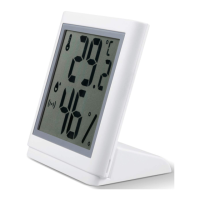

 To Next Page