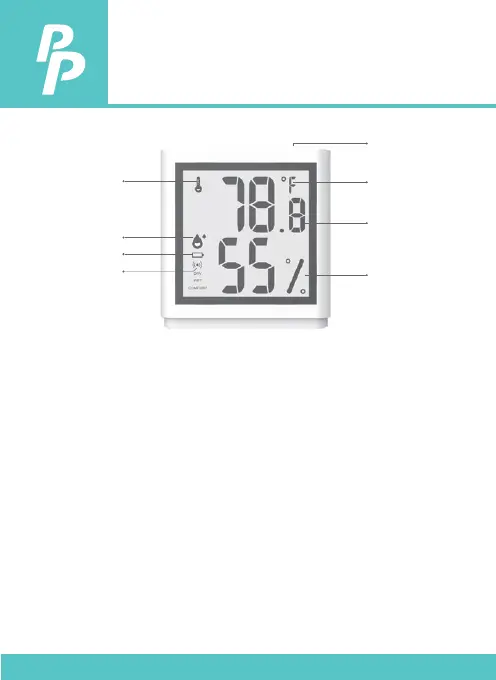
5. OVERVIEW
Battery low: It appears when the battery is low. Please replace
battery when it appears.
DRY: It appears when the relative humidity is less than
30%.
WET: It appears when the relative humidity is more than
60%.
COMFORT: It appears when the environment is comfortable.
Switch Button: Press the switch button to switch the temperature
unit.
P. 5
Temperature
icon
Switch button
Temperature
unit
Temperature
Humidity
Humidity icon
Battery low
Bluetooth
Note: Press and hold the switch button to power on when
using it for the rst time.


 To Next Page