5
Call Customer service for replacement parts: 1-800-497-0552
REPLACEMENT PARTS LIST
21. Locking Spring 1
22. Gasket 1
23. Trigger Pin - Pivot 1
24. Trigger Pin - Fluid Needle 1
25. Trigger 1
26. Retaining Ring 2
27. Lid 1
28. Cup 1
29. Fluid Filter 1
30. Fluid Inlet Fitting 1
31. Gun Body 1
32. Fluid Needle 1
33. Fluid Needle Spring 1
34. Fluid Adjustment Locking Ring 1
35. Fluid Adjustment Knob 1
36. Pattern Adjustment Valve 1
37. Air Inlet Fitting 1
38. Gun Wrench 1
39. Internal/External Hex Wrench 1
40. Brush 1
# Description Qty. # Description Qty.
TROUBLESHOOTING
WARNING - Disconnect spray gun from air source before making adjustments
NOTE:
Problems listed above with more than one solution may have a combination of causes. Please be sure that all solutions listed for each problem have been checked to eliminate possibility of further trouble.
Sometimes solutions may need to be repeated for best results.
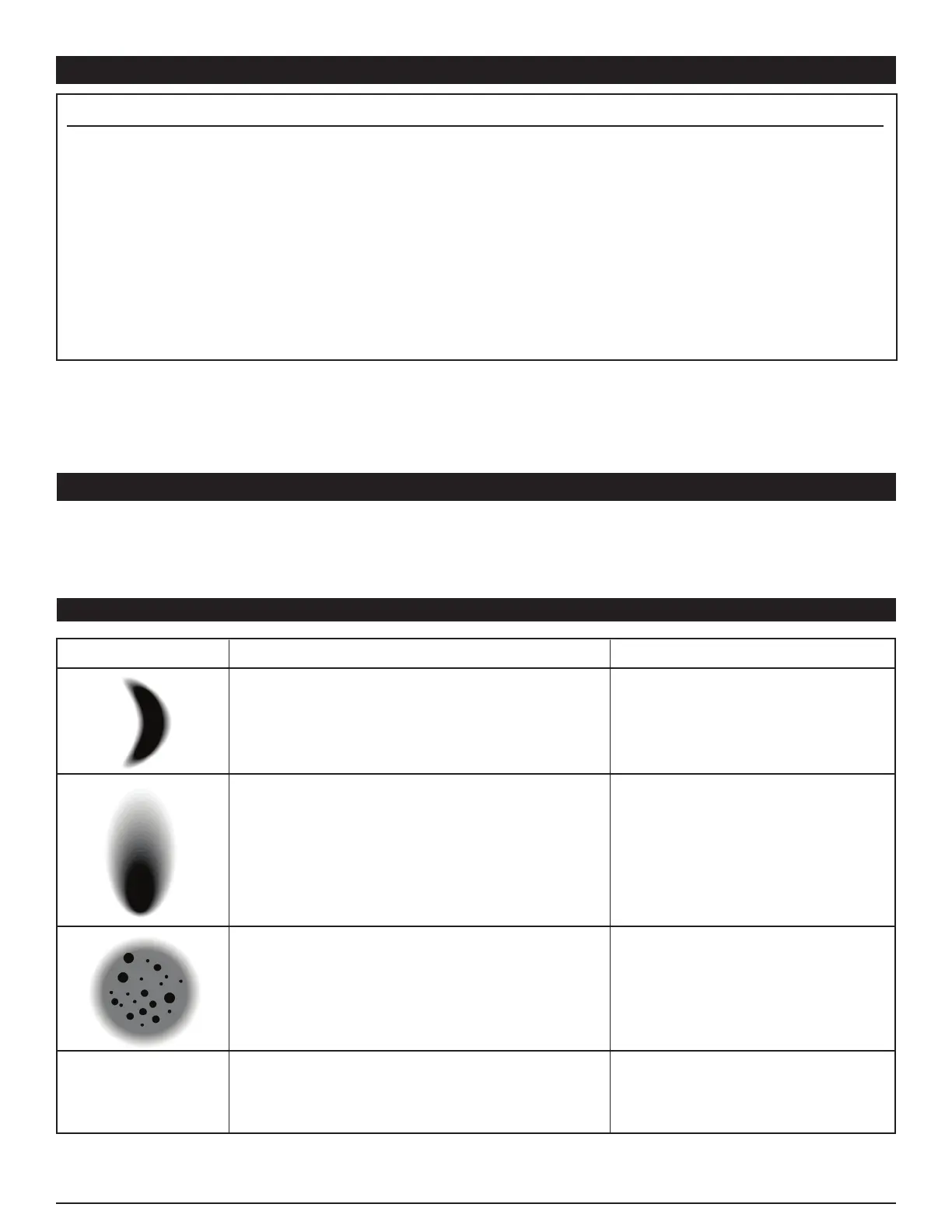
Half-Moon Shaped Pattern
This is usually caused by clogged
air holes on the Air Nozzle ears.
1. Clean, tighten or replace
2. Clean, tighten or replace
Problem: Probable Cause: Solution:
Your spray gun was constructed with quality materials
and workmanship and will give you many years of trouble
free use when cared for as described in the "Care and
Maintenance" section on page 3. However, as with any
mechanical device, periodic adjustments are necessary to
maintain a peak level of performance. Should your spray
gun be displaying any of the following symptoms, the
simple procedures shown below will correct the problem.
Irregular or Offset Pattern
This can be caused by
1. A dirty or damaged Needle tip
or Fluid Nozzle
2. Clogged atomization holes on
Air Nozzle around the center
Spitting
1. Too little material in cup
2. Loose Fluid Nozzle
3. Damaged Needle Packing
4. Dirty or damaged Needle & Nozzle Set.
Carefully clean out holes with
wire after soaking in thinner.
1. Clean or replace Needle or
Fluid Nozzle.
2. Clean Air Nozzle
1. Refill cup
2. Tighten Nozzle
3. Replace Packing
4. Clean or replace parts
Material in cup bubbles or “Boils”
1. Loose, clogged or damaged Fluid Nozzle
2. Loose, clogged or damaged Air Nozzle



 To Next Page