Setting
Screen Mirroring
PHOTO
MOVIE MUSIC
TEXT
HOME
AV
BT
Setting
VGA
HDMI2
HDMI1
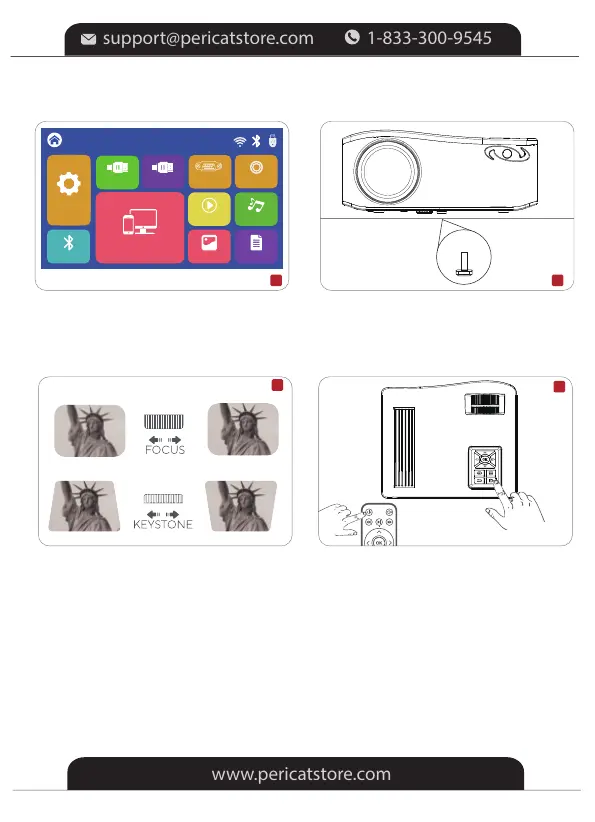
5.Select the correct input source on
the projector or remote to project your
device
7.Adjust the keystone to make the
projection screen rectangular at first,
then adjust the focus wheel slowly
to make the center clear. (Please
use it in a dark environment.)
8.Press the power button to turn
off the projector
6.Adjust the kickstand accordingly
AV
5 6
7
8
-7-


 To Next Page