Setting
Screen Mirroring
PHOTO
MOVIE MUSIC
TEXT
HOME
AV
BT
Setting
VGA
HDMI2
HDMI1
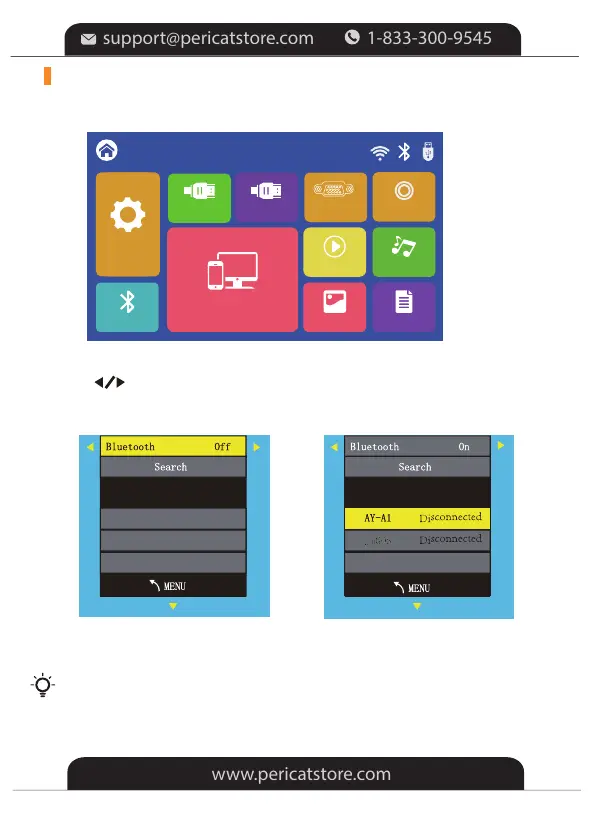
1. Select the "BT" in the HOME main menu first.
3.Select "Search" and press "OK" to scan nearby Bluetooth speakers.
2.Press“ ” key to turn Bluetooth on
CONNECT TO A BLUETOOTH SPEAKER
4.Select your Bluetooth speaker from the list, press OK key to connect (pair).
When power on the projector or turn on Bluetooth, the projector
attempts to connect the latest connected Bluetooth speaker.
Tips:
-13-


 To Next Page