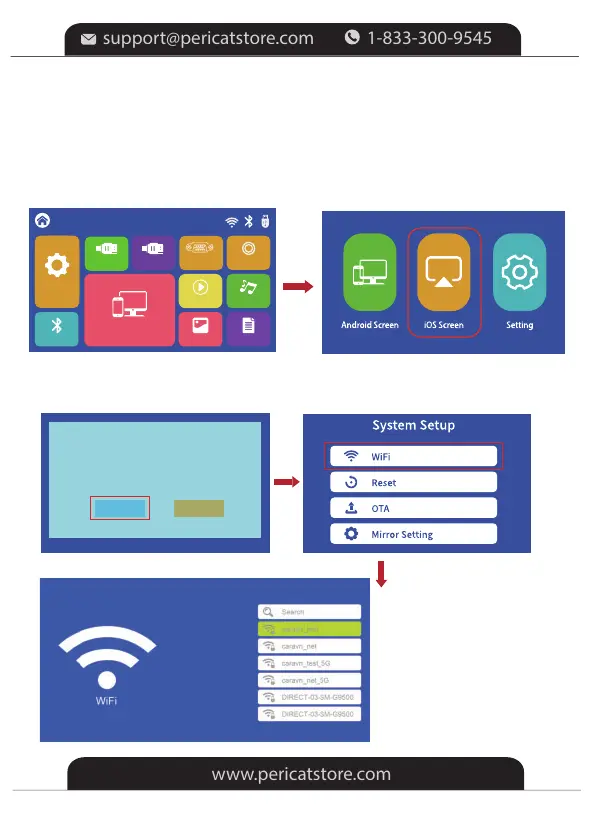
4.The connection success
1.Turn on the projector, select “Screen Mirroring" in the HOME main menu,
and then choose "iOS Screen".
*Method B Streaming with Your router's WiFi
2.Press “OK” on the remote or projector to connect your Router's WiFi.
Please connect to Wi-Fi first
OK Cancel
Setting
Screen Mirroring
PHOTO
MOVIE MUSIC
TEXT
HOME
AV
BT
Setting
VGA
HDMI2
HDMI1
-16-


 To Next Page