9
Browse by Genre
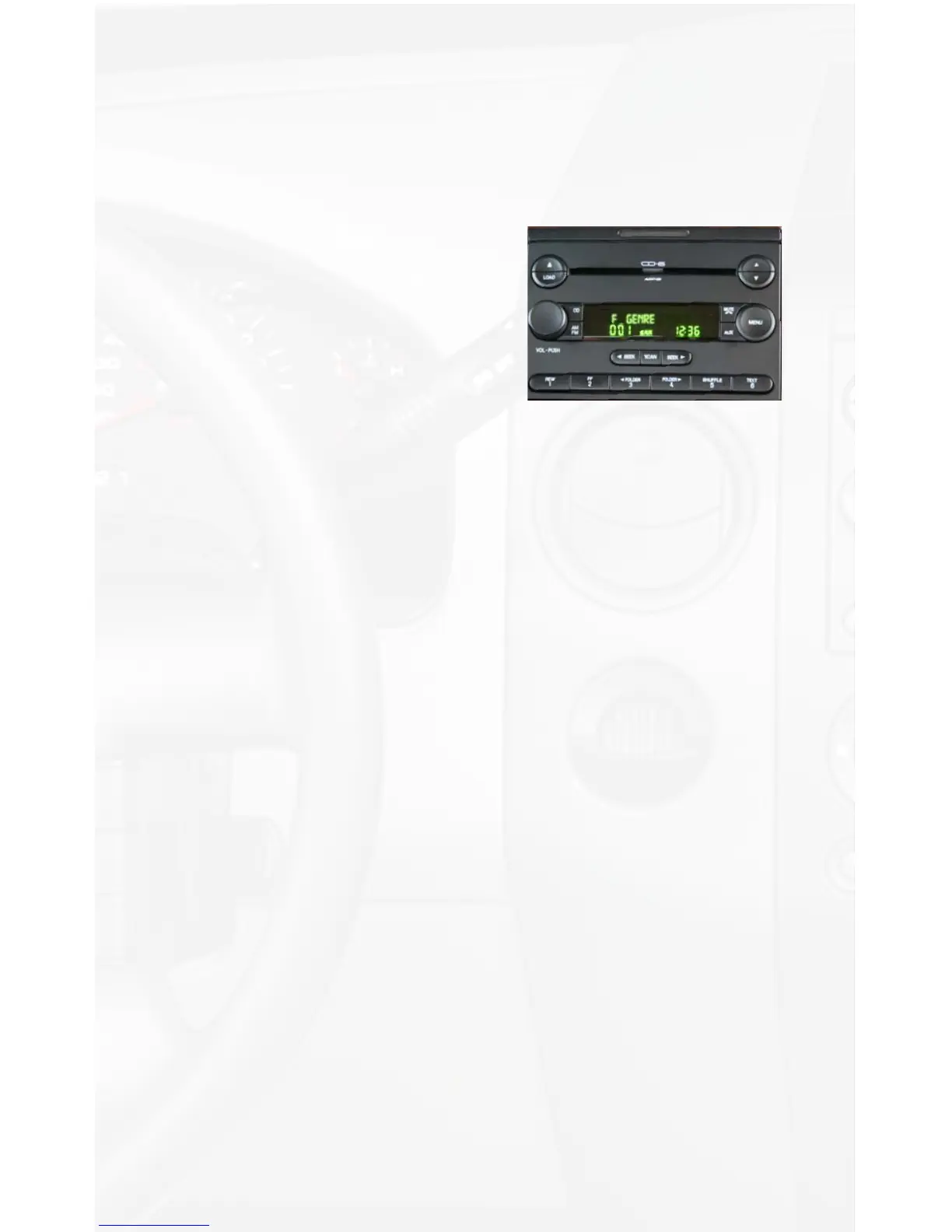
Press Preset #2 to enter the browse menu.
The word ”BROWSE” will appear on your display. You have entered
the Browse menu.
Press the SEEK► or ◄SEEK button until Genre is displayed.
“F” in front of the different Genres
indicates that this is the folder of Genres.
Press Preset #2 to select this browsing.
The Genres on your iPod will be
displayed one at a time in Alphabetical
order. “GE:” will be displayed to indicate
that you are searching for a Genre.
Press the SEEK► or ◄SEEK button
to cycle through the Genres.
If the Genre you are looking for is toward the end of the alphabet you
may use the ◄SEEK to search backwards. Once the desired Genre
is displayed,
Press Preset #2 to select the desired Genre.
The list of Artists on your iPod from the desired Genre will be
displayed one at a time in Alphabetical order. “AR:” will be displayed
in front of the artist’s name to indicate that you are searching in the
artist folder.
Press the SEEK► or ◄SEEK button to cycle through the artists.
If the artist you are looking for is toward the end of the alphabet you
may use the ◄SEEK to search backwards. When the desired artist is
displayed on the radio,
Press Preset #2 to select that artist and display the albums by
that artist.
The Albums from the selected Artist will be displayed one at a time in
Alphabetical order. “AL:” will be displayed in front of the name of the
album to indicate you are searching for an album.
Press the SEEK► or ◄SEEK button to cycle through the albums.
Once the desired album is displayed, Press Preset #2 to select the
desired Album.
The rst song in the album will be displayed. “TR:” will be displayed
in front of the song title to indicate that a “track” or song title is
being displayed.
Press the SEEK► or ◄SEEK button to cycle through the songs
in the selected album.
Songs are listed in the order in which they appear in the album, not
alphabetically. When the radio displays the name of the desired song,
Press Preset #2 to select and play the desired song.
The display will automatically change to display the title of the
chosen song. On some radios the text will scroll to show the full track
title/artists name.


 To Next Page