M
L
S
M
L
S
❹Loop pattern and xed mode switching
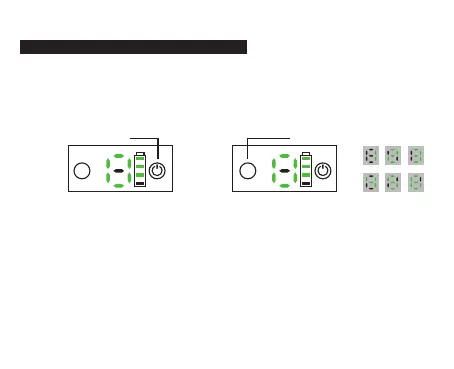
Defaults mode is loop pattern mode
Press and hold the M button, then it switchs to xed mode. If press
the power button three times continuously and quickly,then back to
loop pattern mode, and LCD display shows 0
Loop pattern mode display
Press three times
continuously and quickly
Press and hold the M button and
switch to a xed mode
Fixed mode display
Note:
1. With 1~6 different levels. Under both modes, when it is triggered, it
will display and ash the current corresponding levels. For example,
under level 6, it will display the number 6 and ash 3S until the bark
stops and quit ashing.
2. Under both modes, after the 6th triggering, it will enter 'Protection
Mode', will stop working for 1minute and ashing '0'.
9



 To Next Page