-11-
RETURN TO
CONTENTS
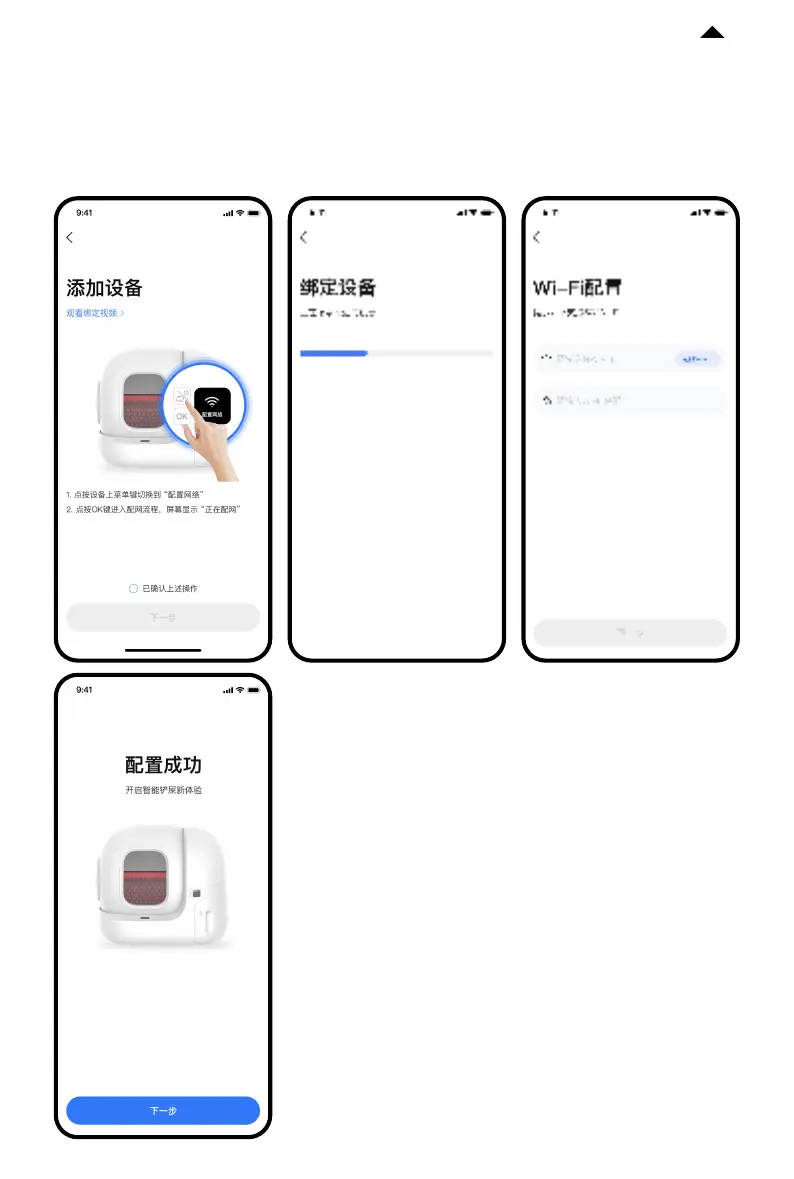
③ Start connection
Tap the Menu button on the device and switch to “Configure network”. Tap the OK button
to initiate connection. The screen will display “Connecting...”, and the App will start
connecting to the device. Please wait until the configuration is successful.
Note: To enhance user experience, occasional soware
upgrades may occur so that the app interface may vary.
Please refer to the actual product.




 To Next Page