8
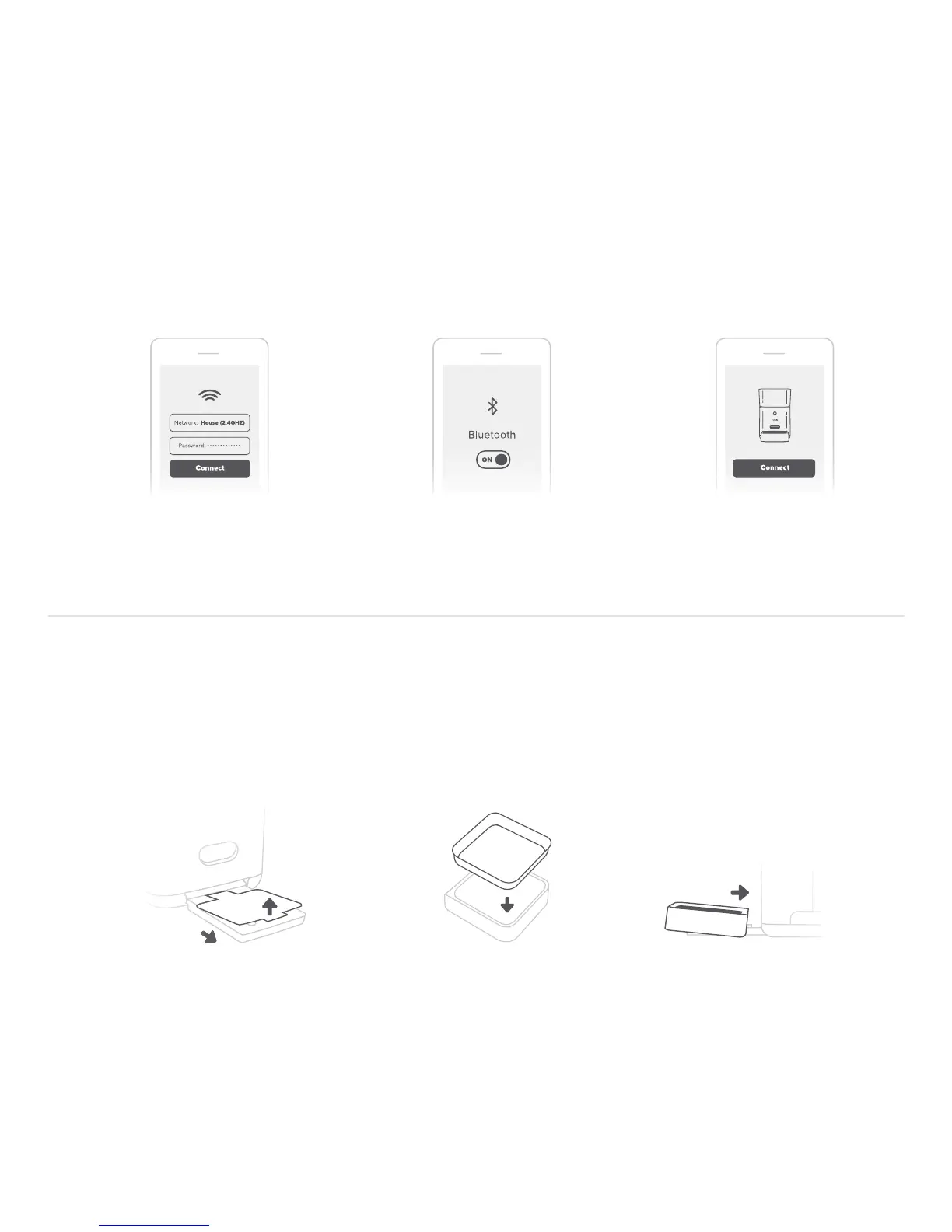
5. Connect the SmartFeeder to your phone
After, scanning the QR code use the Petnet app to choose your Wi-Fi network and enter
your Wi-Fi password. Ensure Bluetooth is enabled on your phone and press connect.
6. Set up your SmartFeeder
Find the blue tab on the front of SmartFeeder base and pull out the bowl tray until you reveal
the entire blue label. Then, remove the label from the bowl tray and slide the plastic bowl on
the tray until it clicks into place.
Place metal bowl
insert into bowl tray
Slide the plastic
bowl onto the tray
Pull the tray all the way
out and remove sticker
Choose Wi-Fi network
and enter your password
Ensure Bluetooth is
enabled on your phone
Press “Connect” to pair,
could take up to 1 minute


 To Next Page