9
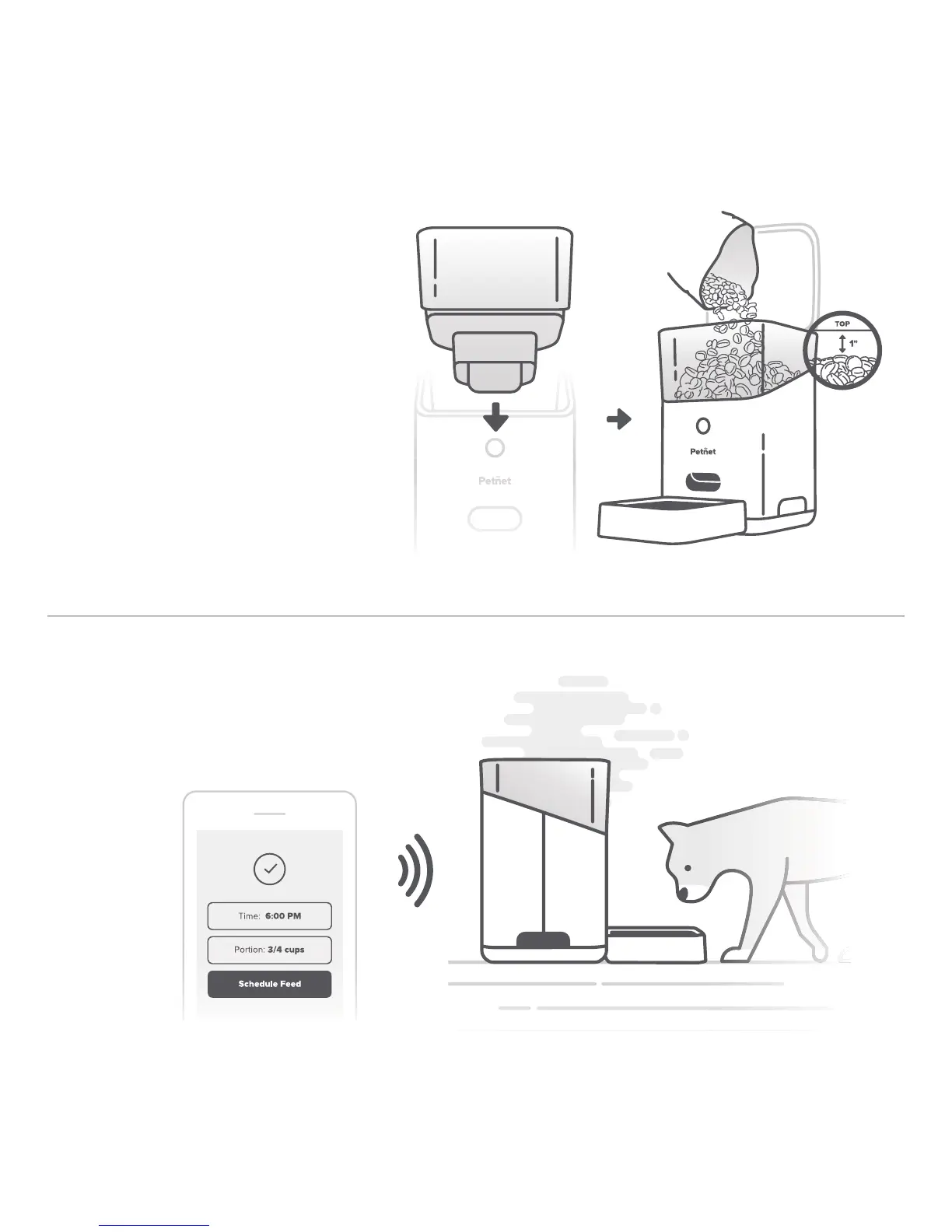
7. Add food to hopper
Ensure the Food Container Insert
is placed in the food container
and locked into base. Pour food
into the hopper, leaving a 1 inch
clearance at the top.
Kibble Sizes
Dry food 1/8” - 5/8” in diameter
Food Storage
Stores 5lbs - 7lbs of dry food
8. Congrats! You’re all set up.
Use the Petnet App to set up feeding
times and portions sizes.


 To Next Page