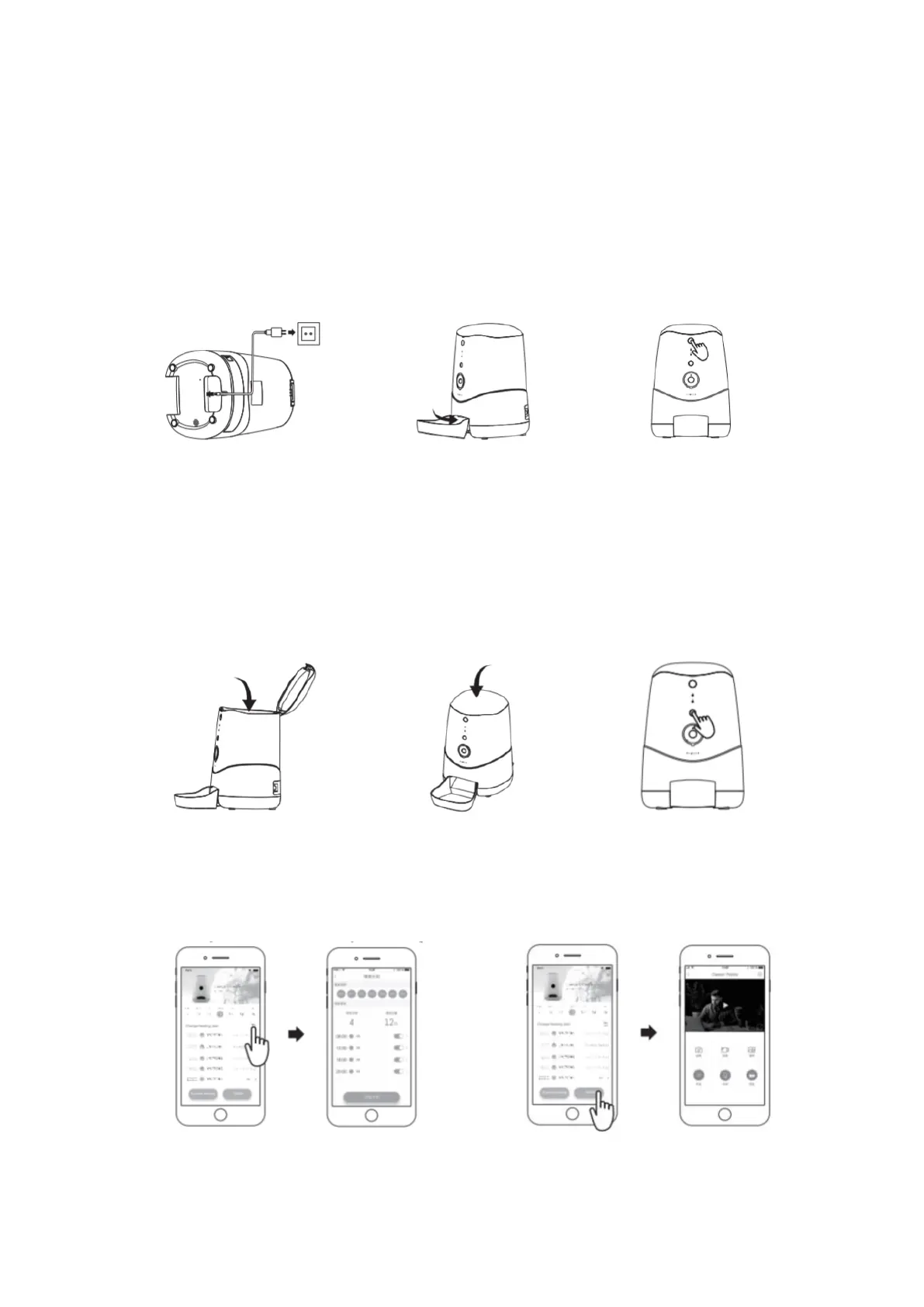
Unbox and connect the Micro
USB cable to the power input
port at the bottom the feeder,
then connect A/C adapter to a
wall outlet.
Slide the bowl into
the feeder’s outlet.
Press the release key to lift
up the lid.
Pourt food into the hopper
and fill it.
Press down to close
the lid.
Short press the manual
feeding button to feed
instantly (defailt quantity is
one portion customizable
through App).
7) Connect feeder with your phone and
schedule your feeding. Download the
Petoneer App and connect the feeder to
your Wi-Fi to schedule your feeding.
8) Click the Video button for the
camera interface. The FEED button on
the interface is for express feeding!



 To Next Page