EasyManua.ls Logo

Petree ACC-21-02 - User Manual

Petree ACC-21-02
3 pages
Print Icon
To Next Page IconTo Next Page
Loading...
Distribution network precautions
1. The litter box only supports 2.4G WiFi, not 5G WiFi
2. The mobile phone needs to turn on Bluetooth when
configuring the network
3. If the APP cannot find the device, please power off
the device for 5 seconds and then restart it
4. Only one account can be added to a device, and the
device can be shared with other users in the APP
5. If the power is interrupted during operation, it will
automatically return to the horizontal position after power on
7. Distribution network
Scan the code to download the APP, press and hold the host
button, and enter the network configuration state after a long
beep (please place the device in a WiFi coverage environment),
open the APP, follow the APP instructions to add the device and
connect to the network.
6. Add cat litter
Add clumping cat litter from the hole. Do not add
more cat litter than the MAX cat litter line. After adding
the litter, click the button on the main body and wait for
the end of the run to be used normally
5. Power on and wait for device self-test
Turn on the power and wait for the completion of the
self-check operation of the device (the white light is
always on after the self-check is completed).
Put the ball compartment back on the base, close the lock
ball and scribe, and finally put on the outer cover.
3. Install the ball compartment, install the outer cover
Installation Instructions
1. Take the outer cover, take the ball compartment
Take out the main body, remove the cover, open the lock ball
and scribe, remove the ball compartment, and get the base.
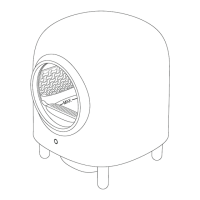
Product Introduction
outer cover
ball room
pedal
buttons &
indicators
support leg
cat feces
container
base
Quick guide cardInstructionsTrash bagPower adapter
Support leg x 4
Cat feces containerMain body
Product List
Please carefully check the product list quantity
User Notice
Statement
Thank you for purchasing the Petree smart cat litter box.
Beiqu Technology is committed to making your pet life better
through the power of design.
This instruction will help you better understand and
use this product.
Please read the operation manual carefully
and keep it properly before using the product
Instruction
Automatic Cat Litter Box
1. Please install and use this product according to the instructions
2. This device needs to be placed on a level ground
3. No items are allowed on the top of the device
4. Don’t use in a high temperature and high humidity environment
5. Don’t use non-clumping cat litter
6. Don’t place foreign objects in the ball room
7. Don’t force the cat into the ball room
8. The automatic mode of the device is not suitable
for cats younger than 6 months
9. The base part is forbidden to wash
2. Put the base diagonally and install the support legs
Place the base of the main body on the side and install
4 support legs, After the installation is complete.
4. Install trash bag & deodorant box
Take out the inner hoop of the cat feces container,
install the deodorizing box (purchased separately), and
return it after putting the garbage bag in the cat feces
container to ensure that the garbage bag is not
excessively upturned, then put it back into the main body
Scan code to
download APP
Question and Answer IconNeed help?

Do you have a question about the Petree ACC-21-02 and is the answer not in the manual?

Summary

Product Introduction and Installation

Product Introduction

Overview of the Petree Automatic Cat Litter Box and its components.

Installation Steps

Step-by-step guide for assembling and setting up the automatic cat litter box.

Distribution Network Setup

Connect the device to your Wi-Fi network using the mobile app for full functionality.

Operation and Troubleshooting

Button and Light Functions

Understand the functions of the main body button and the status indicated by white and red lights.

Function Descriptions

Details on automatic cleaning, app notifications, smart deodorization, and do not disturb modes.

Frequently Asked Questions

Answers to common questions regarding cat age, litter type, and maintenance frequency.

Quick Troubleshooting

Solutions for common issues like unusual sounds, sudden stops, and indicator light behavior.

Cleaning, Safety, and Specifications

Cleaning Instructions

Guidance on how to properly disassemble, clean, and reassemble the litter box components.

Hazardous Substances

Information on the presence of hazardous substances in product components according to standards.

Product Parameters

Technical specifications including weight, dimensions, voltage, and Wi-Fi frequency.

After-Sale Service and Warranty

Details on product warranty, conditions for service, and non-warranty exclusions.

Overview

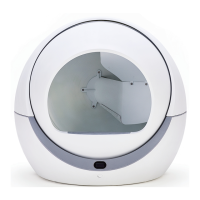
This document describes the Petree Automatic Cat Litter Box, a smart device designed to enhance pet care.

Function Description

The Petree Automatic Cat Litter Box offers several key functions to ensure a clean and convenient experience for both cats and their owners.

Automatic Cleaning Function: After a cat leaves the toilet, the machine initiates a cleaning cycle after a 3-minute delay. If a cat enters the device during operation, the machine will pause and resume operation once the cat has left. This ensures safety and continuous cleanliness.

Device Information Push Function: When the machine is connected to Wi-Fi and added to the accompanying app, its current status information is pushed to the app in real-time. This allows users to monitor the device's activity and status remotely.

Dumping Cat Litter Function: Users can initiate the sand dumping function by double-clicking the host button or by pressing the "sand dumping" button within the app. Similar to the automatic cleaning, if a cat enters the device during this operation, the equipment will pause and resume once the cat has left, ensuring safety.

Smart Deodorizing Function: Smart deodorization is enabled by default under normal operating conditions. This function can be toggled off via the "automatic deodorization" setting within the app's "mode" button.

Do Not Disturb Mode Function: By clicking the "do not disturb mode" button in the app, the equipment will enter a silent mode at a corresponding time each day, performing no operations. This is useful for maintaining quiet during specific hours, such as overnight.

Important Technical Specifications

The Petree Automatic Cat Litter Box is designed with specific technical parameters to ensure optimal performance and safety.

  • Name: Automatic Cat Litter Box
  • Type: ACC-21-02/ACC-21-03
  • Net Weight (N.W.): 10KG
  • Product Size: 520 x 520 x 640 (mm)
  • Standard: GB4706.1-2005
  • Rated Voltage: 12V-1A
  • Company: Hangzhou Beiqu Technology Co., Ltd.
  • Address: 1-306 Jinsha Lake Commercial Center, Qiantang New District, Hangzhou, Zhejiang
  • Wi-Fi Frequency Range: 2.400~2.4835GHz
  • Maximum Wi-Fi Transmit Power: 18dBm

Hazardous Substances: The product adheres to environmental standards regarding hazardous substances.

  • Cover: Pb (O), Hg (O), Cd (O), Cr(VI) (O), PBB (O), PBDE (O)
  • PCBA: Pb (X), Hg (O), Cd (O), Cr(VI) (O), PBB (O), PBDE (O)
  • Wire: Pb (X), Hg (O), Cd (O), Cr(VI) (O), PBB (O), PBDE (O)
  • Metal: Pb (X), Hg (O), Cd (X), Cr(VI) (O), PBB (O), PBDE (O)
  • Adapter: Pb (X), Hg (X), Cd (O), Cr(VI) (O), PBB (O), PBDE (O)

Note: 'O' indicates that the content of the hazardous substance in all homogeneous materials of the component is below the limit specified in GB/T 26572. 'X' indicates that the content of the hazardous substance in at least one homogeneous material of the component exceeds the limit specified in GB/T 26572.

Usage Features

The Petree Automatic Cat Litter Box is designed for ease of use and adaptability to various cat and household needs.

Cat Age and Weight Suitability: The automatic function is suitable for cats over 4 months old and weighing more than 1kg. For cats that do not meet these criteria, users can opt for a 24-hour "do not disturb" mode and manually activate the excrement removal function.

Introducing Cats to the New Litter Box: For cats with strong vigilance, it is recommended to place the new machine next to the old litter box for a period and add some old litter with the cat's scent into the new equipment. This familiarity helps the cat adapt more easily.

Safety During Rotation: The device is equipped with a monitoring sensor. If a cat enters the ball bin during rotation, the ball room immediately stops. Operation resumes once the cat leaves, ensuring the cat's safety.

Compatible Cat Litter Types: The product supports most agglomerated cat litter, including tofu sand and mixed sand. Non-agglomerated or poorly agglomerated sands (crystal sand, wood-based sand) are not recommended.

Cat Litter Quantity: It is recommended to add approximately 4L of cat litter for the first time, ensuring it does not exceed the MAX sand level line. Excess sand will be filtered into the cat feces container during operation.

Replenishing Cat Litter: The frequency of replenishment depends on usage. It is recommended to supplement cat litter when about half of the remaining litter has been used.

Cleaning the Cat Feces Container: The cleaning frequency depends on factors such as the number of cats. For a single cat, it is recommended to replace the container every 3-5 days, with increased frequency in hot weather.

Cleaning the Ball Room: The ball room should be washed every 1-3 months, depending on usage conditions (number of cats, defecation status).

Installation Steps:

  1. Disassembly: Remove the outer cover, open the lock ball, and remove the ball compartment to access the base.
  2. Base and Support Legs: Place the main body's base on its side and install the four support legs.
  3. Reassembly: Install the ball compartment back onto the base, close the lock ball, and then put on the outer cover.
  4. Trash Bag & Deodorant Box: Take out the inner hoop of the cat feces container, install the deodorizing box (purchased separately), and insert a garbage bag, ensuring it is not excessively upturned. Then, place it back into the main body.
  5. Power On and Self-Test: Turn on the power and wait for the device to complete its self-check (indicated by a continuously lit white light).
  6. Add Cat Litter: Add clumping cat litter through the hole, not exceeding the MAX cat litter line. After adding, click the button on the main body and wait for the cycle to complete before normal use.
  7. Network Distribution: Scan the QR code to download the app. Press and hold the host button until a long beep indicates entry into network configuration state (ensure the device is within Wi-Fi coverage). Open the app and follow instructions to add and connect the device.

Network Distribution Precautions:

  1. The litter box supports only 2.4G Wi-Fi, not 5G Wi-Fi.
  2. Bluetooth must be enabled on the mobile phone during network configuration.
  3. If the app cannot find the device, power it off for 5 seconds and restart.
  4. Only one account can be added to a device, but the device can be shared with other app users.
  5. If power is interrupted during operation, the device will automatically return to the horizontal position after power on.

Maintenance Features

The Petree Automatic Cat Litter Box requires regular maintenance to ensure longevity and optimal performance.

Removing Residual Litter: Double-click the host button or use the "sand dumping" button in the app to initiate the sand dumping function. This helps prevent excessive residual sand from triggering a "toilet bin full" prompt. Shaking the toilet bin can also reduce litter scattering.

Disassembly and Cleaning: For thorough cleaning, disassemble the device by taking down the cat feces container, removing the cover, opening the ball room scribe, and taking down the ball room. The ball room is washable, while the main body is not.

Drying and Assembly: After cleaning, ensure all components are dry before reassembling the ball room, cover, and cat feces container. If the red light flashes after reassembly and power-on, check if the cover is installed correctly.

Quick Troubleshooting:

  1. "Drip sound" and red light flash shortly after turn on: Try readjusting the cover's position.
  2. Machine stops suddenly during operation, red light flashes: The machine senses objects entering and pauses. It will resume operation after a delay. This can also occur if agglomerates are too large or rolling speed is too fast.
  3. Red light always on, cleaning program not starting: Check if the trash box is full.
  4. Machine stops during sand dumping, red light always on: If the amount of residual sand is too large, causing the trash box to be full, shake the cat feces container back and forth to smooth the residual sand or dump it twice. Manual restart is needed after stopping.

After-sale Service and Warranty:

  1. A warranty card is attached to the manual and should be kept as proof of purchase.
  2. Products with quality problems within 12 months from the purchase date are eligible for free maintenance service (excluding power adapter) after verification by the company.

Non-Warranty Description: The following circumstances are not covered by the warranty:

  1. Exceeded validity period of the Guarantees service.
  2. Dismantling the machine without permission.
  3. Damage caused by human error or irresistible factors.
  4. Damage caused by failure to use or maintain according to the manual.
  5. Aging during normal use of the product.
  6. Accessories and gifts.

Petree ACC-21-02 Specifications

General IconGeneral
BrandPetree
ModelACC-21-02
CategoryPet Care Product
LanguageEnglish

Related product manuals