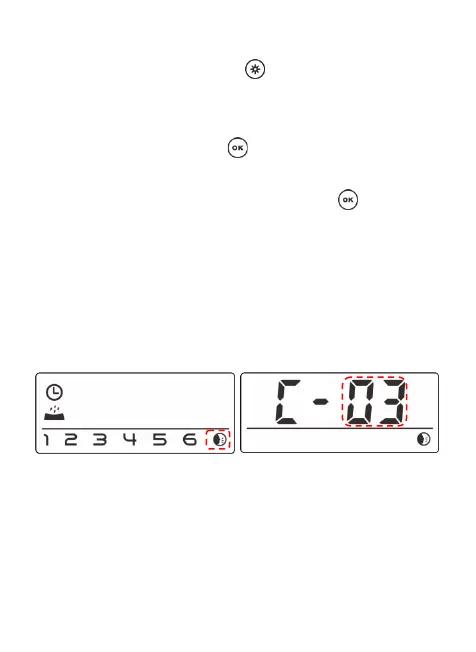
It can be customized 5times max at the setting.Press
and hold the setting button for 2 seconds to enter
the setting interface, Select the down button to
switch the flashing icon to recording button as shown
in below picture. Press to confirm selections of
recording playback, by using the up/down selections
buttons to set up. After setting, press button to
save and exit.
T
o cancel the feeding recording and playback, You
can set the number of playback to 0.
Note:
1
.
W
hen pet feeder connects by power adapter
reguarly, the pet feeder recording will be played
during feeding. It will play the times as default
setting,ex.3times/4times,5times... even the pets finish


 To Next Page