2
2. Setting the Feeding Time
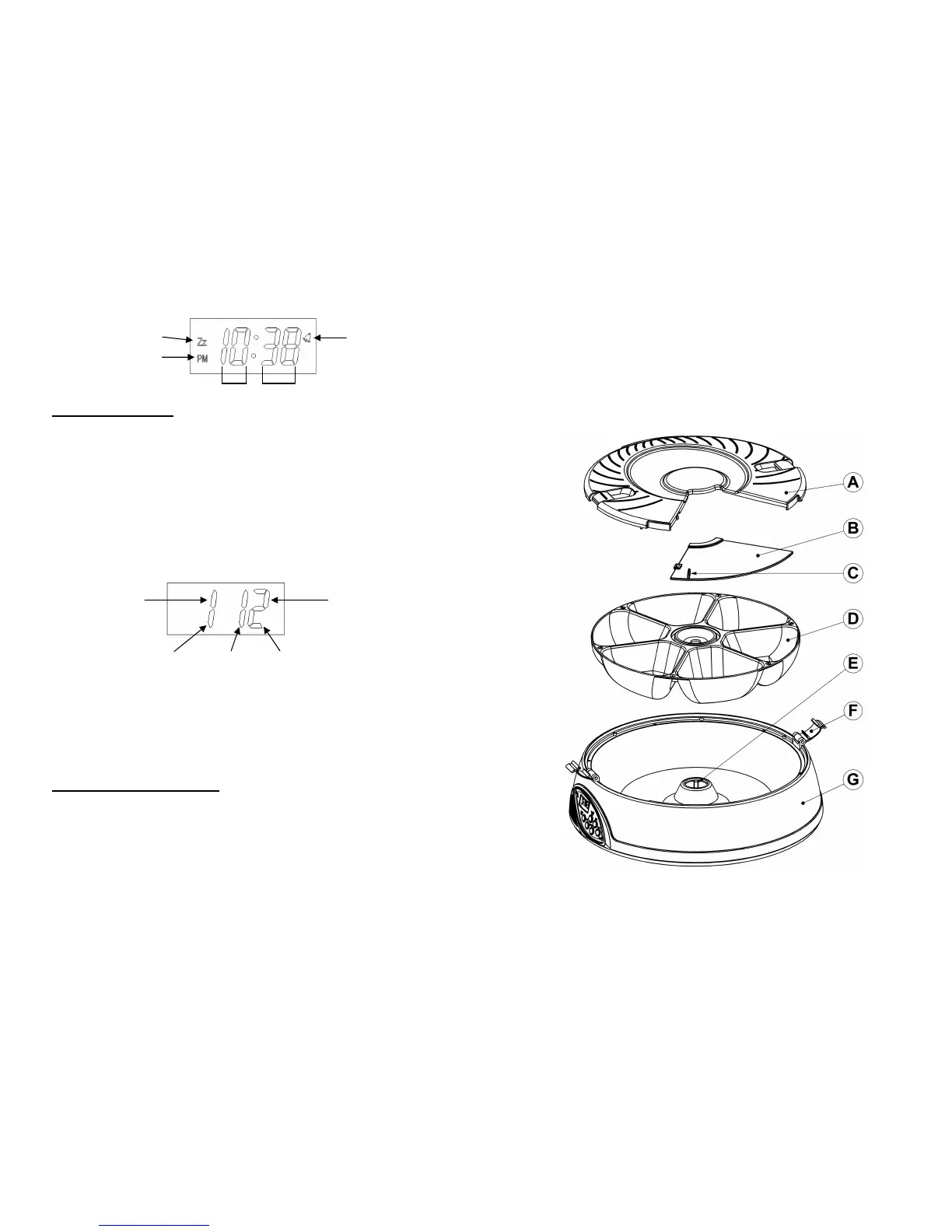
1) After setting the clock time, press the MODE key one time. (1 1) will show on the
display. This is the feeding-time display mode.
2) Now press and hold the SET key for (2 seconds) to enter Feeding time SET
mode. Feeding will start from the first feeding number & time. The 1
st
digit shows
the feeding number (Food Tray 1)
3) The hour digit will now blink (2
nd
and 3
rd
digit). Press the MODE key to increase
the time, then press the SET key to confirm the time you set
4) After confirming the 1
st
feeding time, the next feeding number & time will show on
the display. (1
st
digit will change to the next feeding number, e.g. 2 or 3 or 4 or 5 or
6 and back to 1) To change the feeding time, repeat step-3
5) Repeat step-3 until all 6 feeding times are set. The display will change back to
clock display mode when all 6 feedings have been set
Program examples:
1) Feed once a day at 13:00hr (24hrs display) and feed for 6 days
Feed time 1 & 2 & 3 & 4 & 5 & 6 all equal = 13:00hr
2) Feed twice a day at 10:00 and 20:00 and feed for three days
Feed time 1 = 10, feed time 2 = 20, feed time 3 = 10, feed time 4 = 20, feed
time 5 = 10 and the last time 6 = 20
3) Feed three times a day at 6:00am, 12:00 and 18:00 (6:00pm)
Feed time 1 = 06, feed time 2 = 12, feed time 3 = 18 and so on…
3. Review and Start the feeding timer
1) Use the MODE key to cycle through clock and your set feeding times (clock - then
1
st
feed time→2
nd
feed time→3
rd
feed time→ 4
th
feed time→ 5
th
feed time→ 6
th
feed time→ back to clock…) The sequence will repeat
2) Press the START NOW key to start the feeding timer immediately. The bowl will
rotate to the pre-set starting position (Tray 6) and your recorded message will play
once. The BELL icon will now be On
3) Or press the START TOMORROW key and the feeding timer will start at 0:00-
Midnight. The bowl will rotate to the pre-set starting position (Tray 6) and your
recorded message will play once. The BELL and Zz icon will now be On
Bell
Hours
Minutes
Start
Tomorrow
PM
1
s


 To Next Page
 Loading...