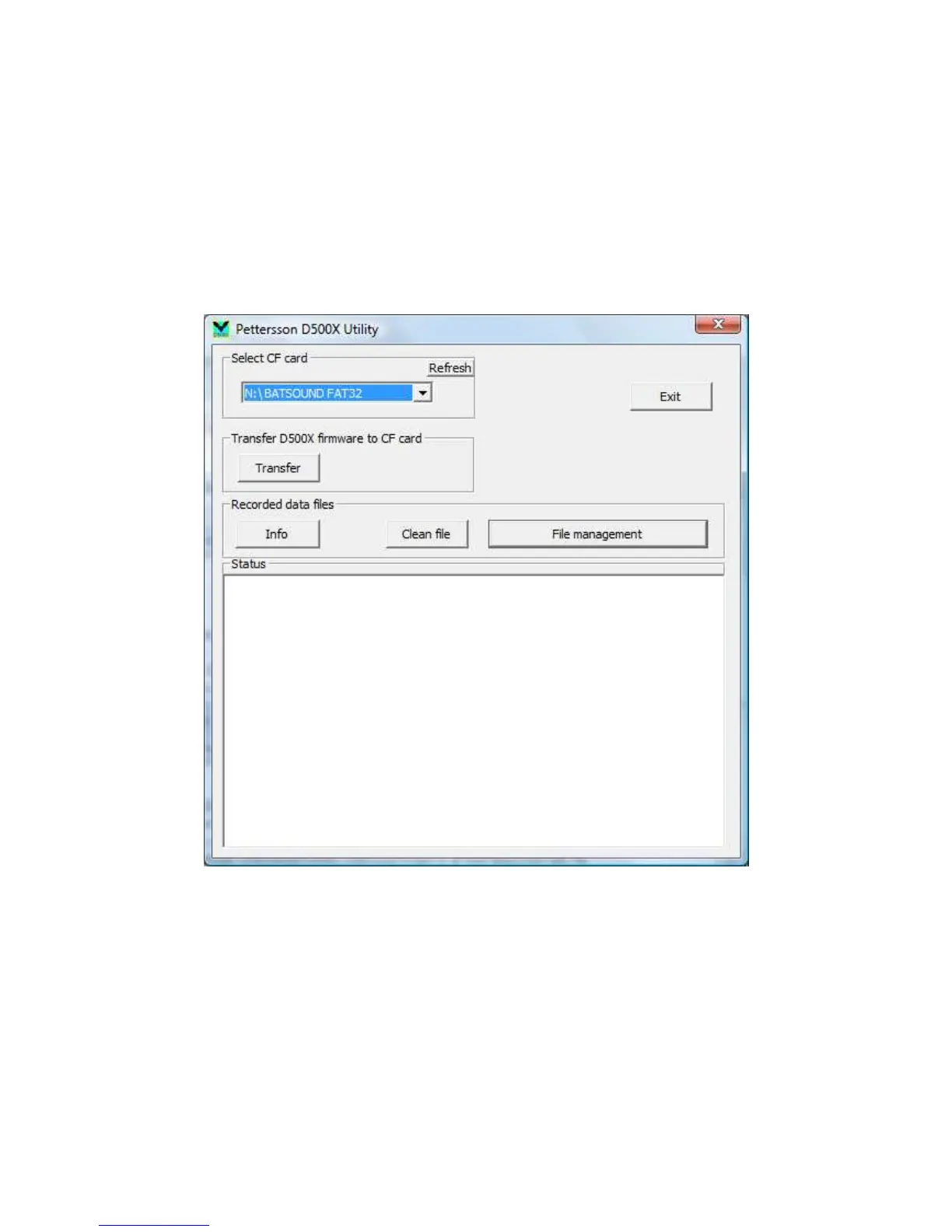
The D500X Utility
The D500X Utility software is a Windows program to facilitate the use of the CF cards with
the D500X. This program can be found on the CF card that comes with the detector. Copy it
to a suitable folder on the hard disk of the computer and double-click it to run it. It is used to:
• Extract metadata from D500X files (file date/time, firmware version etc.)
• Copy and rename files with optional adding of date/time/prefix/suffix to the file name
• Transfer D500X firmware upgrade files to a CF card
The first step in using the D500X Utility is to select the drive that has the CF card. This is
done in the “Select CF card” section in the D500X Utility main window. Please make sure
you select the correct drive or the following operations (including formatting) will be
performed on a disk in a drive you did not intend.
You should close any other application (e.g. Windows Explorer) using the CF card or the
D500X Utility program may not be able to access the card.


 To Next Page