EasyManua.ls Logo

PEUGEOT RT6 - First Steps

PEUGEOT RT6
73 pages
Print Icon
To Next Page IconTo Next Page
To Previous Page IconTo Previous Page
Loading...
01
234
FIRST STEPS
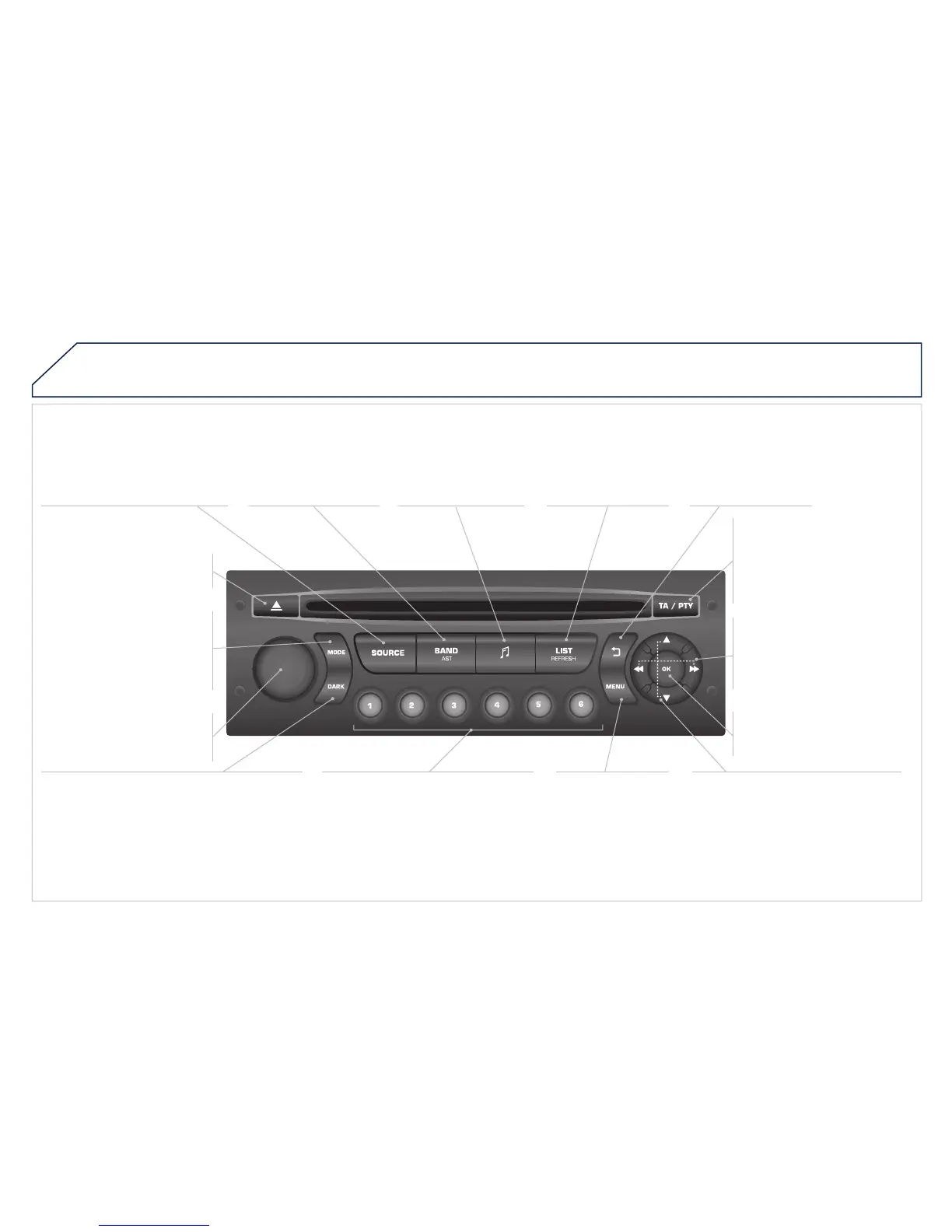
Eject CD.
Select source:
radio, audio CD / MP3 CD, USB,
Jack connection, Streaming,
AUX.
Select the screen display
mode:
Date, audio functions, trip
computer, telephone.
Automatic frequency search
down/up.
Select previous/next CD, MP3
or USB track.
Audio settings: front/
rear fader, left/right
balance, bass/treble,
loudness, audio
ambiences.
Display the list of
local stations.
Long press: CD
tracks or MP3
folders (CD / USB).
TA (Traffi c Announcements)
on/off.
Long press: PTY * (radio
Programme TYpe) mode.
Display main menu.
The DARK button changes the screen display
for improved driving comfort at night.
1
st
press: upper bar only illuminated.
2
nd
press: black screen.
3
rd
press: return to standard display.
On/off, volume setting.
Buttons 1 to 6:
Select a pre-set radio station.
Long press: pre-set a station.
Select next frequency down/up.
Select previous/next MP3 folder.
Select previous/next folder / genre /
artist / playlist (USB).
Confi rm.
Selection of AM / FM
wavebands.
Abandon the current
operation.
*
Available according to version.
*

Available according to version.
*