What does error 'U4: Scanner cover open' mean on my PFU Limited fi-614PR Scanner?
- DDeborah MonroeAug 19, 2025
The error 'U4: Scanner cover open' on your PFU Limited Scanner indicates that the ADF cover has been opened (038002 40).
What does error 'U4: Scanner cover open' mean on my PFU Limited fi-614PR Scanner?
The error 'U4: Scanner cover open' on your PFU Limited Scanner indicates that the ADF cover has been opened (038002 40).
What does 'E9: Image memory alarm' mean on my PFU Limited Scanner?
The error 'E9: Image memory alarm' on your PFU Limited Scanner suggests a memory malfunction (044400 E4).
What does 'E7: EEPROM alarm' mean on my PFU Limited fi-614PR Scanner?
The error 'E7: EEPROM alarm' on your PFU Limited Scanner indicates an EEPROM error (044400 D2).
What does 'C0: LSI alarm' mean on my PFU Limited fi-614PR?
The error 'C0: LSI alarm' on your PFU Limited Scanner indicates an LSI malfunction (044400 nn).
What does 'E0: Carrier drive alarm' mean on my PFU Limited fi-614PR Scanner?
The error 'E0: Carrier drive alarm' on your PFU Limited Scanner indicates a flatbed motor malfunction (048005 87).
What does 'F4: Background changeover unit alarm' mean on my PFU Limited fi-614PR?
The error 'F4: Background changeover unit alarm' on your PFU Limited Scanner indicates a failure of the background changeover unit, either front (048005 C2) or back (048005 C3).
What does error 'E1: Optical alarm (FB)' mean on my PFU Limited fi-614PR?
The error 'E1: Optical alarm (FB)' on your PFU Limited Scanner indicates an optical error with the flatbed (048006 7E).
What does error 'E2: Optical alarm (ADF front)' mean on my PFU Limited fi-614PR?
The error 'E2: Optical alarm (ADF front)' on your PFU Limited Scanner indicates an optical error with the ADF front (048006 74).
What does error 'E3: Optical alarm (ADF back)' mean on my PFU Limited fi-614PR?
The error 'E3: Optical alarm (ADF back)' on your PFU Limited Scanner indicates an optical error with the ADF back (048006 75).
What does 'H0: Motor alarm' mean on my PFU Limited fi-614PR?
The error 'H0: Motor alarm' on your PFU Limited Scanner suggests that the fuse for the ADF motor has blown (048004 nn).
Details the scanner's specifications including its performance and capabilities.
Highlights key features and improvements of the scanner compared to previous models.
Provides detailed technical specifications for various scanner models.
Outlines environmental conditions for scanner operation and storage.
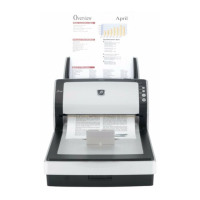
Illustrates the external parts and appearance of the scanner.
Shows the physical dimensions of the scanner models.
Details the types and thickness of documents supported by the scanner.
Explains the conditions and methods for multi-feed detection.
Describes the main components and configuration of the scanner system.
Details the Automatic Document Feeder (ADF) unit and its components.
Explains the optical systems and light sources used for scanning.
Details the scanner's control logic and main components like PCAs.
Describes the function and connectors of the Control PCA.
Explains the Panel PCA's role in the operator interface and EEPROM storage.
Details the Joint PCA's function in the carrier unit's interface.
Provides a block diagram of the scanner's electrical components.
Step-by-step instructions for unpacking the scanner and its accessories.
Guidance on safely installing the scanner, including electrical connections.
Cautions and guidelines for safe installation to prevent scanner issues.
Procedures for physically installing the scanner and connecting cables.
Details the part number and applicable models for the Base Unit.
Lists specifications for the Base Assembly, noting OPT Unit exclusion.
Provides part number and image for the Inverter component.
Shows part number and image for the Lamp component.
Details the US Sensor FX for multifeed detection, including its parts.
Provides part number and image for the Optical Unit.
Shows part number and image for the BW Motor.
Details the Guide P ASSY (Sheet Guide) part number and applicable models.
Provides part number and image for the Pick Motor Assembly.
Details part number and remarks for the Pick Motor.
Shows part number and image for the Pick Shaft Assembly.
Details the switch for ADF open detection and its shared models.
Lists part numbers for Upper Unit variants based on region and model.
Details part number for Upper Assembly, excluding Panel PCA and OPT Unit.
Provides part number and remarks for the ADF Motor.
Details the US Sensor RV for multifeed detection and shared models.
Shows part number and remarks for the Sensor EMP.
Details part number and notes for Panel PCA, emphasizing EEPROM save.
Provides part number and image for the BR Shaft Assembly.
Lists part numbers for Control PCA variants and notes on brackets.
Shows part number and remarks for the Stacker Unit.
Details part number and remarks for the Chuter Unit (ADF paper chute).
Provides part number and remarks for the AC Adapter.
Lists part numbers for AC Cordsets for different regions.
Shows part number for the USB Cable.
Details part number and remarks for the Flatbed Top Cover.
Provides part number and remarks for the FB Motor Unit.
Shows part number and remarks for the FB Motor.
Details the OPT Box Unit part number and included/excluded parts.
Provides part number and remarks for the CR Cable.
Details part number and remarks for the Document Cover Assembly.
Shows part number and remarks for the Joint PCA.
Describes the sequence of displays on the operator panel during power-on.
Explains how temporary errors and alarms are detected and displayed.
Details temporary errors that can be remedied by the operator.
Outlines alarms requiring maintenance by authorized personnel.
Describes how the Error Recovery Guide displays error names and codes.
Provides procedures for troubleshooting scanner errors and alarms.
Essential safety precautions before disassembling or assembling scanner parts.
Recommended schedule and parts for periodic scanner maintenance.
Instructions for cleaning various scanner components like OPT Unit and glass.
Procedure for cleaning the OPT Unit mirrors and internal parts.
Steps for cleaning the glass inside the scanner's Base Unit.
Procedure for cleaning the glass inside the scanner's Upper Unit.
Instructions for cleaning the glass surface of the flatbed scanner.
Guide for cleaning the white reference sheet within the Base Unit.
Steps for cleaning the white reference sheet within the Upper Unit.
Lists special tools recommended for scanner maintenance.
Identifies parts that should not be disassembled or loosened.
Procedure for safely removing the flatbed unit from the scanner.
Covers removal and installation of the Chuter Unit and Stacker Unit.
Detailed steps for removing and installing the Chuter Unit.
Procedure for removing and installing the Stacker Unit.
Instructions for removing and installing the Base Unit.
Detailed steps for removing and installing the Base Unit.
Procedure for removing and installing the Base Assembly.
Steps for removing and installing the Inverter for front side scanning.
Procedure for removing and installing the Lamp for front side scanning.
Instructions for removing and installing the US Sensor FX.
Detailed steps for removing and installing the OPT Unit for front scanning.
Procedure for removing and installing the BW Motor.
Instructions for removing and installing the Guide P ASSY (Sheet Guide).
Detailed steps for removing and installing the Pick Motor Assembly.
Procedure for removing and installing the Pick Motor.
Instructions for removing and installing the Pick Shaft Assembly.
Detailed steps for removing and installing the ADF open detection switch.
Instructions for removing and installing the Upper Unit.
Detailed steps for removing and installing the Upper Unit.
Procedure for removing and installing the Upper Assembly.
Instructions for removing and installing the ADF Motor.
Detailed steps for removing and installing the OPT Unit for backside scanning.
Procedure for removing and installing the Inverter for backside scanning.
Instructions for removing and installing the Lamp for backside scanning.
Detailed steps for removing and installing the US Sensor RV.
Procedure for removing and installing the Sensor EMP.
Instructions for removing and installing the Panel PCA.
Detailed steps for removing and installing the BR Shaft Assembly.
Procedure for removing and installing the Top Cover.
Instructions for removing and installing the Control PCA.
Procedures for disassembling and assembling flatbed-related components.
Steps for removing and installing the Flatbed Top Cover.
Procedure for removing and installing the FB Motor Unit.
Instructions for removing and installing the FB Motor.
Detailed steps for removing and installing the OPT Box Unit.
Procedure for removing and installing the OPT Unit.
Instructions for removing and installing the Inverter.
Detailed steps for removing and installing the Lamp.
Procedure for removing and installing the CR Cable.
Instructions for removing and installing the Document Cover.
Detailed steps for removing and installing the Joint PCA.
Overview of the scanner's built-in maintenance mode for performance checks.
Procedure for accessing and starting the scanner's maintenance mode.
Tests ADF/FB feeding, sensor status, and background changeover.
Automatically calculates magnification correction values for main/sub-scanning.
Automatically calculates offset correction values for main/sub-scanning.
Adjusts white level correction values for main/sub-scanning automatically.
Allows viewing and resetting consumable counters like ADF rollers.
Displays miscellaneous information such as firmware version and paper counts.
Restores EEPROM data from Control PCA to Panel PCA after replacement.
Procedure to save EEPROM data from Panel PCA to Control PCA.
Covers fundamental scanner operations like powering on/off.
Instructions for powering the scanner on and off via the operator panel.
Guidance on properly loading documents into the ADF for scanning.
Instructions for placing documents on the flatbed for scanning.
Recommendations for routine cleaning and maintenance of the scanner.
Detailed steps for cleaning the Automatic Document Feeder (ADF) components.
Instructions for cleaning the flatbed glass and plastic cover.
Information on replacing consumable parts like rollers and ink.
Lists consumables, their specifications, and replacement intervals.
Guide to checking and resetting consumable counters via software.
Step-by-step instructions for replacing the brake roller.
Detailed procedure for replacing the pick roller.
Details the imprinter's technical specifications and printing functions.
Describes the imprinter's printing methods, directions, and character sets.
Outlines environmental requirements for the imprinter's operation.
Illustrates the external appearance of the imprinter unit and scanner setup.
Covers basic imprinter operation and error handling.
Explains how the imprinter operates when connected to the scanner.
Presents the circuit block diagram of the imprinter system.
Provides procedures for unpacking and installing the imprinter.
Step-by-step guide for unpacking the imprinter and its accessories.
Procedure for physically installing the imprinter onto the scanner.
Instructions for installing the imprinter's print cartridge.
Guide for performing an operation test of the imprinter.
Lists maintenance parts for the imprinter with part numbers and references.
Details the part number and remarks for the Imprinter SENSOR.
Provides part number and remarks for the Imprinter Control Board (IMP CT).
Details the part number and remarks for the IMP JNT connector.
Shows part number and remarks for the PR HARNESS.
Provides part number and remarks for the IM FELT.
Details the part number and remarks for the LF MOTOR.
Shows part number and remarks for IM HOLDER ASSY3.
Provides part number and remarks for IM HOLD LEVER3.
Details part number and remarks for the FPC CABLE.
Shows part number and remarks for IM PINCH ASSY3.
Provides part number and remarks for the IM LOCK LEVER.
Details the switch for cover open detection and its shared models.
Shows part number and remarks for the GUIDE SHEET.
Provides part number and remarks for PAPER GUIDE3.
Refers to Chapter 4 for troubleshooting imprinter issues.
Covers warnings and procedures for imprinter disassembly and assembly.
Provides safety precautions for imprinter maintenance work.
Lists special tools required for imprinter maintenance.
Step-by-step instructions for removing the imprinter unit.
Procedure for removing and installing the IM HOLD LEVER3.
Detailed steps for removing and installing the IM PINCH ASSY3.
Instructions for removing and installing the IMP JNT.
Procedure for removing IM HOLDER ASSY3 and FPC CABLE.
Steps for removing and installing the Imprinter Control Board (IMP CT).
Instructions for removing and installing the imprinter sensor.
Procedure for removing and installing the cover open detection switch.
Steps for removing and installing the LF MOTOR.
Instructions for removing and installing the PR HARNESS.
Procedure for removing and installing the IM FELT.
Steps for removing and installing the IM LOCK LEVER.
Instructions for removing and installing the GUIDE SHEET.
Refers to Chapter 6 for imprinter adjustment and settings.
Covers basic operation and daily care procedures for the imprinter.
Instructions for positioning the print cartridge for optimal printing.
Guidance on using paper guides to prevent jams and ensure proper feeding.
Explains how to configure imprinter settings via the scanner driver.
Procedures for safely removing jammed documents from the ADF and Print section.
Covers cleaning procedures and information about consumable parts.
Instructions for cleaning the imprinter's print cartridge nozzle plate.
Guide for cleaning the imprinter's base surface and print section.
Steps for cleaning the imprinter's feed, eject, and plastic rollers.
Detailed procedure for replacing the imprinter's print cartridge.
| Optical Resolution | 600 x 600 dpi |
|---|---|
| Maximum Paper Size | A4 |
| ADF Capacity | 50 sheets |
| Duplex Scanning | Yes |
| Paper Feed | Automatic Document Feeder (ADF) |
| Scanning Method | CIS (Contact Image Sensor) |
| Supported Paper Sizes | A4, A5, B5, Legal, Letter |
| Output Format | PDF, JPEG, TIFF |
| Operating System Compatibility | Windows, Mac |
Loading...