EasyManua.ls Logo

PFU Limited fi-6230 - User Manual

PFU Limited fi-6230
257 pages
Print Icon
To Next Page IconTo Next Page
Loading...
08 July 27, 09
K.Okada A.Miyoshi I.Fujioka Refer to Revision Record on page 2.
TITLE
f
i-6140/fi-6240/fi-6130/fi-6230/fi-614P
R
Maintenance Manual
07 Nov.12, 08 K.Okada T.Anzai I.Fujioka Refer to Revision Record on page 2. CUST.
06 Mar.10, 08 K.Okada T.Anzai I.Fujioka Refer to Revision Record on page 2.
DRAW
No.
P1PA03540-B0XX/6
Rev. DATE DESIGN CHECK APPR. DESCRIPTION
Design July 27, 2007 K.Okada CHECK K.Okada APPR. T.Anzai
PFU LIMITED
Page
1 /257
fi-6140/fi-6240
fi-6130/fi-6230
Image Scanner
fi-614PR, Imprinter
Maintenance Manual

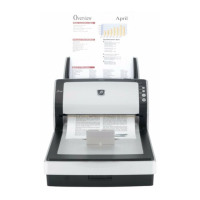
Table of Contents

Questions and Answers

  • S
    Sara MorrisonAug 19, 2025
    What does error 'U4: Scanner cover open' mean on my PFU Limited Scanner?
    • G
      gonzalezrussellSep 12, 2025
      The error 'U4: Scanner cover open' on your PFU Limited Scanner indicates that the ADF cover has been opened (038002 40).
  • D
    Denise StuartAug 21, 2025
    What does 'E9: Image memory alarm' mean on my PFU Limited Scanner?
    • J
      Jennifer ThompsonAug 21, 2025
      The error 'E9: Image memory alarm' on your PFU Limited Scanner suggests a memory malfunction (044400 E4).
  • A
    Alisha HuntAug 23, 2025
    What does 'E7: EEPROM alarm' mean on my PFU Limited fi-6230?
    • C
      Courtney DillonAug 23, 2025
      The error 'E7: EEPROM alarm' on your PFU Limited Scanner indicates an EEPROM error (044400 D2).
  • J
    jonathan25Aug 26, 2025
    What does 'C0: LSI alarm' mean on my PFU Limited fi-6230?
    • D
      Daniel MccallAug 26, 2025
      The error 'C0: LSI alarm' on your PFU Limited Scanner indicates an LSI malfunction (044400 nn).
  • P
    Peter NguyenAug 28, 2025
    What does 'E0: Carrier drive alarm' mean on my PFU Limited fi-6230?
    • J
      janice23Aug 28, 2025
      The error 'E0: Carrier drive alarm' on your PFU Limited Scanner indicates a flatbed motor malfunction (048005 87).
  • L
    Linda JonesAug 30, 2025
    What does 'F4: Background changeover unit alarm' mean on my PFU Limited fi-6230 Scanner?
    • R
      Richard SanchezAug 30, 2025
      The error 'F4: Background changeover unit alarm' on your PFU Limited Scanner indicates a failure of the background changeover unit, either front (048005 C2) or back (048005 C3).
  • A
    Andrew HowellSep 2, 2025
    What does error 'E1: Optical alarm (FB)' mean on my PFU Limited fi-6230?
    • X
      xescobarSep 2, 2025
      The error 'E1: Optical alarm (FB)' on your PFU Limited Scanner indicates an optical error with the flatbed (048006 7E).
  • J
    jacquelinegriffinSep 4, 2025
    What does error 'E2: Optical alarm (ADF front)' mean on my PFU Limited fi-6230 Scanner?
    • A
      Alexander LucasSep 4, 2025
      The error 'E2: Optical alarm (ADF front)' on your PFU Limited Scanner indicates an optical error with the ADF front (048006 74).
  • N
    Nicole PattersonSep 6, 2025
    What does error 'E3: Optical alarm (ADF back)' mean on my PFU Limited fi-6230 Scanner?
    • D
      Dustin MosesSep 6, 2025
      The error 'E3: Optical alarm (ADF back)' on your PFU Limited Scanner indicates an optical error with the ADF back (048006 75).
  • C
    Chris AlexanderSep 9, 2025
    What does 'H0: Motor alarm' mean on my PFU Limited fi-6230?
    • L
      legarySep 9, 2025
      The error 'H0: Motor alarm' on your PFU Limited Scanner suggests that the fuse for the ADF motor has blown (048004 nn).

Summary

Chapter 1 Overview

1-1 Specification

Details scanner specifications including optical resolution, output resolution, bit depth, and scanning speed.

1-2 Scanner Configuration

Explains the ADF Unit, Reading Station, and Controller components of the scanner.

Chapter 4 Troubleshooting

4-3 Troubleshooting

Provides a systematic guide to diagnose and resolve scanner errors and alarms by checking related sections.

Chapter 5 Disassembly;Assembly

5-1 For the safety operation

Outlines essential safety precautions to prevent electric shock, injury, and machine damage before disassembly.

5-3 Cleaning

Details procedures for cleaning optical units, glass surfaces, and white reference sheets.

Chapter 7 Basic Operation and Daily Care

7-1 Basic Operation

Explains how to turn the scanner on and off, and the status indications on the operator panel.

7-3 Replacing the consumables

Lists consumables, their replacement cycles, and how to check/replace them.

PFU Limited fi-6230 Specifications

General IconGeneral
BrandPFU Limited
Modelfi-6230
CategoryScanner
LanguageEnglish

Related product manuals