Chapter 4: Control via Phantom Software
11
Phantom control software is certified to operate with
the following Microsoft Windows operating systems:
Windows 7, 8.1 and 10.
The computer and camera must be associated with the
same sub-network to communicate with one another.
Vision Research has preset IP address (100.100.x.x)
with a subnet mask (255.255.0.0) to the camera.
Typically the IP address 100.100.100.1 / 255.255.0.0 is
defined to the control computer. When multiple computers
are used to control the same camera, each computer
requires a unique IP address, for example, 100.100.100.1
(255.255.0.0), 100.100.100.2 (255.255.0.0), and so on.
The software is built around a multi-layered work area that
includes the following work areas:
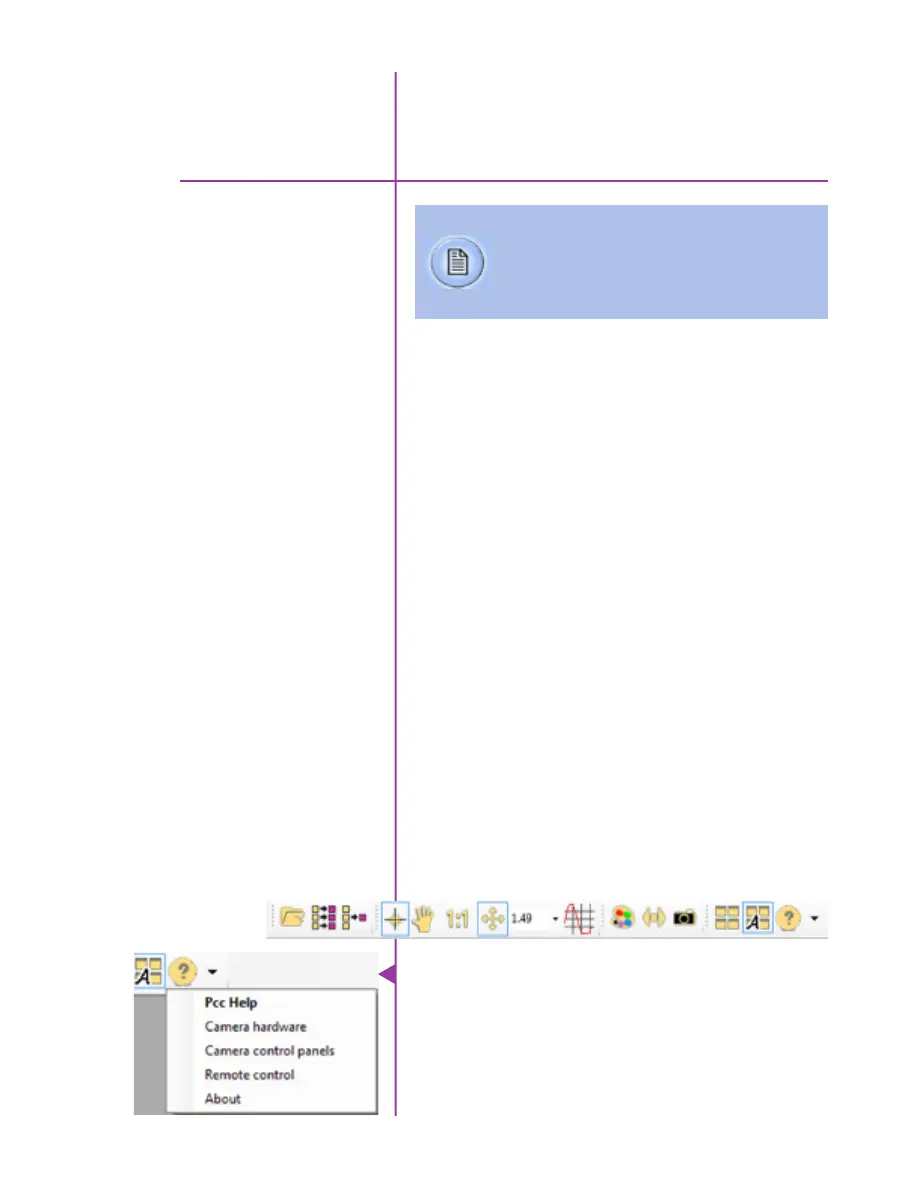
Provides quick access to the most frequently used
functions. Position the mouse over a button and wait for a
second to display a text box describing what it is.
Pre-Installation
PCC (Phantom Camera Control)
Application Overview
Toolbar
Note the ‘Help’ buttons which provides valuable reference
information on the software, including extensive documen-
tation.
pcc software
Phantom Software
4
The latest version of Phantom PCC software
can be found and downloaded from the support
section of the Vision Research website:
www.phantomhighspeed.com


 To Next Page
 Loading...

