BT1613
5
store it in the supplied carrying case to protect it
from dirt and damage.
Re-attaching the Front Panel
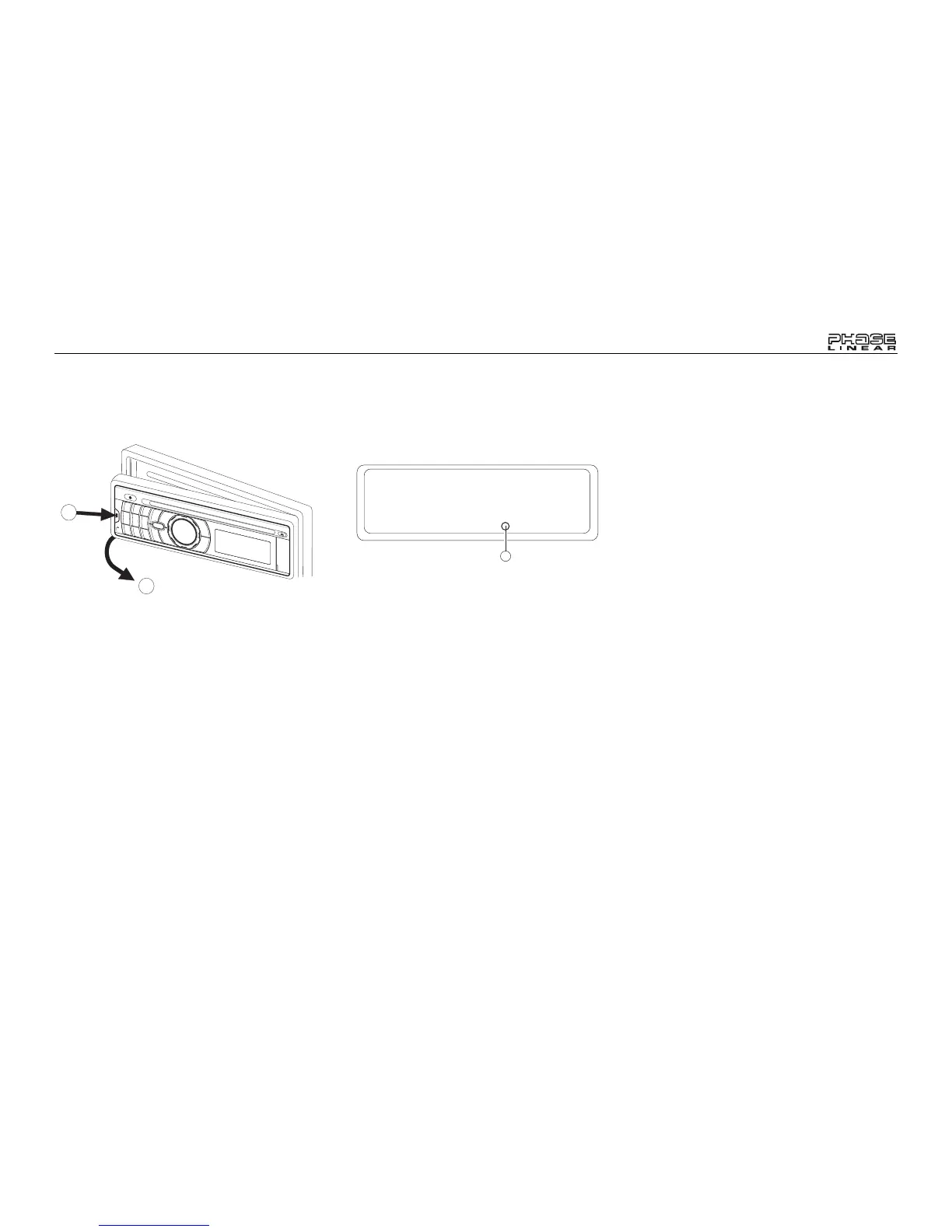
To re-attach the front panel, make sure the
electrical terminals on the back of the panel are
free of dust and dirt, as debris could cause
intermittent operation or other malfunctions.
Position the right side of the panel in place so
that it is correctly engaged, and then lightly
press the left side of the panel until the panel
locks into place.
Reset Button
The reset button (26) is located on the front of
the chassis and can only be accessed with the
front panel removed. The reset circuitry
protects the microprocessor circuitry. Since
resetting the unit will erase the time and preset
memories, it should only be activated upon
initial installation after all wiring is complete, or
if there is a malfunction of any of the switches
on the unit. In these circumstances, pressing
the reset button will clear the system and return
the unit to normal operation.
2
1
REMOVE FRONT PANEL
RESET
26



 To Next Page