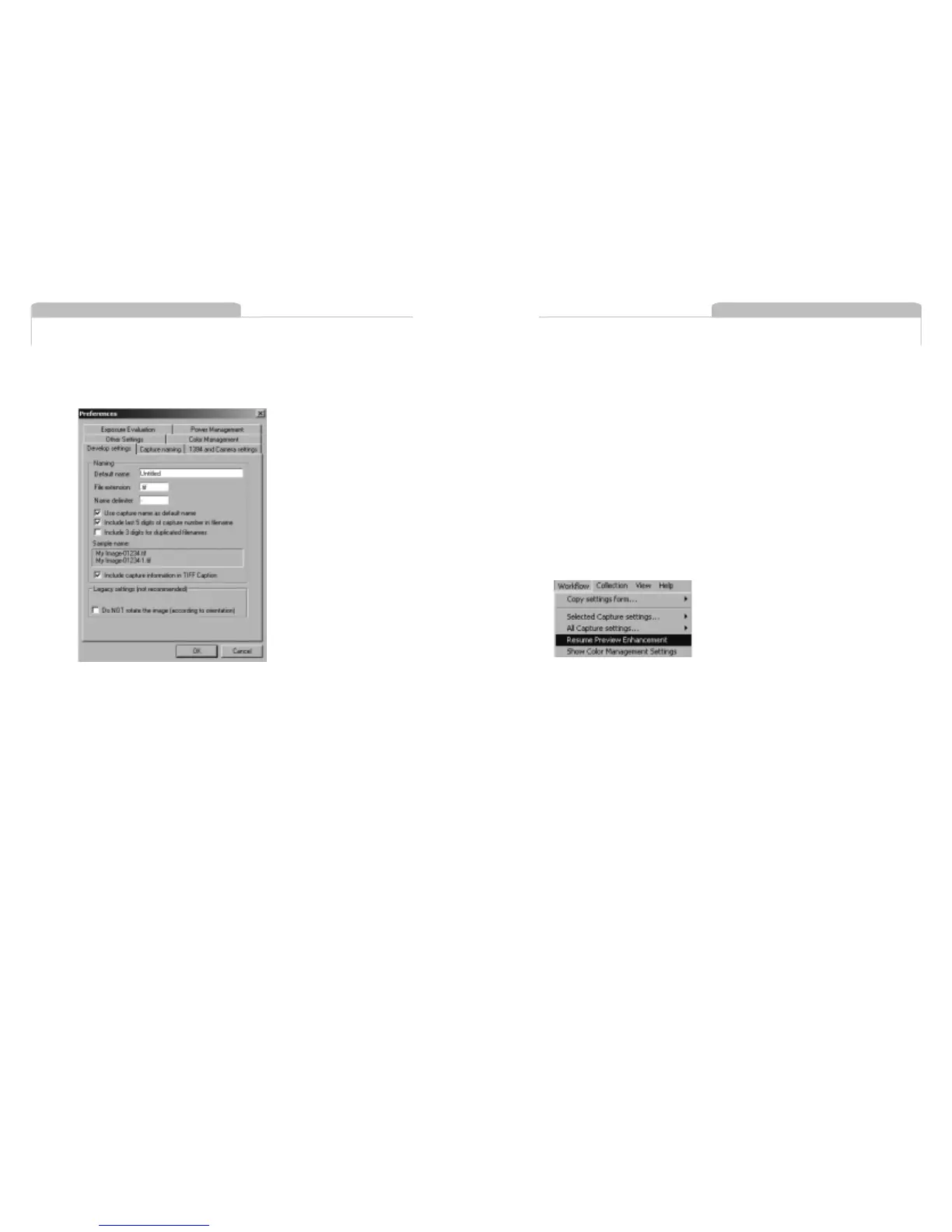
This way you will always be able to identify your developed TIFF file
later on in the process.
Automatic Preview Enhancement
The automatic preview enhancement guarantees that image previews
are generated in a high quality in order to ensure an optimum image
evaluation on the monitor.
It takes a while for the Capture One Software to generate these previews
and in some cases, for instance if you are working on-location with a
lower performance portable computer, it might be a good idea to
suspend this process to save time. Go to the Workflow menu and choose
'Suspend Preview Enhancement'. The preview enhancement is resumed
again the same way.
Previews that have not yet been enhanced are marked with a small cyan
mark in the Capture Collection.
Developing
Images captured by the Phase One H 5 digital camera back are stored
as raw calibrated files. They must by processed by the Capture One
application before they can be used in any other program. The raw
files can be archived and processed at a later time, or processed
immediately. Archiving raw files saves space and makes it possible to
process one single image for various purposes; a high resolution color
image for a printed page or a low resolution image for a web site.
Embed information in TIFF files
For easy file tracking or integration with database systems you
can choose to embed information in the developed TIFF file.
Go to 'Preferences' in the File menu, select 'Develop settings' and check
'Include capture information in TIFF Caption'. Once checked, information
such as path file name, ID and Image Capture Software version is
embedded in the TIFF image's caption tag.
Example
A TIFF file called "Outline" includes the following information:
Capturefile: D:\portraits\Outline
(corresponds to the actual path file name)
CaptureSN: BR000059.001825
(corresponds to the unique ID of the capture file)
Software: Capture One Basic 1.0 for Windows
Editing and Selecting Images
Editing and Selecting Images
13.18
13.19



 To Next Page